
Participant
April 4, 2023
Question

Before you can perform print-related tasks - error message
  • April 4, 2023
  • 1 reply
  • 11584 views


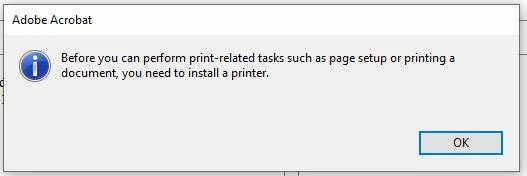
When attempting to print PDFs with Adobe Acrobat, I receive this error message: "Before you can perform print-related tasks such as page setup or printing a document, you need to install a printer."


I am using Windows 10 on a PC. The Reader version is 23.001.20093.0. This problem began only a couple of days ago. I can print from other applications. I can also print PDFs from my wife's PC to the same printer.


Tried so far:

  • Un-installed Adobe Reader and re-installed it
  • Deleted the printer and re-installed it
  • Selected this printer as default, de-selected, and re-selected

I read three other threads related to this topic, but found the suggestions there uneffective.


Suggestions welcomed.

Thanks in advance.

Larry G

This topic has been closed for replies.

1 reply

ls_rbls
Community Expert
Community Expert
April 4, 2023

Hi @Larry292252345u5u ,


Although you uninstalled and re-installed Adobe Acrobat with no success, try one more time byrepairing the installation.


Go to Help => Repair Installation.


If that doesn't work, proceed to manually install the Adobe PDFMaker as the default printing device driver in the link below:


Participant
April 4, 2023

Dear Is_rbls,

Thank you for your thoughtful and clear suggestions. Here is how it turned out:


When I click repair, I receive this message:

I located the file acropro.msi manually. It ran successfully, but I still have the issues.

Whan I click Acrobat Reader Help from the Help tab, I receive this message:

I uninstalled and re-installed yet again, to no avail.


I attempted to install the PDF printer manually, but "Documents\*.pdf was missing from the list after "Use existing port".


Any further advice will be appreciated.

LG