Nvbit
Participant
June 11, 2026
Question

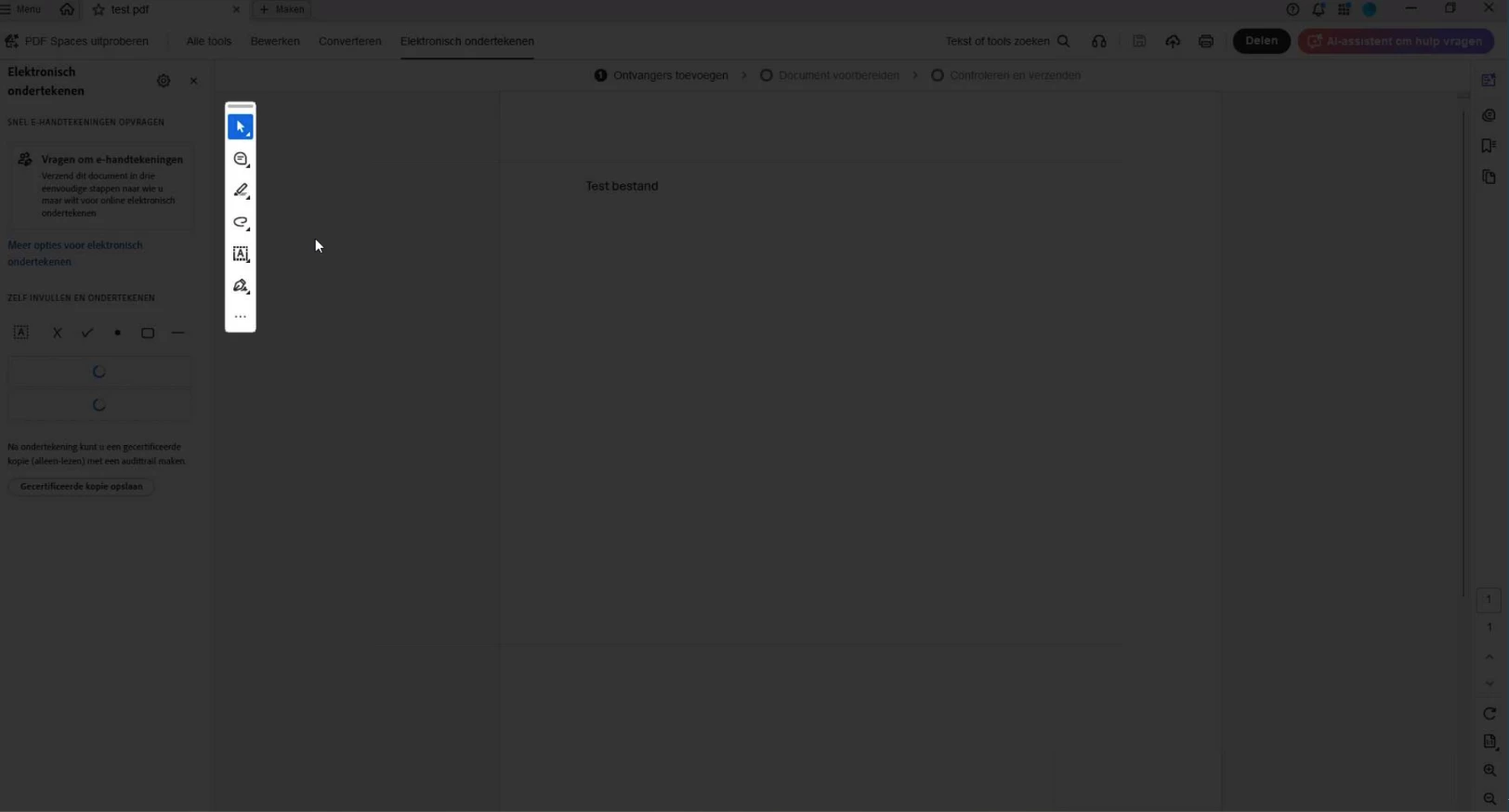
Black screen after adding signature

  • June 11, 2026
  • 2 replies
  • 28 views

Screen goes black after detecting formfields.
Reinstalling did not work.
Disbale Use modern user interface for signing and Digital ID configuration!--tgqphd|[]-->. dit not work
Tested everything on the internet but nothing works

    2 replies

    Nvbit
    NvbitAuthor
    Participant
    June 11, 2026

    Hi Amal,

    Thanks for getting back to me. Here are the details you asked for:

    - Acrobat version: 26.001.21662 (already on the latest update)
    - OS: Windows 11
    - When it started: suddenly since yesterday. It worked fine before that.
    - Which PDFs: it happens with all PDFs, specifically files I save as PDF from Word and then try to add a digital signature to.

    Steps I've already tried:
    - Temporarily disabled Enhanced Security and Protected Mode > no effect
    - Completely uninstalled and reinstalled Adobe Acrobat > issue still persists

    I'll also try the page cache option you mentioned (Preferences > Page Display > Rendering, uncheck "Use Page Cache", then reboot the app) and let you know if it helps.

    If it's still not resolved after that, I'll send over a short screen recording of the steps and the issue.

    Best regards

    Amal Jaiswal
    Community Manager
    Community Manager
    June 11, 2026

    Hi there 


    Thanks for trying the suggestions, please do share the video recording of the steps taken and the issue as it occurs for further investigation. 


    ~Amal

    Amal Jaiswal
    Community Manager
    Community Manager
    June 11, 2026

    Hi there 


    Hope you are doing well and sorry for the trouble.


    Have you started experiencing this issue recently after the update or was it occurring earlier as well?

    What is the version of the Acrobat Application and the OS you are using? Is this an issue with a particular PDF file or with all the PDF? Please try with a diffreent PDF file and check. Also make sure the application is updated to the latest version  26.001.21662 Planned update, Jun 09, 2026. Go to Help > Check for updates and reboot the computer once.


    You may also try disabeling the page cache Go to Preferences (Ctrl,Cmd+K) > Page Display > Rendering, and uncheck “Use Page Cache” > Click OK and reboot the application.


    Also try to turn off the protected mode for testing. Go to Preferences (Ctrl,Cmd+K) > Security (Enhanced) temporarily disable Enhanced Security and Protected Mode, then test signing.
    Note: Re-enable the security after testing.


    If it still doesn’t work, please share a small video recording of the steps you are taking and the issue as it occurs along with the details asked above, for further investigation.


    ~Amal