


mariaa16781283
Participant
March 19, 2025
Answered

Blank pages when opening old and new read-only files

  • March 19, 2025
  • 1 reply
  • 402 views

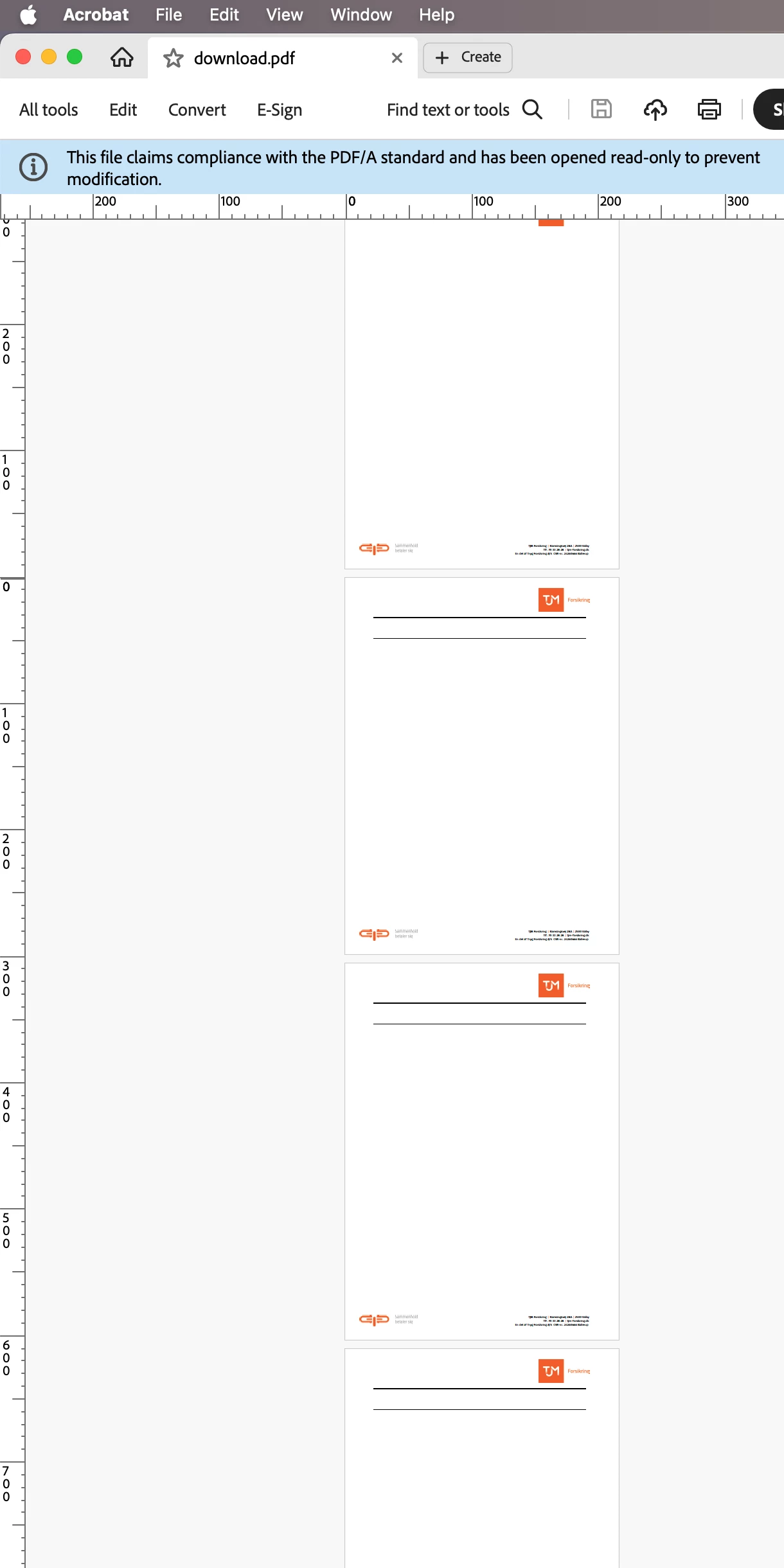
Just downloaded new insurance documents - but all blank pages when opened in Adobe acrobat pro - but in my preview app i can see all the content is there.
Checked (very) old files from same insurance company, files i was able to read i acrobat earlier - now all these docs have blank pages. 


This notification comes up - along with the blank pages: "This file claims compliance with the PDF/A standard and has been opened read-only to prevent modification."


What happened with Acrobat?
Is there a fix?
 

Correct answer Tariq Dar

Hi, 


This is to update any future visitors on this thread. This was a known issue and was fixed. 

Rendering

  • 4502288: Text goes missing on opening PDF whereas only graphics/images are displayed - Reference: https://adobe.ly/4iMER7X


~Tariq

1 reply

mariaa16781283
Participant
March 19, 2025

The problem does not exist in the online verssion of acrobat. When opening the same document there, all pages are visible. I tried to find earlier versions of the app - but they dont seem to have that in creative cloud (like they do for other apps)

Participant
March 22, 2025

I am having this problem as well. Banking documents downloaded to my computer open blank. When I open them via the web-based Adobe in Dropbox, they display all the correct information. How is this problem fixed? 


I receive a message "this document claims compliance with the PDF/A standard and has been opened read-only to prevent modification. I'm not sure if that's relevant or not. 

Tariq DarCorrect answer
Legend
May 2, 2025

Hi, 


This is to update any future visitors on this thread. This was a known issue and was fixed. 

Rendering

  • 4502288: Text goes missing on opening PDF whereas only graphics/images are displayed - Reference: https://adobe.ly/4iMER7X


~Tariq