
Participant
November 24, 2020
Question

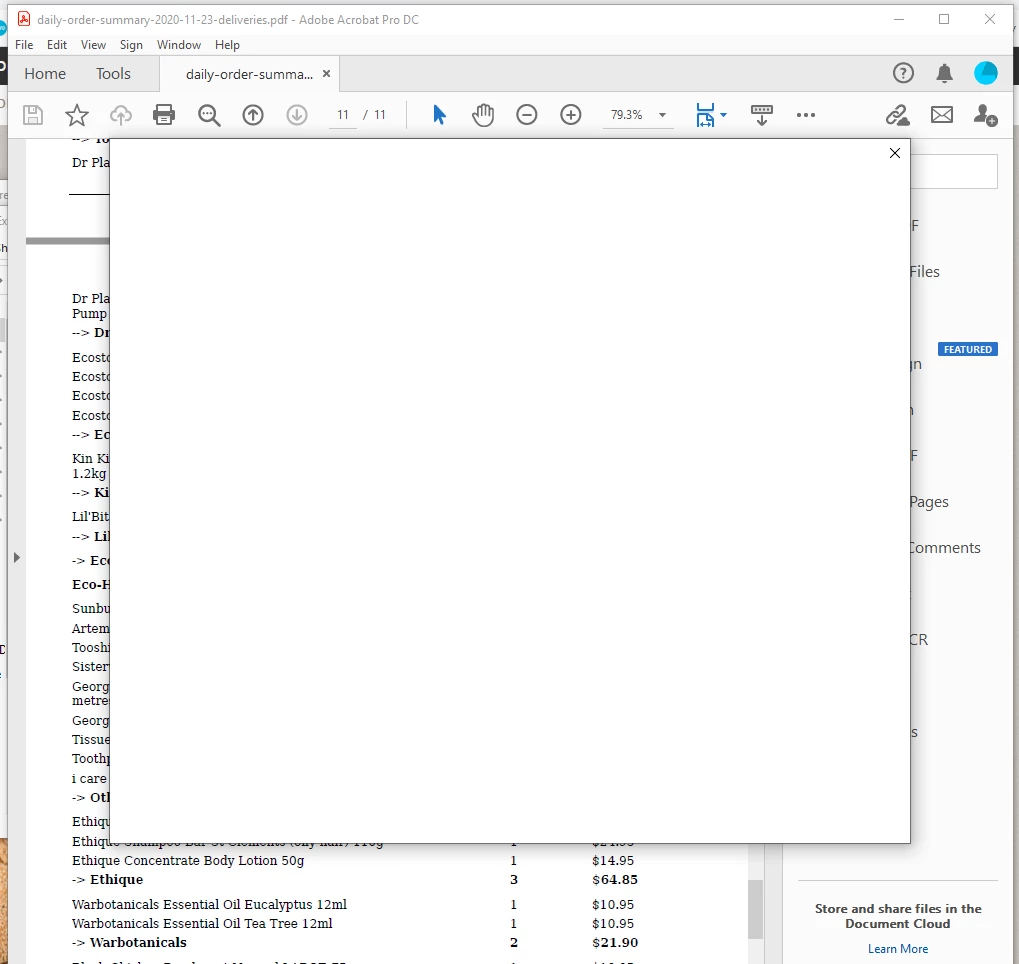
Blank white square pops-up on Acrobat - freezes commands andcloses down program when I click on "x"
  • November 24, 2020
  • 5 replies
  • 6995 views

This basically means Acrobat is unusable.
I have reinstalled this app and also tried the repair option   
Appreciate help 
Acrobat Pro DC
Windows 10 Enterprise

5 replies

Participant
January 11, 2024

I hate to break it to you, but this has been happening for years. I, myself, have REPEATEDLY reported it nd been ignored by Adobe. They say they will update it, BUT THEY DONT. Acrobat is a dumpster fire with bugs. To make matters worse, they reccently gave the software a facelift (aesthecially improving the interfece somewhat, with buttons and such) but THE BUGs were carried over. It needs to be fixed, they say there will be an update as they have been claiming for the PAST SEVERAL YEARS. Its ridiculous.

Amal.
Legend
February 5, 2024

Hi there


It is a known issue and is being worked on by our engineers.


The fix will be available in future updates.


Thanks for your time and patience


~Amal


Known Participant
February 5, 2024

This problem - in this very thread - was first reported in November 2020, so you've known about it for over three years. What is your estimated timescale for a bug fix? Three and half years seems a very long time to release a bug fix.

Participant
December 28, 2023

Same exact problem...except it just started yesturday - 12/27/23. running a paid version of Acrobat Pro (windows)and creative cloud. I start the application with no pdf open, it opens, get normal screen, blank white box comes up a few moments later, then whole application goes away no error no nothing...

Talk about KILLING productivity...


I've uninstalled/reinstalled 7 times - used cleaning software, run compat mode, installed to different folder, manually deleted any trace of adobe..blah blah blah... still broken. Help please?!?

Amal.
Legend
January 1, 2024

Hi there


It is a known issue and is being worked on by our engineers.


The fix will be available in future updates.


Thanks for your time and patience


~Amal


Participant
January 11, 2024

Hi Amal,


We've been experiencing this issue (very intermittently) since April of 2023.  My calls to Adobe Support have been unsuccessful in resolving.  Adobe Support provided the usual troubleshooting uninstall/reinstall Adobe, disable plug-ins, disable Cloud save, turn off protected mode, the list goes on. We've replaced laptops, created new Windows profiles, submitted multiple tickets with Adobe and this issue resurfaces regardless of the Windows 10 build we're on.  Adobe Support stated this is an issue within OUR environment, meaning our Enterprise's environment and refuse to dig further.   I'm hoping what you're referencing as being worked on by your engineers is attributed to what we're experencing.


User will be working in Adobe Acrobat Cloud (Standard) and is hit with an unexplained/blank Adobe pop-up and can't proceed with the "OK" option presented in the pop-up to get back to their work within Adobe.  The only action is ending all Adobe processes in Task Manager, thus causing loss of work and requiring to start from scratch on said documents the user is working on.

Can you please confirm and/or reach out to me directly with more information on whether this aligns with the ackowledgement of the issue on this forum?

Thank you,


Chris

Participant
September 8, 2023

Hello


I have the same problem on a Mac. I have reinstalled Arcobat, I have the  latest version but the error still persists. Whatever pdf I open I have the same problem, whether I have had to signed in or not. A white rectangle the size of the sign in window appears, in that a blue circle begins to spin then freezes. The only option is to Force Quit, but Force Quit does not say "This application is not responding" . If I reopen Acrobat the error repeats. It happens on every file whether I have created them or I have them from someone else. The pdfs can be opened successfully in Preview.

Participant
November 2, 2023

I have exactly the same problem.

Amal.
Legend
November 3, 2023

Hi there,


Would you mind sharing the version of the Acrobat Pro and the OS you are using? To check the version of the application, please take help from the article https://helpx.adobe.com/acrobat/kb/identify-product-version.html and make sure ou have the application updated to the recent version 23.06.20360. You can download the patch manually from the link https://www.adobe.com/devnet-docs/acrobatetk/tools/ReleaseNotesDC/index.html and reboot the computer once and see if that works.


If it still doesn't work, please share the popup screenshot to better understand the issue .


~Amal

Participant
January 26, 2023

Hi there,

I am having the same issue - was this ever resolved? 
There is no change in workflow. I have 3-4 tabs open in PDF. I am working marking up shop drawings and this window pops up and makes me lose all of my work. I can't do anything except close and restart.

Like magic, hours of work are gone, poof. Has Adobe heard of BlueBeam? You're being left in the dust in terms of reliability and quality. Might be time to crack open bluebeam and take notes. It's sad that I have to buy a whole other program while paying for PDF because acrobat crashes so frequently. 

Known Participant
August 24, 2023

I'm having exactly the same problem now. I can open an Adobe document, but within seconds up comes a blank white box and the whole thing freezes. All I can do is go into Task Manager and end task. I feel as though I'm shouting into the void whenever I report any of the many bugs that Adobe products seem to have, as I just see the same posts from months or years ago with people with identical problems, that Adobe don't seem to be bothered to fix.


Thank you for the BlueBeam recommendation. I'm paying a lot of money to Adobe for products that I can't use reliably, so I'm going to invest some time looking at alternatives, as this is just so unproductive.

Participant
August 27, 2023

I've run into this issue as well. I have just installed it on a Windows machine at home and it crashes upon launch with no errors provided. Uninstalled and reinstalled to no avail. Really hoping for a solution to this.

Amal.
Legend
November 24, 2020

Hi Chris,


Hope you are doing well and sorry for the trouble. As described the application is freezing and crashing.


- Would you mind sharing the workflow/steps you are doing that leads you to application crash?

- Is this a behavior with a particular PDF file or with all the PDFs? Please try with a diff. PDF file and check.

- Is the PDF stored on a shared network/drive? If yes, please try to download the file to your computer locally and then try to open it with Adobe Acrobat DC and check.


You may try to turn off the protected mode for testing (Windows Only). Go to Edit > Preferences > Enhanced Security > Uncheck 'Enable protected mode at start up', Turn off the Protected Mode and Uncheck Enhanced Security > Click OK and Reboot the computer.

Note: Please turn on the security after testing to avoid security risks.


If it still doesn't work, please try to create a new test user profile on your computer and then try using the application there and check.


You may also try the troubleshooting steps provided in the help pages listed below:

- https://helpx.adobe.com/x-productkb/global/troubleshoot-system-errors-freezes-windows.html

- https://helpx.adobe.com/in/acrobat/kb/acrobat-dc-crashes-on-windows-os.html


Let us know how it goes


Regards

Amal