This topic has been closed for replies.
Correct answer ls_rbls

Without getting too technical, the quickest and easiest way is shown in the slide below:
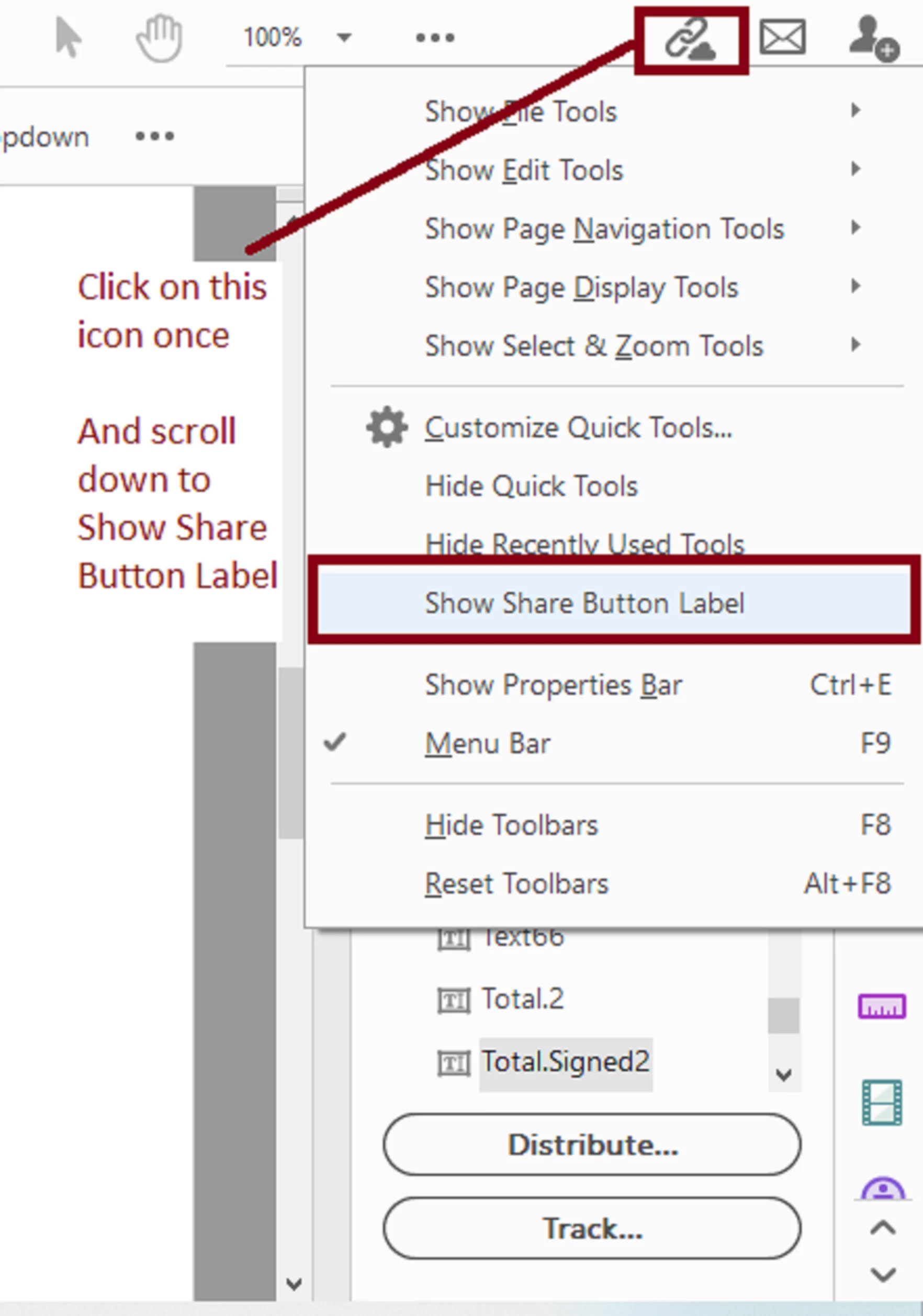


If this  doesn't work always check for updates  and actually verify that your Acrobat is current with the latest version.


If that doesn't resolve the issue then click on Help ---> "Repair Installation" (not to be confused with uninstall and resinatll the program).

1 reply

ls_rbls
Community Expert
ls_rblsCommunity ExpertCorrect answer
Community Expert
August 13, 2020

Without getting too technical, the quickest and easiest way is shown in the slide below:


If this  doesn't work always check for updates  and actually verify that your Acrobat is current with the latest version.


If that doesn't resolve the issue then click on Help ---> "Repair Installation" (not to be confused with uninstall and resinatll the program).

Participant
August 13, 2020

You're a life saver! But i have another one for you if possible, the share button now no longer sends the pdf automatcially via email the way it did before. I actually have to click the envelope icon instead. And when i do the program somewhat freezes. Before when i would click the share button it always sent it as an email. 

ls_rbls
Community Expert
Community Expert
August 13, 2020

Yes, now you have to create a shared link to the document cloud first and then open the email app and paste the copied URL there before is sent.. Make sure that you set your default email Client in your system (i.e. MS Outlook)


It takes a few seconds to process this and open up your email client with the attached link.


See the next slides:
