



Participant
September 15, 2024
Answered

Blurred jpg-pictures when exported from PDF (Acrobat)

  • September 15, 2024
  • 2 replies
  • 2917 views

I export PDF from Acrobat to JPG-pictures for use on internet.

But the pictures are blurred.

Anyone?

Thanks in advance

Correct answer gary_sc

Hi, @finn_3022, it's not what you saved, rather, it's how you saved it.


Because you saved it as a JPG image, you probably saved it with too much compression. When JPG images are saved either with too much compression or saved over themselves over and over, even with modest compression, you start to get JPG degredation. You can easily see this when you zoom into the letters as shown here from your sample:
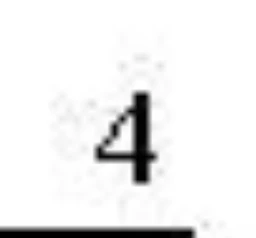
 

You can see all the loose pixels and these cause a blurry image. Also, your diagonal lines are not  showing any grayscale, only Black and White. If you zoom into a PDF where grayscale was used, you'd see what looks like clear straight lines.


It's possible your boss wants black and white, so you may be stuck there, but you can control the amount of JPG compression.


Open up your PDF and open Save to JPG as you'd always do. Notice the "Settings" button, open that. You probably have the Grayscale set to Medium or lower. Set it at least the 2nd highest.
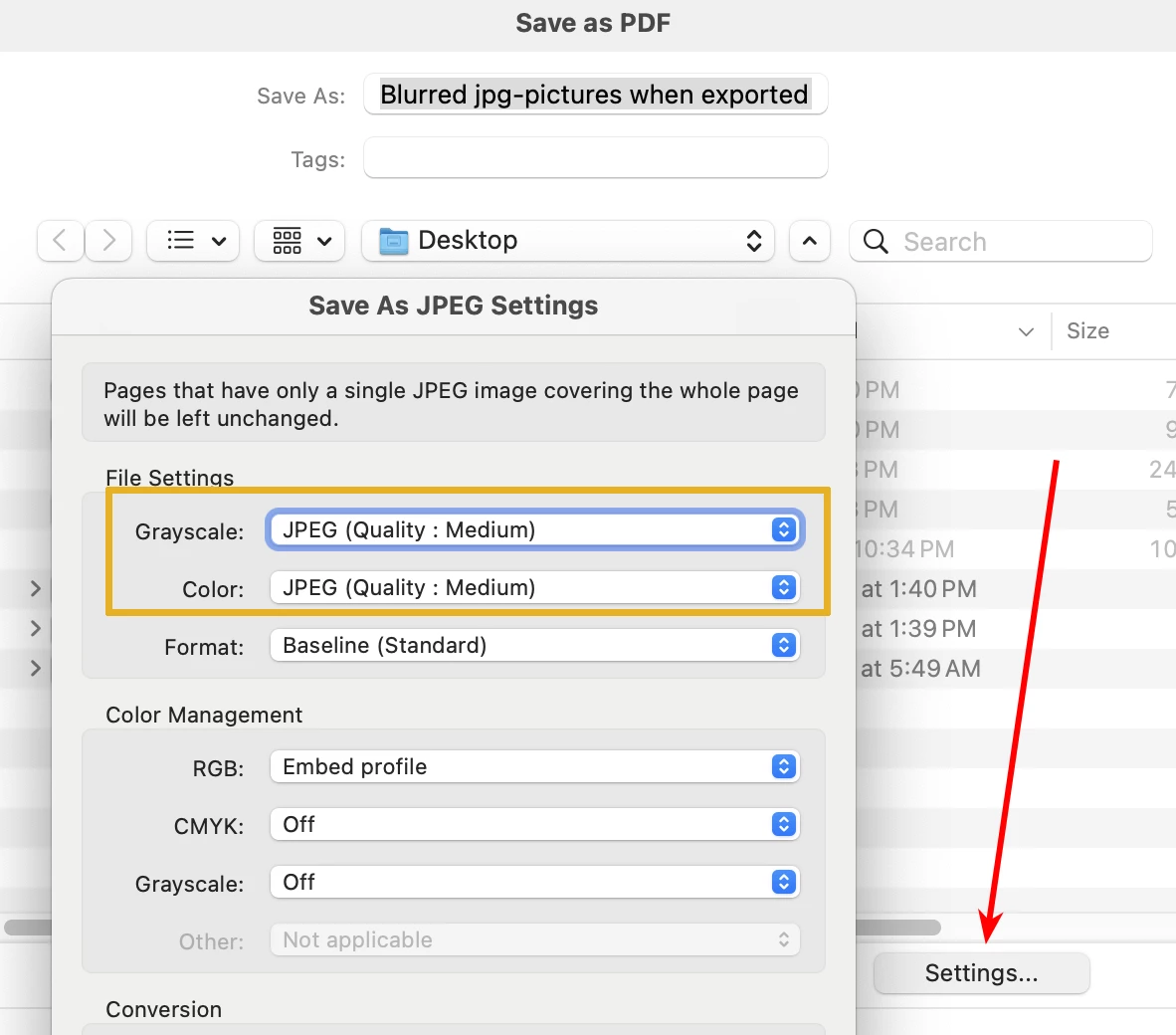
 

Now, Close that window and run the save as JPG. You should be good to go (you'll be better if you have your text saved as grayscale, not a two-bit image


Let me know if this works for you,


Good luck

2 replies

Inspiring
July 23, 2025

In addition to the comprehensive details provided by @gary_sc, you may want to consider a format other than JPEG for this purpose.


Depending on precisely why you're saving bitmap images from a PDF, a higher resolution (472.44p/cm = 1200ppi) Monochrome (1-bit) PNG would yield cleaner, sharper results than any kind of JPEG.

But even this would depend on the quality of input... are the notations already bitmaps within the PDF that you're exporting from, or are they vector?

gary_sc
Community Expert
gary_scCommunity ExpertCorrect answer
Community Expert
September 15, 2024

Hi, @finn_3022, it's not what you saved, rather, it's how you saved it.


Because you saved it as a JPG image, you probably saved it with too much compression. When JPG images are saved either with too much compression or saved over themselves over and over, even with modest compression, you start to get JPG degredation. You can easily see this when you zoom into the letters as shown here from your sample:


You can see all the loose pixels and these cause a blurry image. Also, your diagonal lines are not  showing any grayscale, only Black and White. If you zoom into a PDF where grayscale was used, you'd see what looks like clear straight lines.


It's possible your boss wants black and white, so you may be stuck there, but you can control the amount of JPG compression.


Open up your PDF and open Save to JPG as you'd always do. Notice the "Settings" button, open that. You probably have the Grayscale set to Medium or lower. Set it at least the 2nd highest.


Now, Close that window and run the save as JPG. You should be good to go (you'll be better if you have your text saved as grayscale, not a two-bit image


Let me know if this works for you,


Good luck

finn_3022Author
Participant
September 16, 2024
Thank you. It realy helped. I am now checking the different possibilities in the export setup.
Thanks again!!

Best regards Finn
gary_sc
Community Expert
Community Expert
September 16, 2024

Hi, @finn_3022 , you can help others by clicking on the "Correct Answer" of my message. That way, when other people say they are having fuzzey results, my answer will be there to help them. 


Thanks for letting me know.