Known Participant
February 25, 2019
Answered

[Branched] - New Instance of Problem with transparent image

  • February 25, 2019
  • 3 replies
  • 7748 views

Hi,

I am facing same issue i.e. thin border is appearing around semi-transparent images in Adobe Reader as well as in Acrobat. Turning off AA option (i.e. "smooth images") does not help. Is there any other option, in need to look at ?

Thanks

This topic has been closed for replies.
Correct answer Dov Isaacs

Thanks for reply.

(2) I had the same impression earlier that images are overlapping at edges, but actually it is not. Pl. take a look at  PDF content object and image objects, chk the sizes and positions (CTM) of each image , due attention is given that images common edge should not overlap.

(1) Why Adobe Reader shows those lines, when print does not ?


Yes, in fact I have looked at the PDF file in detail.

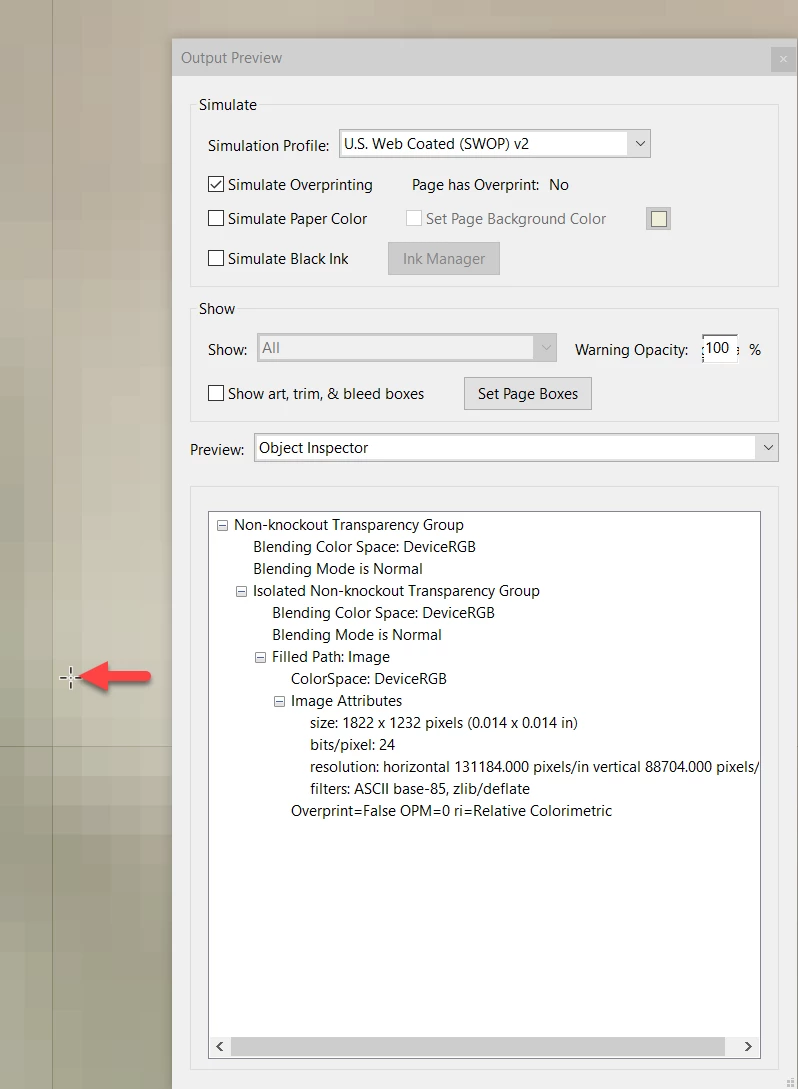
In the first case, you will see where the cursor located that there is only one image as shown by the Object Inspector:
However, where the thin, black line is located on which I moved the cursor, there are indeed objects on top of each other:
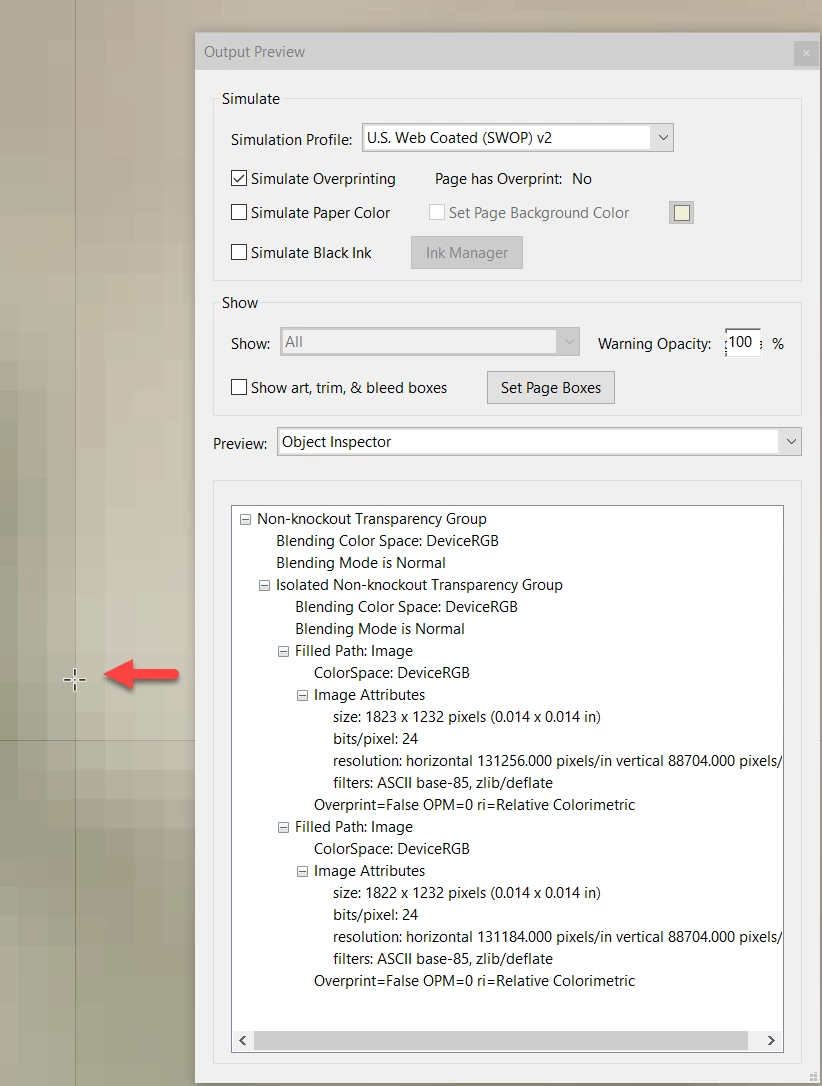
The problem is that images are measured in integral pixels and the starting positions are in floating point numbers. Round offs can easy cause these stitching artifacts. That's why we always advise against abutting images together and hoping that there are no artifacts, especially when transparency is involved. It is fortunate that the flattening of the transparency in the print process happened to wipe out the artifact, at least in the case I tried. These images should have been combined into one integral image before PDF creation. Regrettably, the PDF file in question didn't properly identify what created it.

          - Dov

3 replies

lrosenth
Adobe Employee
Adobe Employee
February 26, 2019

You would need to post a sample PDF that demonstrates the problem.

Dov Isaacs
Legend
February 26, 2019

He did. We analyzed the contents. Overlapping images. See above! 

- Dov Isaacs, former Adobe Principal Scientist (April 30, 1990 - May 30, 2021)
Dov Isaacs
Legend
February 25, 2019

It is virtually impossible to diagnose your particular issue without a sample PDF file to examine. If you can post a PDF file and provide us a pointer to same, we might be able to begin to analyze what is going on with your PDF file or Acrobat.

          - Dov

PS:     There is no reason to have both Reader and Acrobat installed on a single system if that is what you have. Acrobat is a superset of Reader.

- Dov Isaacs, former Adobe Principal Scientist (April 30, 1990 - May 30, 2021)
Known Participant
February 25, 2019

Thanks for reply.

Here is link to PDF file showing the issue. https://drive.google.com/open?id=11s6pEjSsmRjH2EYfnaHaPYjOXz6AYx_p

It consist of four semitransparent images. The issue is black thin line in the middle of it i.e. at the boundary of these semitransparent images.

Known Participant
February 25, 2019

GSView does not show it, its Adobe Reader/Acrobat shows it.

Dov Isaacs
Legend
February 25, 2019

We have branched your posting from a thread from 2012 to a new thread and moved it to a more appropriate forum.

- Dov Isaacs, former Adobe Principal Scientist (April 30, 1990 - May 30, 2021)