Participant
December 17, 2021
Question

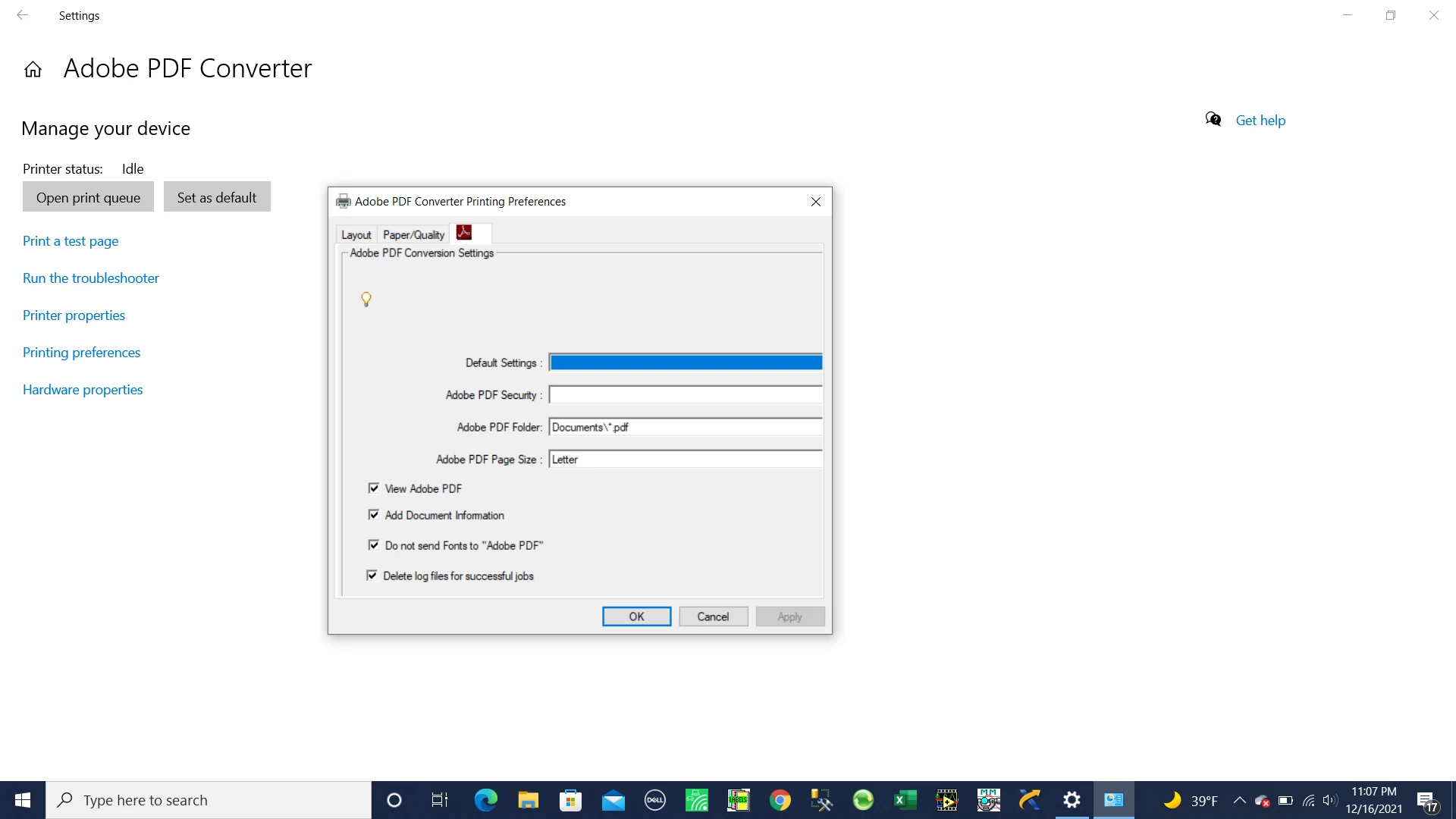
Browse button missing

  • December 17, 2021
  • 2 replies
  • 478 views

Can anyone help in fixig this?


 I cannot see the Browse button to select a file location.

This topic has been closed for replies.

2 replies

Joel Cherney
Community Expert
Community Expert
December 17, 2021

I think that there might be two different things going on here. First guess is that your Acrobat PDF converter is damaged. It is missing some default selections:


I think that the reason that the Default Settings field is so wide is because something is damaged in your installation. If you could make that window bigger by hovering over its corner, I think that you wouldn't find anything valid to click on under that Edit/Browse button. You can find "Repair Installation" under Help in Acrobat. 


It also seems like maybe your display is scaled in Windows 10 in some way that this preference window doesn't like. If Repair Installation doesn't resolve this for you, I'd try going to the Display sectoin of Windows Settings, where I'd make sure that Scale and Layout was set to 100%.


Meenakshi_Negi
Legend
December 17, 2021

Hi Bsierschul,


Thank you for reaching out and sorry about the trouble.


Please try once repairing the application installation. Launch the Acrobat application and go to Help > Repair Installation.

Then reboot the machine once and check if the option appears.


Could you please confirm the OS version on the machine?

Ensure that you are using the application on the compatible OS. For more information, please refer to the following help document: https://helpx.adobe.com/acrobat/system-requirements.html.


Let us know if the issue persists.


Thanks,

Meenakshi