
Question
Bug expanding window with Adobe Acrobat extension and Chrome on before unload event
Extension version: 24.1.1.0
Chrome version: 121.0.6167.140 (Official Build) (64-bit)
OS: Windows 10 Enterprise 22H2 19045.3930
How to reproduce:
- Install the extension from chromewebstore.
- Go to https://developer.mozilla.org/en-US/docs/Web/API/Window/beforeunload_event
- Click on the Example menu link or scroll down to the Example section, then scroll down the Play section box.
- Type in anything in the text box, then press the refresh browser button.
- A pop up shows up asking "Reload site", and the chrome browser expands automatically on the right side.
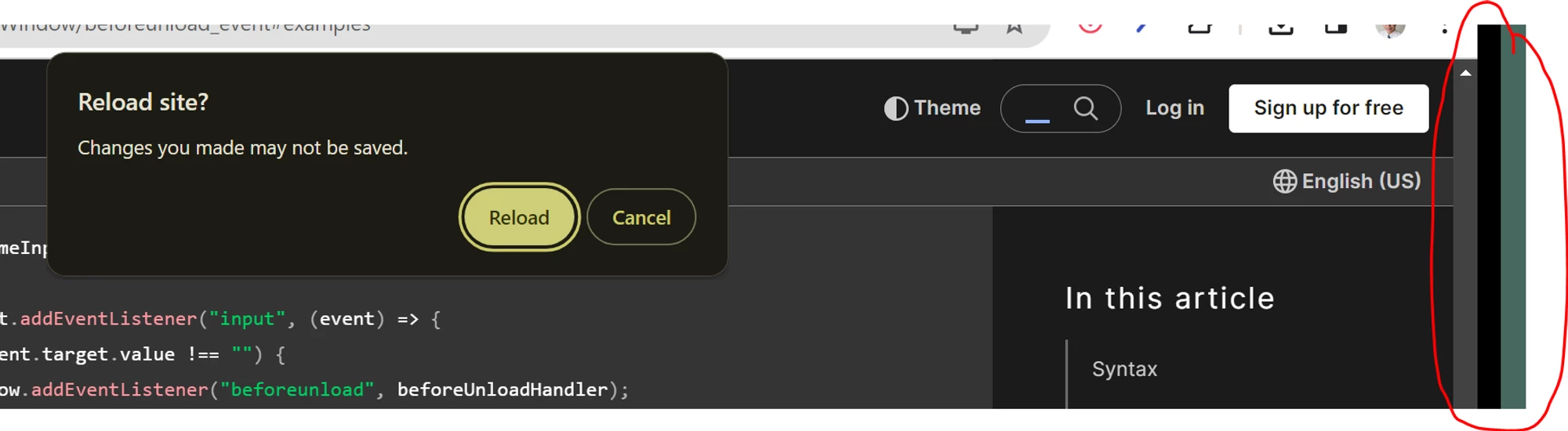
To resolve this issue I have to completely uninstall the Adobe Acrobat extension, turning it off doesn't fix the issue.
 AdChoices