Participating Frequently
September 9, 2020
Question

Bulk change in ALL of my "form text fields"?

  • September 9, 2020
  • 2 replies
  • 2582 views

Is there a way to apply a command that makes a bulk change in ALL of my "form text fields"?


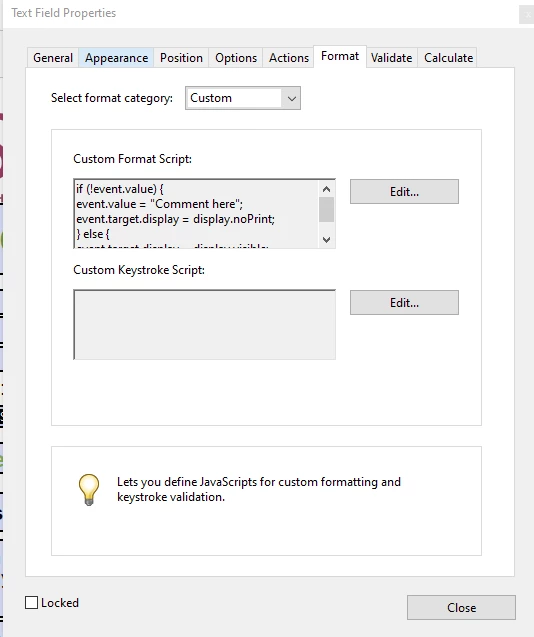
I am using the script below to add instructional text to my text field that will disappear when clicked.


But the script below adds the instructional text only for ONE form text field. I need to do this 300 times.


I want to avoid having to go to all my 300 form text fields, open them and insert instructional text to my form text fields.


if (!event.value) {
event.value = "Instructional text goes here";
event.target.display = display.noPrint;
} else {
event.target.display = display.visible;
}
 

This topic has been closed for replies.

2 replies

Thom Parker
Community Expert
Community Expert
September 10, 2020

First, it's easy to run a script in the console window that will change all, or a group of fields.

Like this:


for(i=0;i<numFields;i++)
{
     cName = getNthFieldName(i);
     if(/*Use this if to filter names*/)
     {
           oFld = getField(cName);
           if(oFld.type == "text")
                oFld.setAction("Format","MyDocLevelFunction('test')");
     }
}


The main part of the script is the "setAction" line. It's setting the custom format script to call "MyDocLevelFunction", which is a document level script. The text string "test" is being passed into the function.   

The structure of the script is a loop that gets the name of every field on the form. It filters on both the field name and the field type. Neither of the filters is strictly necessary, but you'll need some way to figure out which fields are the ones being operated on. 

Here's a video on using the console window. 

https://www.pdfscripting.com/public/Free_Videos.cfm#JSIntro

Thom Parker - Software Developer at PDFScriptingUse the Acrobat JavaScript Reference early and often
Tara5F91Author
Participating Frequently
September 10, 2020

Thank you - I will try this and report back to you. 


ls_rbls
Community Expert
Community Expert
September 9, 2020

I think this may be possible if you create a document level function and call it with a mouse-up event using a button field, an custom batch action using the Action Wizard tool, or maybe even from the JS Console.


The issue that I'm looking into is that you may also need to implement the getArray()  method.


This is easier to implement if all of your 300 text field names are prefixed. Like for example, Field.1, Field.2, Field.3, etc...


I am sure there may be paid-for tools that could work around this, and since I am learning JavaScript my suggestion may be off the mark or missing a more elaborate method.


Let's say we go with my suggestion, you'll still need to manually place  the portion of the script that will  call the document level function in each text field.