
Bulleted list items are merging when I tag them in Reading Order
- October 3, 2022
- 1 reply
- 1241 views
Hi
I'm using Reading Order to structurally mark up a PDF for accessibility.
I need to tag a bulleted list, so I'm tagging the bullets one by one, and then tagging the list content line by line, as Text/Paragraph. This is a first step, then I'll tag the bullets as Label and the content as List Item Body.
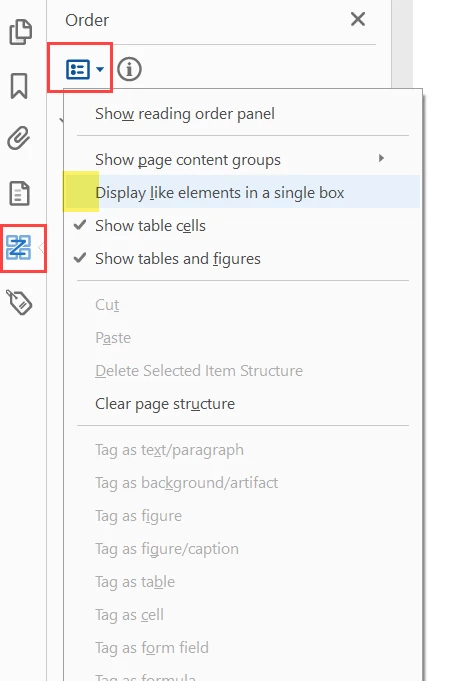
But when I tag a bullet and then separately tag the content next to it, instead of remaining as separate tags, they merge into 1 tag. This means I can't then structure them as separate items.
Worse, each bulleted item that I tag as a Text/Paragraph is also merging into the bulleted item that precedes it in the list. So I'm ending up with a bulleted list that's structured as 1 Paragraph/Text item, instead of as individual bullets and individual text.
How do I stop this merging from happening?
Thanks,
Fiona
 AdChoices