
bend89745839
Participant
Jan 14, 2017 11:25 PM UTC
Question

"Button Properties" no "Action Tab"

I am using the 7 day trial. I am following the guide on how to create an email submit button. In the "Button Properties" menu there is not an "Action Tab". I am not sure why that tab is missing. I have been searching the forms and Google with no results. If this has been asked before I apologize.

I enclosed a screen shot.
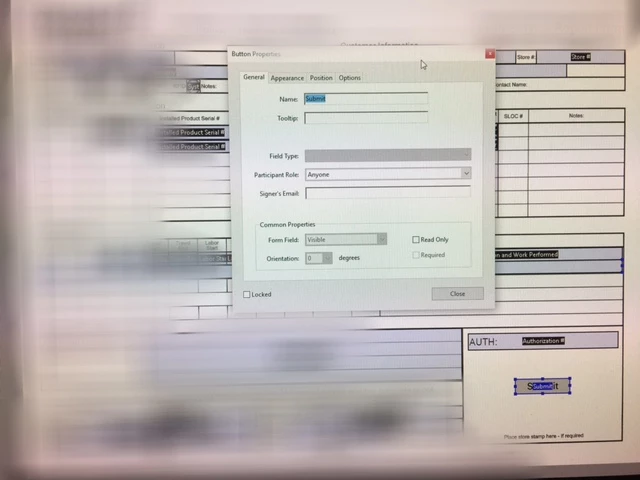
Thank You

This topic is closed to new replies. Start a new post to keep the conversation going.

11 replies

Inspiring
Jan 15, 2017 12:41 AM UTC

That means you managed to add a button to a form that has been set up as an Adobe Sign form, as opposed to a normal Acroform. If you select "More > Revert to Acrobat Form" while in form editing mode you will be able to add an action to the button

Translate
try67
Community Expert
Community Expert
Jan 15, 2017 12:39 AM UTC

You've selected to prepare the file for digital signatures, which does that.

Click on Tools - Prepare Form and then click on "More" at the right side of the window and then on "Revert to Acrobat Form".

Translate
Participant
Feb 4, 2022 1:46 AM UTC

I have tried this and can not find "Revert to Acrobat Form" andwhere. Its not even in help?


Translate
Bernd Alheit
Community Expert
Community Expert
Feb 4, 2022 5:27 AM UTC

Click on Tools > Prepare Form and then click on "More" at the right side of the window and then on "Revert to Acrobat Form".

Translate