
Participant
March 13, 2024
Question

Button to print specific pages

  • March 13, 2024
  • 3 replies
  • 994 views

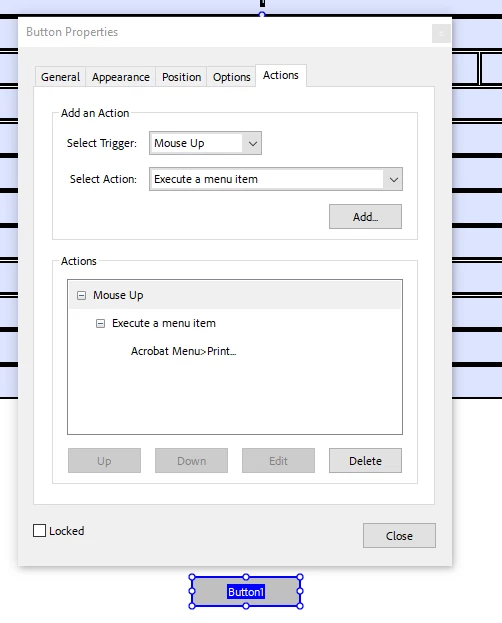
I've seen the previous thread but that option does not work. I know where to find and set-up the action but I cannot enter a "formula" to state the specific range or pages; I only have the option to print and then manual enter the page numbers. I'd like the button to just print the pages need for that part of the form. I don't see an option to enter the "formula." I'm using Acrobat Pro (Adobe for Enterprise).
 

This topic has been closed for replies.

3 replies

JR Boulay
Community Expert
Community Expert
March 13, 2024

You must set the Print Page Range in the Document Properties: Advanced: Print Dialog Presets


Acrobate du PDF, InDesigner et Photoshopographe
try67
Community Expert
Community Expert
March 13, 2024

You can print specific pages using this code:


// Print pages 1-5, 11, 21-26
var pp = this.getPrintParams();
pp.interactive = pp.constants.interactionLevel.automatic;
pp.printRange = [[0, 4], [10, 10], [20, 25]];
this.print(pp);


(notice the page numbers are zero-based in the code)

Abambo
Community Expert
Community Expert
March 13, 2024

You can't execute the menu, that has the same functionality as using the print menu. You need to code this.

ABAMBO | Hard- and Software Engineer | Photographer