
Participating Frequently
May 23, 2022
Answered

Calculating time

  • May 23, 2022
  • 2 replies
  • 1060 views

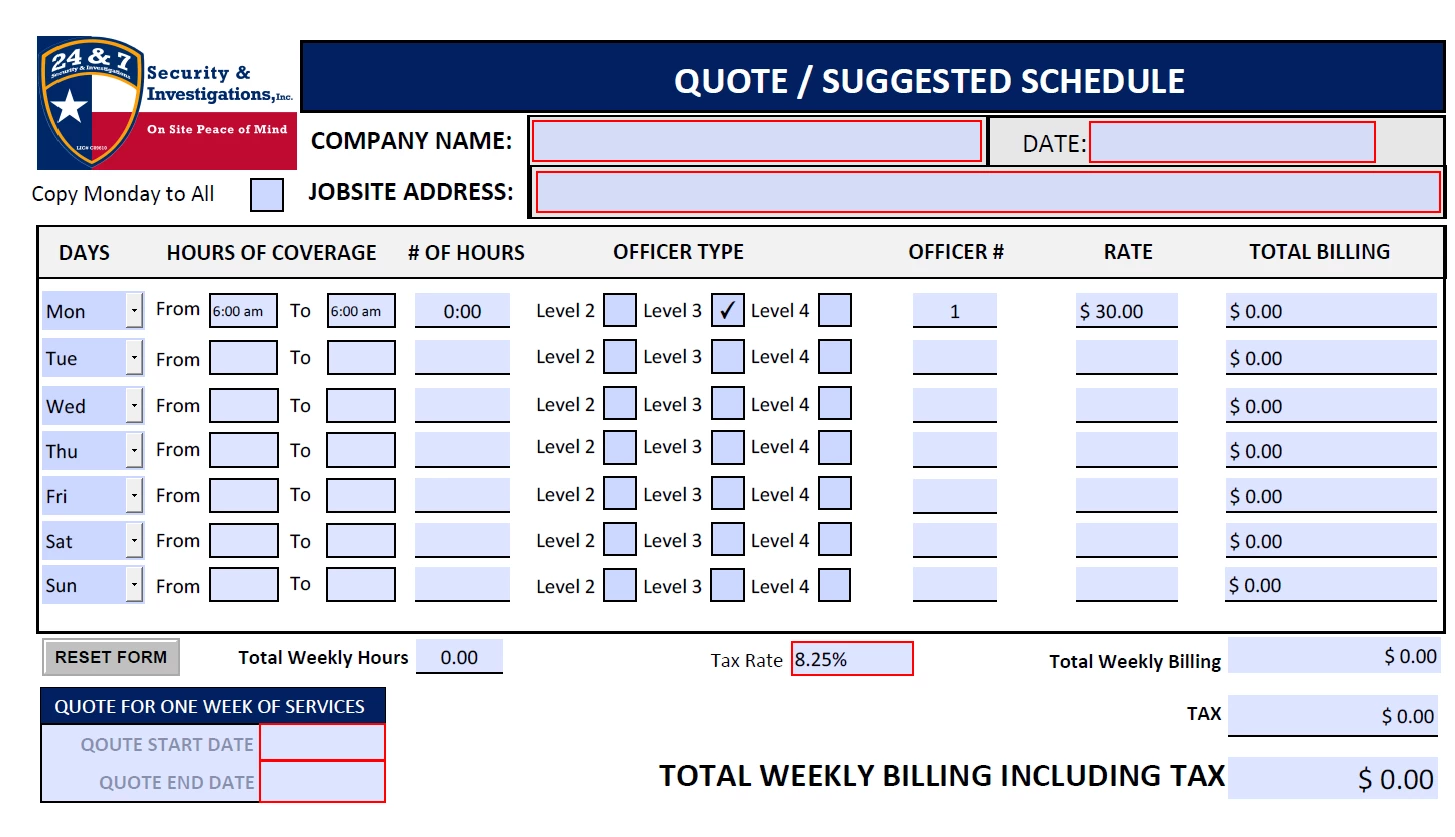
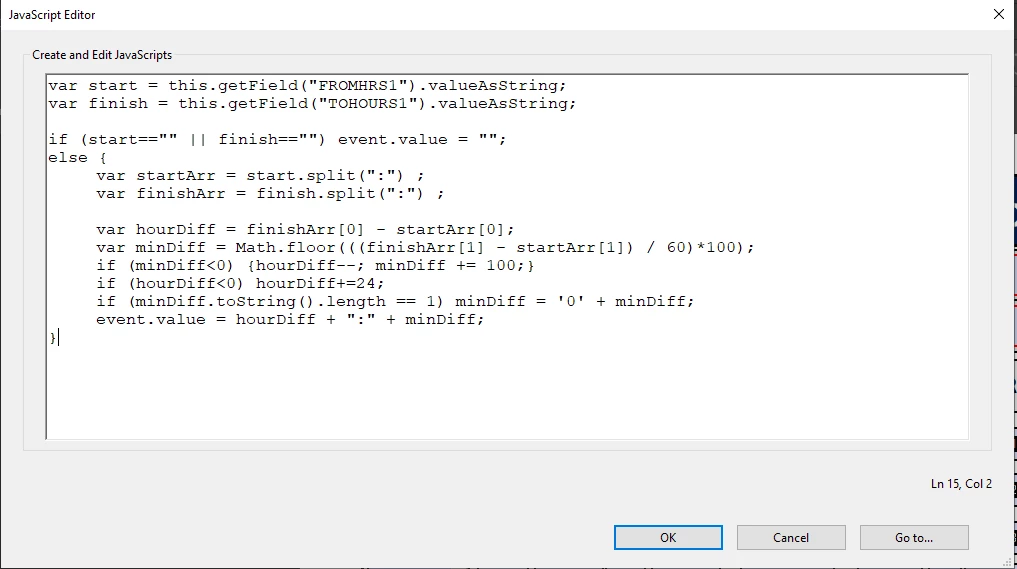
I have a quote form I've created.  It works pretty great unless I need to calculate (or show) a 24 hr period which I can't seem to figure out how to do for the life of me.  If I put in the time of 6:00AM to 6:00 (as seen in the attached) it calculates to 0:00 hours instead of 24 hrs. Any solutions?


This topic has been closed for replies.
Correct answer try67

In that case you can just add an exception, like this:

if (hourDiff==0 && minDiff==0) hourDiff = 24;

2 replies

Participant
September 18, 2024

You can resolve this issue by using a dedicated time calculator that accounts for 24-hour periods. It sounds like your form isn't recognizing the full day, but using a tool like this can help you calculate exact time differences, including 24-hour spans, and avoid the 0:00 result you're seeing. You might also need to adjust your form to ensure it handles such periods correctly.


try67
Community Expert
Community Expert
May 23, 2022

Can the result be more than 24 hours? If so, you will have to specify the full date, or the script won't be able to know if 9:00 - 10:00 is one hour, or 25 hours, or 49 hours, etc.

Participating Frequently
May 23, 2022

No.  The max time per line is 24 hrs.  

try67
Community Expert
try67Community ExpertCorrect answer
Community Expert
May 23, 2022

In that case you can just add an exception, like this:

if (hourDiff==0 && minDiff==0) hourDiff = 24;