

Answered
Calculation (sum of multiple fields) no more than 100%
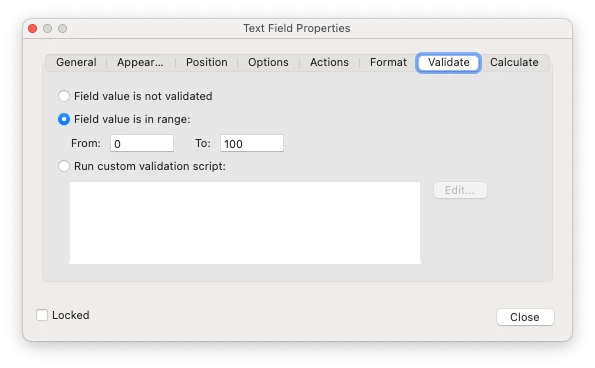
I created a field that all calculates to a total, but should be no more than 100%. Is there a way to cap the amount at 100%? I put this in the Validate tab, and it still doesn't work:
CORRECTION:
It works with a warning that the value is over 100

However, if you click "OK", the value in the calculated field keeps the previous total amount before entering a value in the last number field to be calculated:
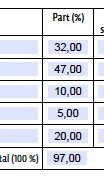
Is there a way to clear that last number field, or at least, clear the TOTAL field if it is wrong/over 100?


 AdChoices