
Calculations added in Acrobat Pro DC not saved
Hi all,
I recently had to created a form which allows users to give ratings (from 1 to 5) for some questions, and at the end of the form, it adds up the total value of ratings given. After saving the pdf and quitting the program (as I've seen some users said that they face this problem of the calculations not reflecting when the program is still open while they were viewing the pdf, for some reason), I opened the pdf and found that all the calculations added do not reflect when i changed the value of the individual ratings. The text boxes where you input the rating value is editable, but the subtotal and the total value do not reflect at all.
When opening the saved pdf file again in Acrobat Pro, the calculations were no longer there. I've also checked the "Set Fields Calculation Order" and they were all in the correct order.
If the Acrobat Pro app was still opening, while I was previewing the pdf. Whenever I reopen the pdf in the program, the program would crash when I attempt to look in the properties of any text box.
Here are some screenshots I've added to better explain the problem I'm facing.
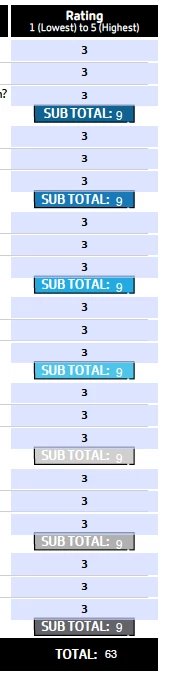
^ This is what it's suppose to do. All the default values for the blue boxes are set to 3. Every three questions, the subtotal for those questions are calculated. And at the very end, all 7 subtotals add up to the final Total value.
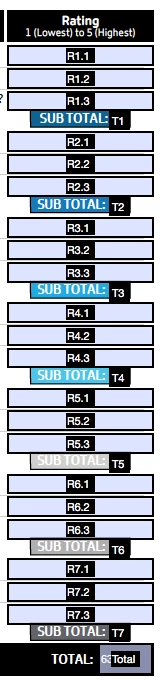
^ For your reference, here are the text box names.
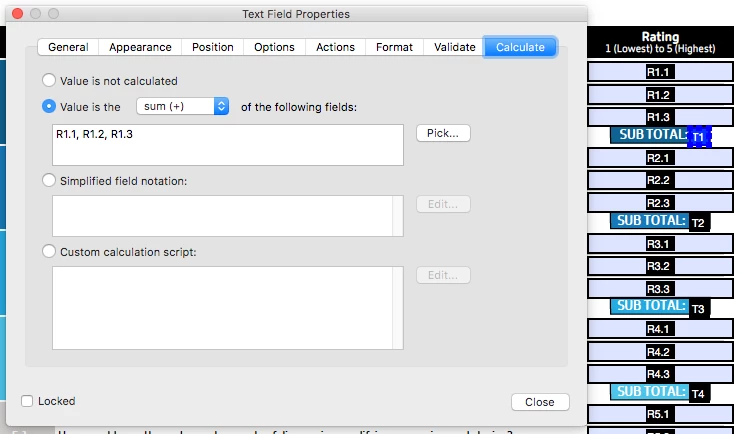
^ Along with the calculations for the subtotal...
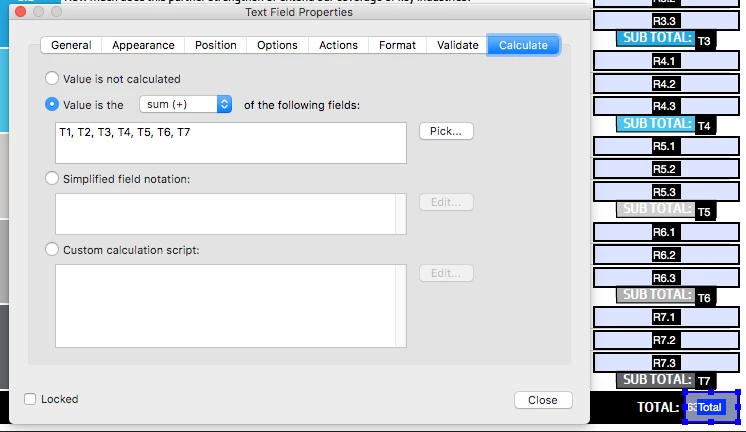
^ ...and the final Total Value.
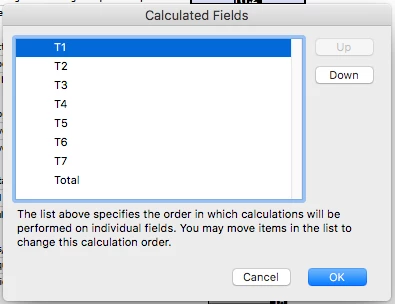
^ This is the "Set Field Calculations Order" window of the pdf.
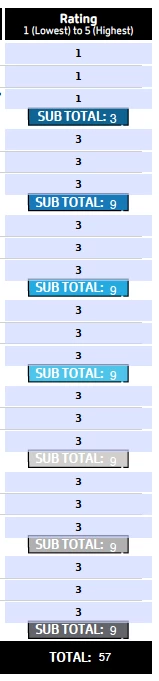
^ This is the form while previewing it in Acrobat Pro DC
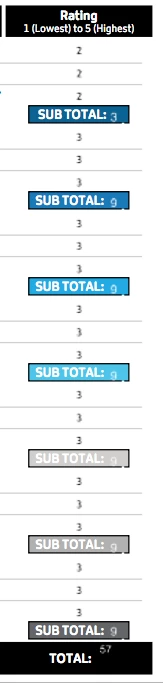
^ And this is the form while previewing it in the "Preview" program. I've also tried viewing it in Safari, Chrome, and Acrobat Reader. All of them do not reflect the calculations.
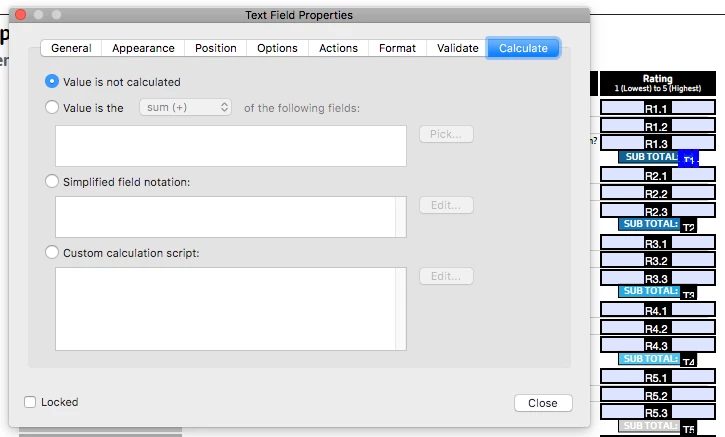
^ This is after opening the file again in Acrobat Pro, where the calculation option is set to not calculated.
Is anyone facing this problem too?
Thank you.
 AdChoices