Converting fonts to outlines is frowned upon do to the loss of font hinting, loss of editability, and inherant fattening of the font.
In your seat, you have to do what has to be done. 
http://indesignsecrets.com/converting-text-to-outlines-the-right-way-updated.php
I may have read that this hack is not working in CS5 or 5.5
Place the pdf into InDesign. Create a box or small stroke on the page, in the case of non native ID elements (this pdf) the object needs to touch/overlap the pdf. Color the object, perhaps .1% black, apply transparency to it, as little as 1%. You effectivly have something unseeable, but will force the Transparency Flattener to kick in.
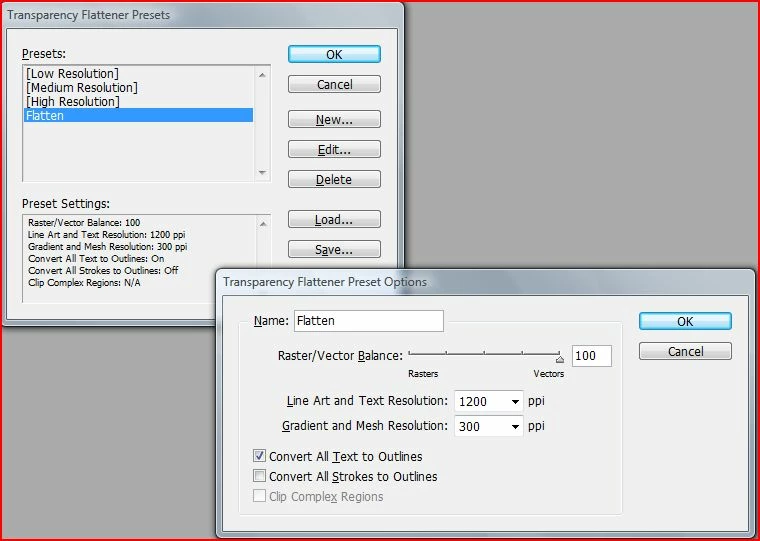
Create a new Transparency Flattener Setting, see my example,
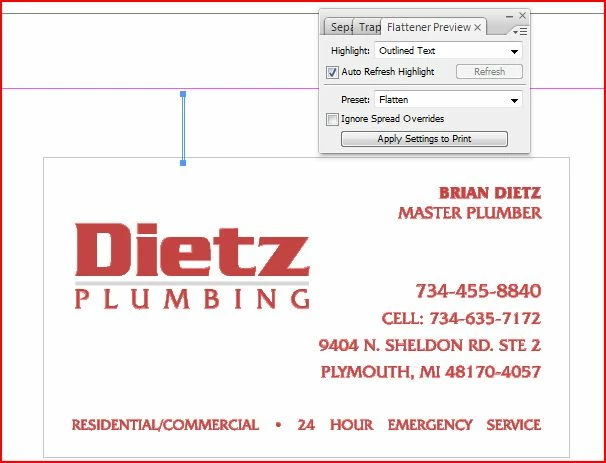
Check the effect with the Flattener Panel, see my example
Place the pdf into InDesign... |
Argl! Never do that, this is a total heresy!

==> Using Acrobat Pro:
- apply an invisible transparent object to all pages to force flattening (e.g. apply a little white square with an 1% opacity as a watermark in a corner),
- then go to the Transparency flattening : http://help.adobe.com/en_US/Acrobat/9.0/Professional/WS58a04a822e3e50102bd615109794195ff-7b87.w.html
and use a flattener preset that convert fonts to outlines.




 AdChoices