
Participating Frequently
December 10, 2024
Answered

Can't delete a number an Adobe Acrobat Pro - Left under

  • December 10, 2024
  • 3 replies
  • 986 views

Hi all, 
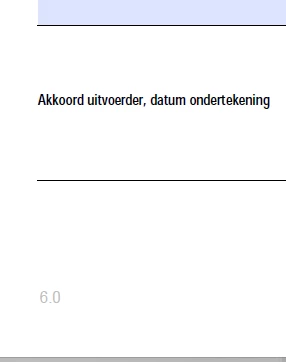
I've been trying all day to remove the digit 6.0 but I can't succeed it's not a footer.
Does anyone have any idea, I'll send an attachment right away, it is greyed out.
Hope to hear something, thanks in advance.

Best Regards, Senel


This topic has been closed for replies.
Correct answer try67

Use the Redaction tool. Hold down Ctrl to free-draw a rectangle over that area, and then apply the redaction (make sure to change its properties first to have a white fill color, though).

3 replies

try67
Community Expert
try67Community ExpertCorrect answer
Community Expert
December 10, 2024

Use the Redaction tool. Hold down Ctrl to free-draw a rectangle over that area, and then apply the redaction (make sure to change its properties first to have a white fill color, though).

Participating Frequently
December 10, 2024

Thank you that helped me. 

MikelKlink
Participating Frequently
December 10, 2024

Can you share the original PDF in question?

There are some techniques to make content difficult to change with Acrobat, maybe such a technique has been used in your case.

PDF Automation Station
Community Expert
Community Expert
December 10, 2024

You can upload the attachment here.

Participating Frequently
December 10, 2024

[deleted screenshots as requested by user]

PDF Automation Station
Community Expert
Community Expert
December 10, 2024

It looks like you posted a screenshot instead of the actual file.