


raphaëls69340390
Participant
August 31, 2025
Question

Can't export to PDF/A, software not working.

  • August 31, 2025
  • 2 replies
  • 185 views

Someone give me the solution to export a pdf to a PDF/A file PLEASE ?
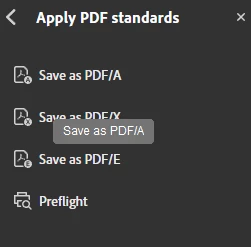
Once i click here i got the next screen message : 
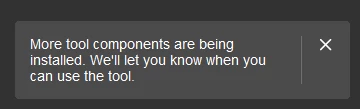
then i wait for 5 minutes and i got another error screen message : 
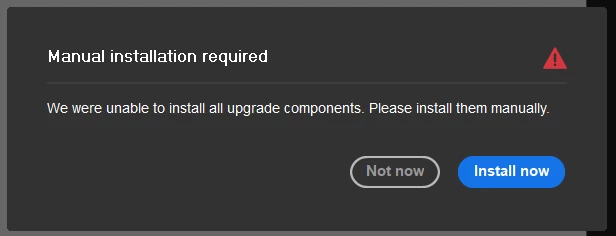
Then i download what they tell me to, i install, nothing happens, i restart the PC, nothing happens. Then i desinstalled evrything, and installed again via the link they gave me, same s***, same messages, same error, i did evrything 3 times in different orders, nothing changes.

Someone have any clue to make this software work ?

Thanks

2 replies

Legend
September 2, 2025

Hi @raphaëls69340390


Thanks for reaching out, and sorry for the troubled experience. 
It seems your Reader installer was upgraded to Acrobat when you opted for a full subscription or Reader was initially installed, assuming the limited information available. 

The quick workaround is to uninstall the app, as @S_Gans suggested, and reinstall: https://helpx.adobe.com/download-install/kb/download-install-acrobat-subscription.html. However, I would like to know more about how the installation was done. Was the Reader app installed initially on the machine? Is this your personal or Office(IT-managed) machine? Does it happen with other features like Combine, export, etc.? 


Will be waiting for your response. Thanks for the feedback.

Best regards,
Tariq | Adobe Community Team | Meet Acrobat Studio

S_Gans
Community Expert
Community Expert
September 1, 2025

It sounds like something rather deep insideryour OS is causing a problem. Instead of a regular uninstall, you may want to try something more complete before reinstalling. Adobe has a toold calle the Creative Clour Cleaner Tool, just for that https://helpx.adobe.com/creative-cloud/kb/cc-cleaner-tool-installation-problems.html)

I'd advise running IT, then restarting the computer and then doing a reinstallation. Most often, that resolves the issue. 

IF you're using this under an Enterprise license, or you are ONLY using the standalone version of Acrobat (and not under the Creative Cloud), please refer to this page: https://www.adobe.com/devnet-docs/acrobatetk/tools/Labs/cleaner.html

Adobe Community Expert / Adobe Certified Instructor