


Answered
Can't find Strikethrough text tool
I'm using Acrobat 2020 and Windows 10..
This Adobe help page says I can apply strikethough to text as follows:
- Use the Select text tool to select the text you want to mark up.
But I don't have a Select text tool. I have an Edit PDF tool, When I select that it allows me to select the text I want to edit. - From the markup toolbar that appears, take one of the following actions as desired:
But I don't get a toolbar called "markup" when I select Edit PDF.
I get an Edit PDF toolbar, which looks like this:
and an Edit PDF side panel, which looks like this: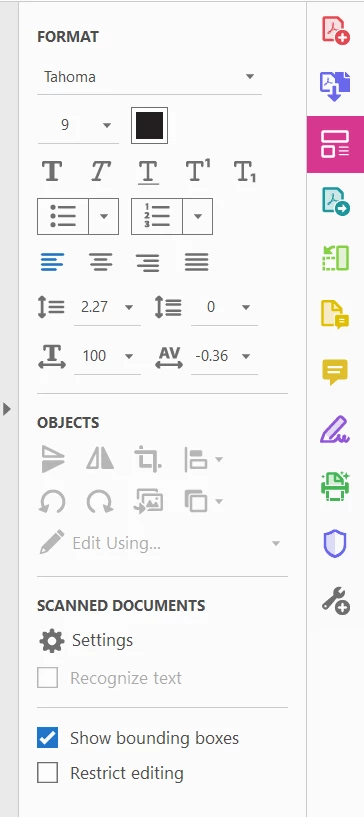
- To strikethrough the text, select Strikethrough text

But as you can see from the above screen captures, I don't have a Strikethrough text icon. I have "Bold", "Italic", "Underline", "supersript" and "subscript" icons, but mot Strikethrough text.
Is the help article wrong or am I misssing something? The article says it applies to Acrobat 2020, but it seems to apply to a different product than the one I have.
How can I apply Strikethough text in Acrobat 2020?
Dave

 AdChoices