
Can't install updates
Currently have Adobe Acrobat Pro DC 2015 Release (Classic) Version 2015.006.30172
Here are all the updates I found at this location: Adobe - Acrobat : For Windows
Version 2015.006.30279
Adobe Acrobat DC Pro and Standard (Classic Track) update - All languages
Version 2015.006.30243
Adobe Acrobat DC Pro and Standard (Classic Track) update - All languages
Version 2015.006.30198
Adobe Acrobat DC Pro and Standard (Classic Track) update - All languages
===========================================================
When I try to install the I get the following error message and I have already updated to Version 2015.006.30172 but all the updates after that I can't install. Here is the error message I get. Since mine is the Classic track I need to install the 3 above updates to make my system compliant.
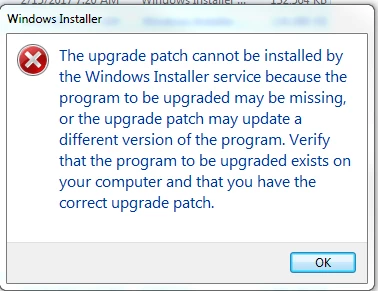
Does anyone have any suggestions on how to proceed?
I do believe I have downloaded them from the correct location if this isn't please provide the correct location I need to get the correct updates.
 AdChoices