Participant
February 24, 2022
Question

Can't rotate Stamp

  • February 24, 2022
  • 1 reply
  • 2266 views

Good morning everyone.

Running Adobe Acrobat Pro DC (Last update 21.0011.20039).

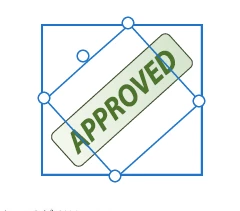
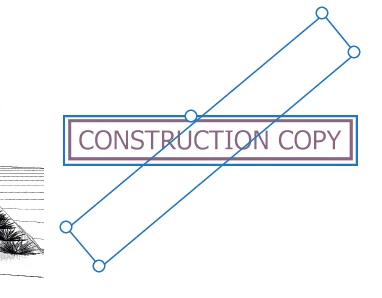
I can't rotate the custom stamps for some reason. The default stamps still seem to work but the cutom stamps don't any more. Everything worked fine a few months back.

When I try to rotate it the image stays horizontal.

Is there a setting I'm missing or is it a bug in the last updates?

I've tried re-creating the stamp and same result. As you can see the default stamp still works.

Any ideas?


This topic has been closed for replies.

1 reply

damonw13216116
Participating Frequently
July 25, 2022

Having the exact same issue - Were you able to resolve?

Amal.
Legend
July 25, 2022

Hi there


Hope you are doing well and sorry to hear that.


Is this an issue with a particular custom stamp or with all the stamps? What is the workflow/steps you did to create the . custom stamp? A small video recording of the steps you are doing and the issue you are experiencing will be very helpful


What is the version of the Acrobat DC you are using? To check the version go to Help > About Acrobat and make sure you have the recent version 22.1.20169 installed. Go to Help > Check for updates and reboot the computer once.


Also, please share the sample PDF file with the custom stamp in question so that we can check it at our end.


Please go through the help page https://helpx.adobe.com/acrobat/using/adding-stamp-pdf.html and see if that works for you.


Regards

Amal

damonw13216116
Participating Frequently
July 26, 2022

Hi,


We have multiple users using the exact same version of Adobe, and the exact same stamp files. However this is only affecting one user. I have tested the stamps myself on my PC as well and they work fine.


They are being manually added to: C:\Users\<User>\AppData\Roaming\Adobe\Acrobat\DC\Stamps
The same has been done for all other users using these stamps. It was once working for this user too, but all of a sudden it has now stopped.