Snooty
Participant
June 11, 2017
Question

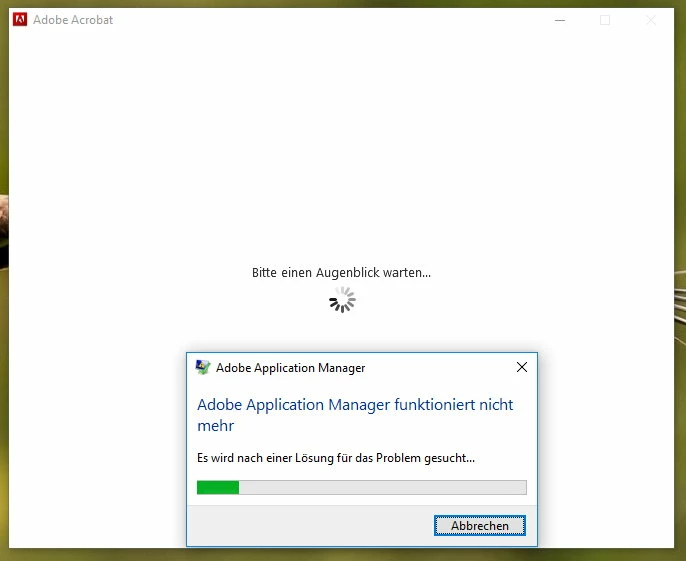
Can't start Acrobat DC - Application Manager stopped working

  • June 11, 2017
  • 1 reply
  • 1373 views

Hi,

I donwloaded the trial of Acrobat DC but can't start it.

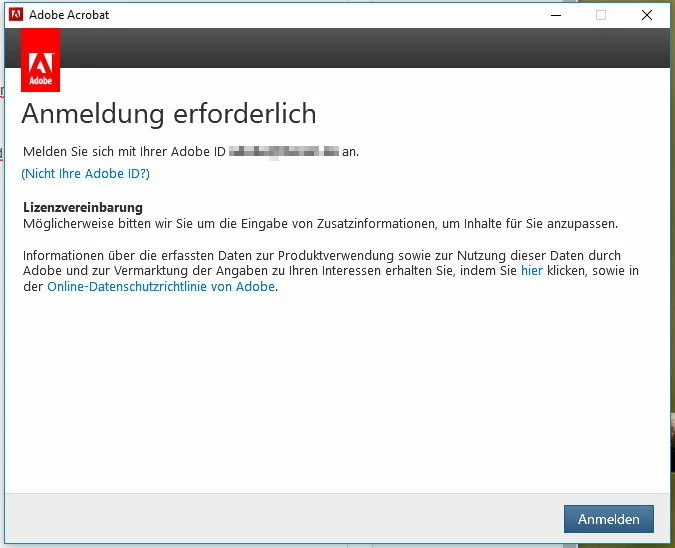
Installation went just fine but when I now try to start the program it asks me to login with my Adobe ID. When I proceed a message says to wait for a moment (which takes about 5 minutes) and finally the error appears "Application manager stopped working".

I uninstalled the program, also Adobe CC as well as Lightroom and Photoshop CC (which both work fine). I also tried the Creative Cloud uninstaller - but nothing helps, always the same issue.

What can I do? (using Windows 10x64)

Thanks
This topic has been closed for replies.

1 reply

kglad
Community Expert
Community Expert
June 11, 2017

uninstall acrobat using the control panel uninstaller

clean per Download Adobe Reader and Acrobat Cleaner Tool - Adobe Labs

restart your computer.

reinstall acrobat using the link below.

Individual User Downloadable installation files available:

Download and installation help for Adobe links

Download and installation help for Prodesigntools links are listed on most linked pages.  They are critical; especially steps 1, 2 and 3.  If you click a link that does not have those steps listed, open a second window using the Lightroom 3 link to see those 'Important Instructions'.

And a big thank you to Jim @ Prodesigntools for helping me with these links!

[moved from Downloading, Installing, Setting Up to Installing, Updating, & Subscribing to Acrobat]

Snooty
SnootyAuthor
Participant
June 11, 2017

Thank you, but it's the same.

Installation works, but this login procedure does not.

I also tried to login with deactivated internet connection, so the login must fail. But even then I don't get any error on this - just the same crash as above.

I also added Acrobat and Adobe CC to firewall exception list.

kglad
Community Expert
Community Expert
June 11, 2017

reset your preferences -   https://forums.adobe.com/thread/1595848?start=0&tstart=0

if that fails, using a browser that allows popups and cookies,  contact adobe support during pst business hours by clicking here and, when available, click 'still need help', http://helpx.adobe.com/x-productkb/global/service-ccm.html