

MahYai
Participant
June 24, 2026
Question

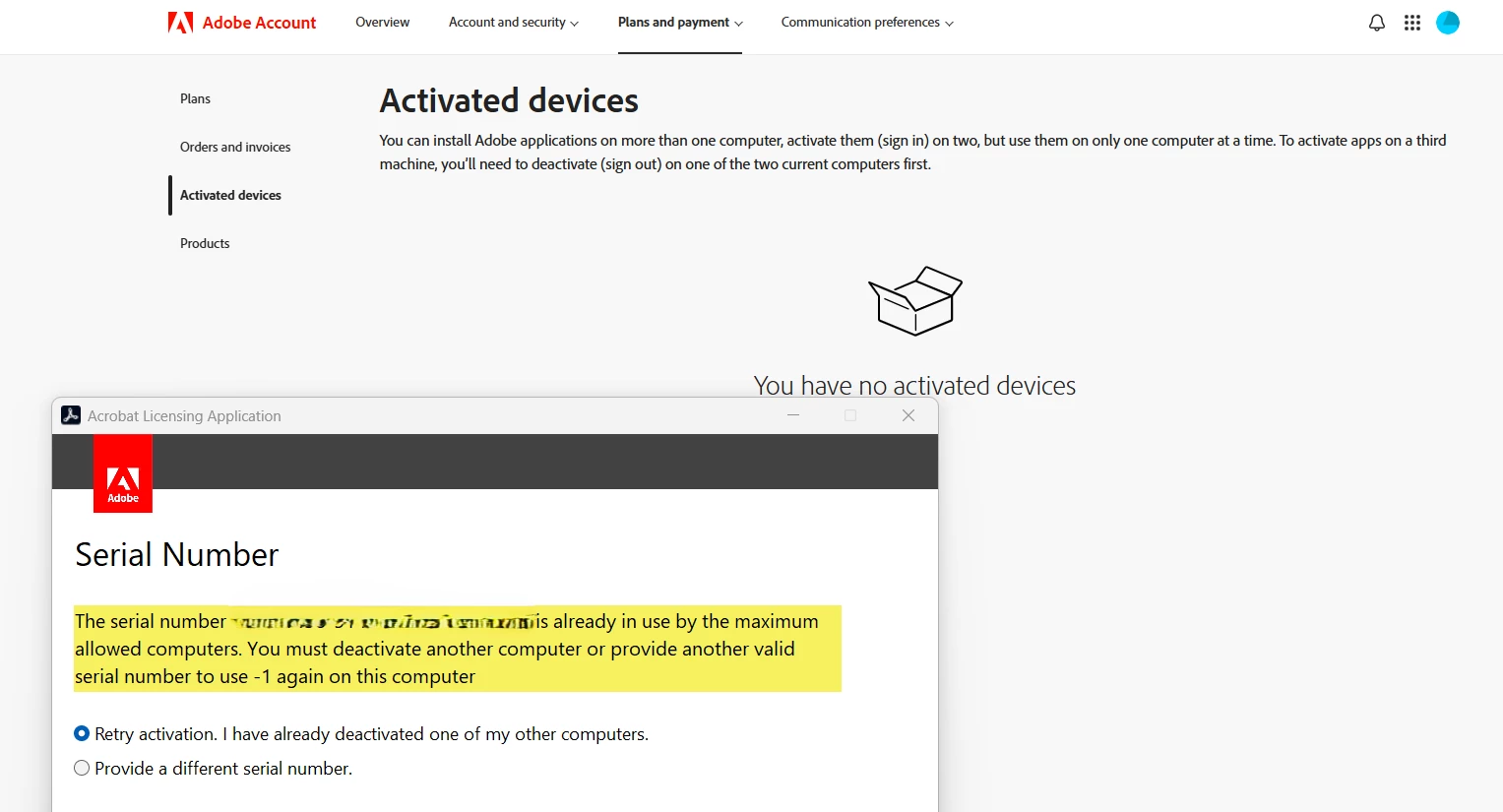
Can't validate serial number on my student/teacher Adobe Pro when installed on my new laptop - says my serial number is "in use by maximum number of devices", but my account shows "you have no active devices". Can anyone help?no
  • June 24, 2026
  • 1 reply
  • 0 views

As the question and attached pic shows, I can’t validate due to my serial number being “in use by the maximum allowed computers”, but my account shows “you have no activated devices”.

How can I get Adobe Acrobat Pro “active” on my new laptop?

    1 reply

    Amal Jaiswal
    Community Manager
    Community Manager
    June 24, 2026

    Hi there


    Hope you are doing well and thanks for reaching out. We are sorry for the trouble.


    When you launch an Adobe app, you get an error stating that sign-in failed, there is an activation limit, or the maximum number of activations has been exceeded. These errors occur if you try to use the app on too many computers. To resolve the error, follow the steps shared in the help page https://adobe.ly/4eBiXpv and see if that works.


    ~Amal

    MahYai
    MahYaiAuthor
    Participant
    June 24, 2026

    Outstanding!!!  Greatly appreciated. I’ve been playing with this for a couple of months and you’ve pointed me in the correct direction - clicked on the link above and followed the instructions for the “non-subscription” (stand-alone) version. I’m glad my old laptop is still functioning enough that it allowed me to “sign-out” of the Adobe on it.

    Have a great day and thank you for your assistance!