
Participant
Nov 20, 2026 7:21 PM UTC
Question

Can the Acrobat Chrome extension export web content as selectable text and fit paragraphs and tables to the PDF page?

As an Acrobat Pro subscriber, I expect the Acrobat Chrome extension to produce a document I can read, search, copy from, and print. When I export a web page, the layout needs to work on a PDF page even if the original content was designed for a wide browser window.

My benchmark is simple. When I copy the same content into Word, the text wraps to the available page width. I would expect a dedicated PDF tool from Adobe to handle that basic task at least as well, without making me copy the content into another application first.

The attached screenshots show one example from ChatGPT. I used “Convert chat to PDF” to save a conversation containing a table. In the PDF, the rightmost column fades out and is cut off mid-sentence on multiple pages. Even its heading is incomplete. The export also carries over the dark background I use for reading on screen. To read the full entries, I have to go back to the original conversation.

My request is for a document layout option across the extension’s web-to-PDF features. I’d expect it to:

• Preserve selectable, searchable text, along with headings, paragraphs, lists, and tables.
• Reflow paragraphs and wrap text inside table cells to fit the selected page size. Wide tables should support landscape orientation so every entry stays legible.
• Place page breaks sensibly, keeping headings with the text they introduce and repeating column headings when a table continues onto another page.
• Offer a print-friendly layout with dark text on a white background, independently of the website’s theme.

Is there already a setting that provides this kind of export across websites? If so, where can I enable it? If not, please consider adding it to the Chrome extension. I should be able to close the original web page and still read and reuse everything I saved.
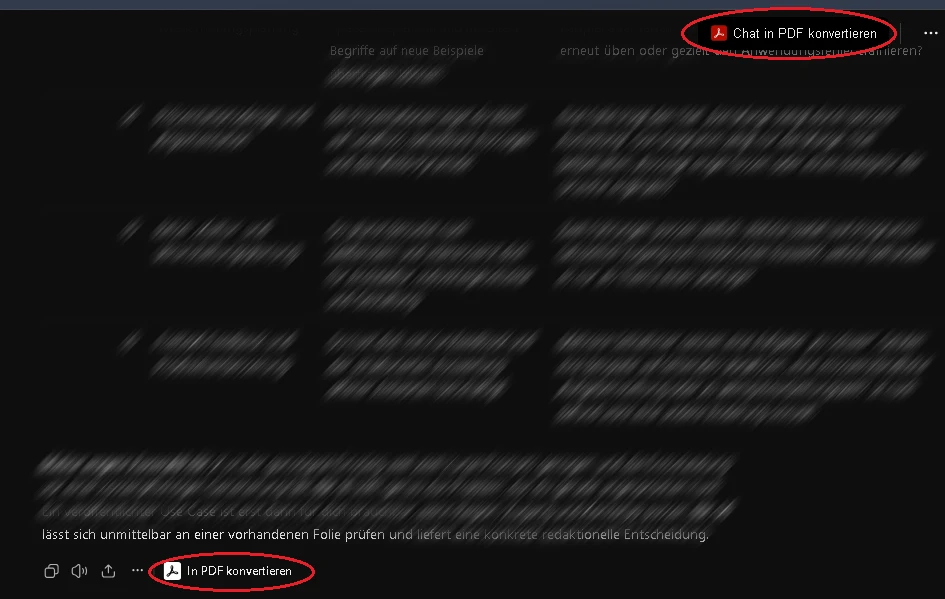
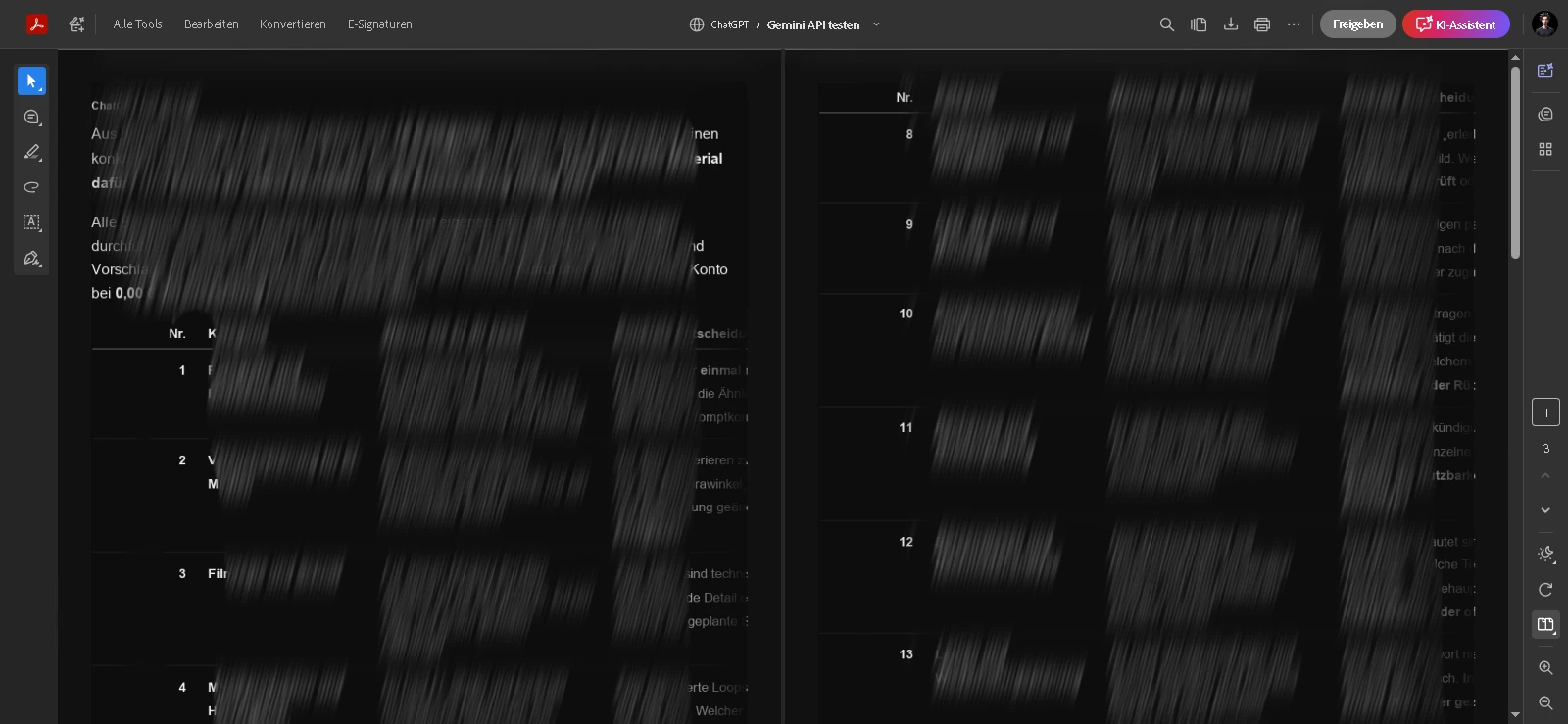
Example: Testing the Acrobat Chrome extension with ChatGPT [via “convert to PDF”]
Result PDF from Extension [fail]: Here's the final result—just slapped in as an image without any care, without really understanding the text and content (and without formatting it correctly; plus, it's cut off and therefore completely unusable)


2 replies

Participant
Nov 20, 2026 7:44 PM UTC

💡Add: I just read a conversation between other users [including a moderator of this community]. I found it extremely helpful that they suggested another way to submit product improvement suggestions and feedback. Please support my request there if you'd like to and if you happen to be experiencing the same issue. Thank You & Props to User “rachitjain-1660256” for the helpful answer. -- URL: https://acrobat.uservoice.com/forums/931921-adobe-acrobat-in-browsers/suggestions/51925681-make-web-to-pdf-conversion-in-acrobat-preserve-doc

Translate
Amal Jaiswal
Community Manager
Community Manager
Nov 20, 2026 8:04 PM UTC

Hi @Friendly_scientist1381

I hope you are doing well, and thanks for reaching out with such a detailed description and screenshots. I’m sorry to hear the exported table was cut off and carried over the dark background, since that makes the PDF hard to read and reuse.

To answer your question, the Acrobat extension for Chrome has conversion settings that cover part of what you describe. You can open the extension in your browser and select Conversion settings, or go to All tools > Create a PDF > Web page > Advanced settings in Acrobat. Under the page layout options you can choose the page size, margins, and Portrait or Landscape orientation. There is also an option to scale wide content to fit the page width, and one that switches to Landscape automatically when the scaled content gets too small. You can find the steps here: Customize web page to PDF conversion settings in Acrobat.

Your request is a valid one, and the best way to get it in front of the product team is the suggestion you linked in your follow-up. I’d encourage you to keep it there, and other users experiencing the same issue can add their votes.

Regards

Amal

Translate