Participant
August 11, 2023
Question

Can you access adobe web browser from the desktop app?

  • August 11, 2023
  • 2 replies
  • 318 views

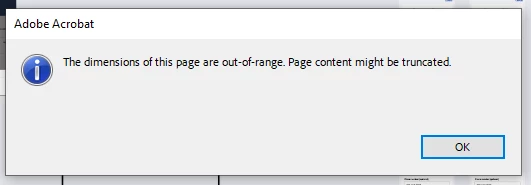
I often find that when I open a document in the desktop app, the document is out of dimensions and I must go into the Web browser to review/edit, etc... I was wondering if there was a way to:

  1.  Access the web browser from the desktop app
  2.  When the document is out of dimension range, to have it automatically open in the web browser


This topic has been closed for replies.

2 replies

AkanchhaS8194121
Legend
August 11, 2023

Hi @Karen291863564n78 


Hope you are doing well.

Do you get this error only when opening the PDF file created from Illustrator or all the files? 

If yes, then please read this helpful discussion where the correct answer is given:

https://community.adobe.com/t5/illustrator-discussions/how-to-resolve-the-error-message-quot-the-dimensions-of-this-page-are-out-of-range-quot/td-p/10299592 


This is a design restriction probably applied when the file was created.

Here's a similar discussion with the reasoning:  https://community.adobe.com/t5/acrobat-reader-discussions/the-dimensions-of-this-page-are-out-of-range-page-content-might-be-truncated/td-p/12506917#M85262 


I often find that when I open a document in the desktop app, the document is out of dimensions and I must go into the Web browser to review/edit, etc... I was wondering if there was a way to:

  1.  Access the web browser from the desktop app
  2.  When the document is out of dimension range, to have it automatically open in the web browser


No such setting can allow this to open the file on the web directly from the app.


Thanks,

Akanchha


Participant
August 11, 2023

IM CHECKING NOW