
Cannot activate Acrobat Pro 2017 with a perpetual volume license
I purchased Adobe 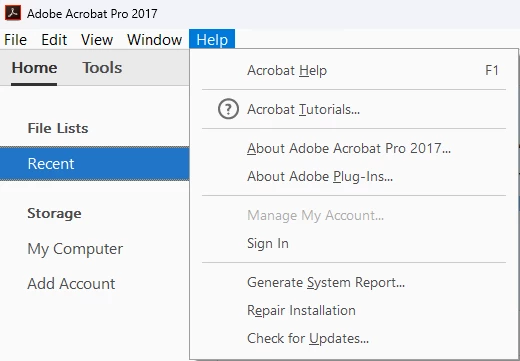 , which was specifically acquired to allow installation across multiple computers in our organization. I am the IT Administrator responsible for managing these licenses.
The issue: When attempting to install the software on a new computer, I receive an error stating "The Serial number is already in use by the maximum allowed computers. You need to deactivate another computer within 24 days to use this product."
all the installed software (since 2018) wasn't signed in, just installed. since 2018 many employees left and had new arrived and never had problems.
Adobe support told me that I should deactivate the software for every employee that leave from the 'Help' menu, but there was no option to do it (picture attached). the support guy just repeat that this is EOL product and he cannot help.
Since the activation check occurs online against Adobe's servers (we don't have a local license server), Adobe must have the capability to see which machines are counted against our license and reset the activation count.
the answer I get from Adobe support is "Acrobat Pro 2017 is an End Of Life product so we do not provide support for this anymore also, we do not have the ability to make changes from our end or to deactivate the licenses."
The fact that this is a perpetual license that's no longer sold doesn't eliminate Adobe's obligation to provide basic license management for legally purchased software.
I'm not asking for technical support for the software itself, but rather access to manage the license activations that I've legitimately purchased.
I appreciate your assistance or work around with this issue.


 AdChoices