
Known Participant
December 9, 2022
Question

Cannot create form with calculated fields

  • December 9, 2022
  • 1 reply
  • 4401 views

I have created forms (to fill and sign) in past on the DESKTOP LAPTOP APP ADOBE ACROBAT PRO.

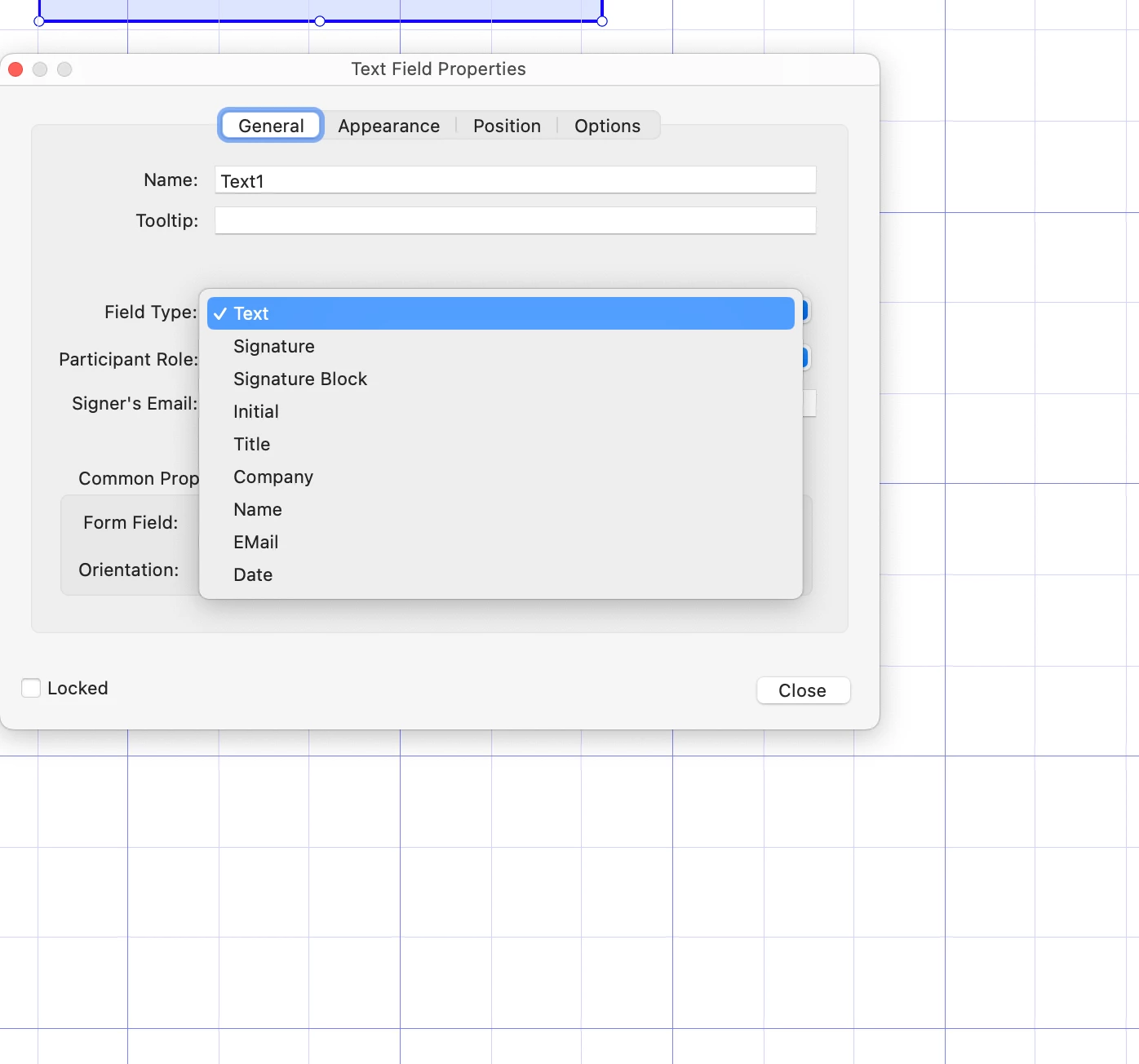
Now I cannot chose the field type "calculated" anymore see screenshot.

Apart of that it is SUPER UTTERLY frustrating that there is one thousand apps called "acrobat" in this support community yet there is ONLY ONE, and it is Adobe Acrobat PRO, point, dot and basta.

Can Adobe not get on task and make this stuff actually userfriendly?!
I cannot even download and edit sign and fill _templates_ that are in the "ONLINE VERSION" of this nightmare so I have to recreate them, because there is one tiny mistake 


Yet as problem state: now suddenly cannot add cacluclate fields anymore.

I a mcrying out loud here, really.
1 reply

try67
Community Expert
Community Expert
December 9, 2022

Click on Tools - Prepare Form and then click on "More" at the right side of the window and then on "Revert to Acrobat Form". In the future, do not tick the box that says "This document requires signatures" when creating the form.

smileBedaAuthor
Known Participant
December 9, 2022

OK, while I NEVER did this before, it worked.


And how to fix the template I have saved time back, where I forgot to make a date field (it is hardcoded now in the template) so i can fix that and do not redo the entire form?
When I download the online teplate as PDF and throw it into adobe it says it is uneditable because signed. But it is not signed, it is a template....


I really need to redo everything?

try67
Community Expert
Community Expert
December 9, 2022

What do you mean by "a template", exactly? Did you apply the Extended Reader Rights to it, by any chance?