
Participant
January 5, 2022
Answered

Cannot delete comments

  • January 5, 2022
  • 4 replies
  • 5898 views

I have 50,000 comments in a PDF document probably leading to the reasons why Adobe Acrobat DC is so unbelievably slow, unsuable, constantly crashes, and stops responding. I pay for this software and this is unacceptable and leading to lost productivty and frustration. WHY can't I delete these comments? I highlight all 50,000 comments and delete is greyed out. 
Correct answer Luke Jennings3

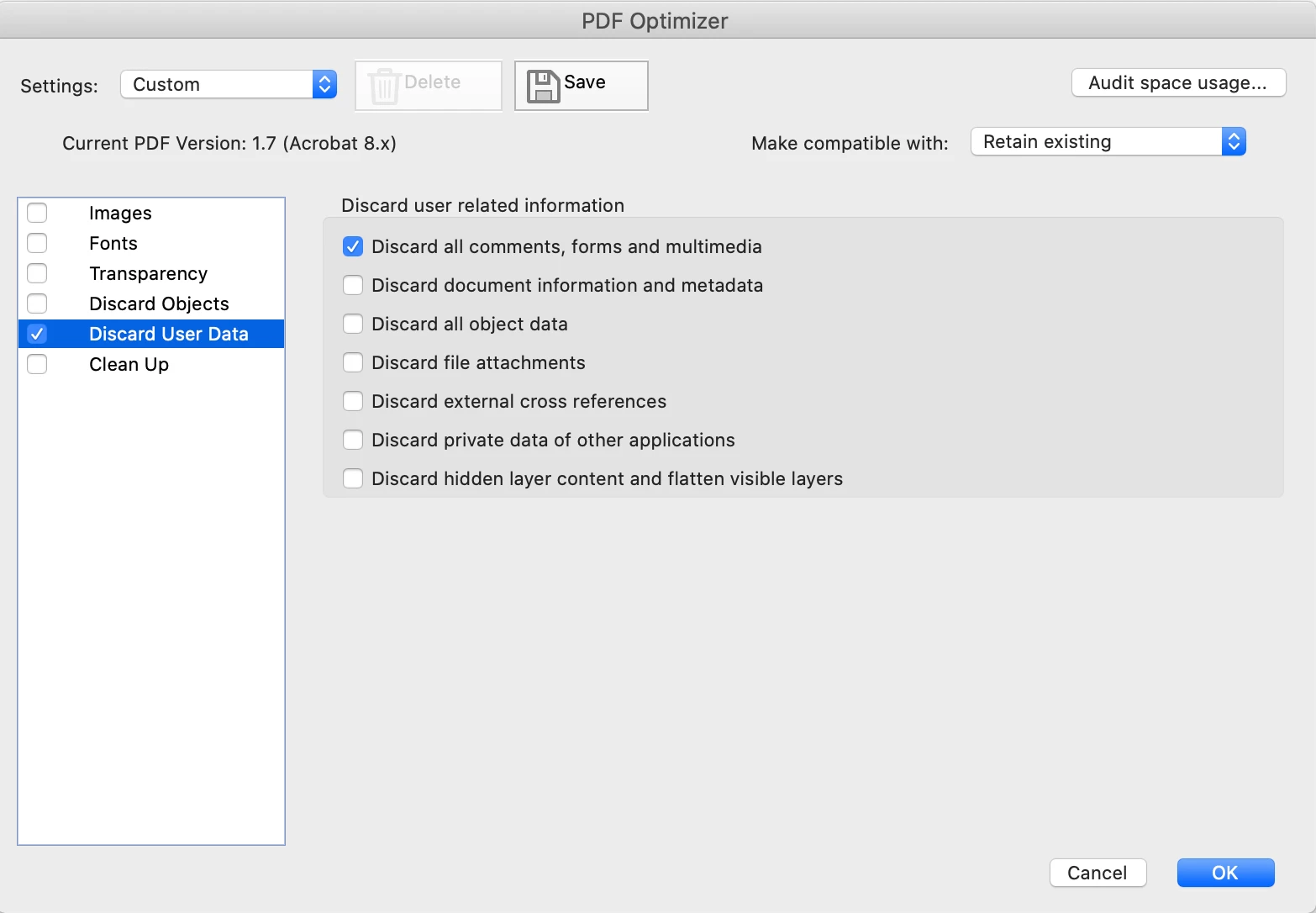
File> Save as other> Optimized PDF.

Saving as an optimized pdf and choosing to discard and clean up anything you don't need should reduce the size and might help with the other issues you are having.

4 replies

Luke Jennings3
Community Expert
Luke Jennings3Community ExpertCorrect answer
Community Expert
January 5, 2022

File> Save as other> Optimized PDF.

Saving as an optimized pdf and choosing to discard and clean up anything you don't need should reduce the size and might help with the other issues you are having.

Participant
July 8, 2024

that worked for me, I did not try the script method.

Amal.
Legend
July 16, 2024

Hi there


We are glad to hear that the issue got fixed.


Marking a reply or response “Correct” will help future users with the same issue quickly identify the correct answer.


~Amal

B i r n o u
Legend
January 5, 2022

print document as a new PDF without comments

try67
Community Expert
Community Expert
January 5, 2022

Try running this script on it:


this.syncAnnotScan();
var annots = this.getAnnots();
if (annots!=null) {
	for (var i=annots.length-1; i>=0; i--) {
		var annot = annots[i];
		annot.destroy();
	}
}
CPAlexander17583891
Participating Frequently
January 5, 2022

Use the Redact tool to use Sanitize Document and selectively remove only the comments.