
Cannot edit individual pages inside a PDF
Hey all... not a noob with Creative Suite but I don't use Acrobat extensively. I'm having a problem with editing a PDF document and Adobe's responses have been less than helpful. I don't need information on Reader v. Pro features, or a tutorial on how to edit text or how to create a text box... so I'm turning to the community for ideas.
Acrobat Pro DC 2017 installed
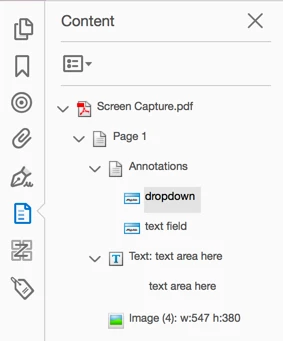
Here's my problem. I have a multipage PDF document that was created by someone else. I need to edit a couple of spelling/grammatical mistakes. I can open and edit the document. Most pages allow me to edit the text and images just fine. But a couple of pages won't allow me to do anything. I suspect it's not outlines because I can place the selection tool cursor in the text line... but any time I try to click into the "Edit PDF" tool I get a arrow cursor with a little white box and it won't allow me to select anything on the page. I also tried just adding a text box over the top but no text is showing up in the box. I'm lost... any ideas?

 AdChoices