
Participant
December 9, 2022
Question

Cannot extract the embedded font error...

  • December 9, 2022
  • 2 replies
  • 4410 views

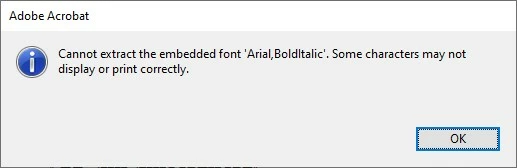
When opening a PDF file the following error occurs...
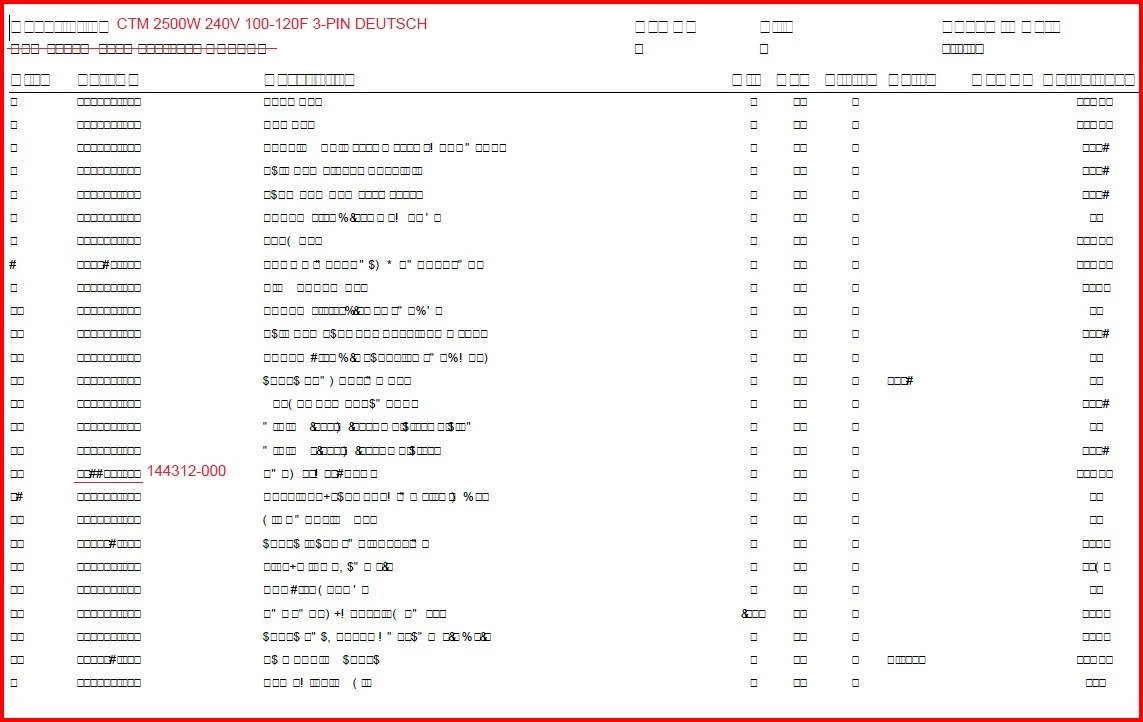
It changes all the text to look like this...
I am using Adobe Acrobat Pro (32bit) version 2022.003.20282.  I attempted to search for this issue and most posts about this are around 10 years old and were of no help to resolve this.  Anyone know of a possible solution to this?  Any help would be appreciated.  Thank you.

This topic has been closed for replies.

2 replies

AkanchhaS8194121
Legend
December 11, 2022

Hi @Brad27506144nqj6 


Sorry to hear about the trouble caused.

This occurs when you use a TTF font with the option 'Do not insert font in PDF,' and the font is not installed on the Windows PC you use to open the PDF.


When importing the true type font, setting the flag 'Do not insert font in PDF' means only the font name and not the font itself is put into the PDF file. That means the font is not embedded into the PDF file anymore. Only the font name of the Windows font is put into the file.  


Check if you have this font installed on your PC. Or try this, Open file>Print>print to Adobe PDF Printer>Save As with new name and now check back.


Thanks,

Akanchha 

AkanchhaS8194121
Legend
December 11, 2022

Hi @Brad27506144nqj6 


Sorry to hear about the trouble caused.

This occurs when you use a TTF font with the option 'Do not insert font in PDF,' and the font is not installed on the Windows PC you use to open the PDF.


When importing the true type font, setting the flag 'Do not insert font in PDF' means only the font name and not the font itself is put into the PDF file. That means the font is not embedded into the PDF file anymore. Only the font name of the Windows font is put into the file.  


Check if you have this font installed on your PC. Or try this, Open file>Print>print to Adobe PDF Printer>Save As with new name and now check back.


Thanks,

Akanchha