Answered
Cannot fix accessibility issues in Adobe Acrobat Pro DC
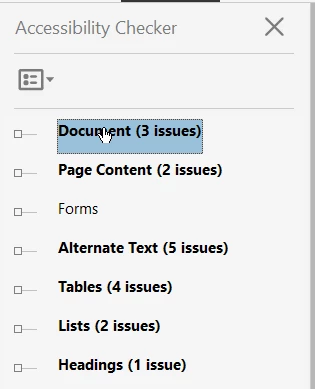
I have just updated my Adobe Acrobat Pro DC (now Version 2015.006.30527) via Creative Suite and I use to be able to run the accessibility report and expand the issues to fix. I could right click on the issue and select "Fix" but I can no longer do this.
How do I get this functinality back?
The accessibility checker pane now looks like the following where you cannot expand or right click to fix issues:
This is how the old version of the accessibility checker use to look - where you could expand the issues and right click to fix.
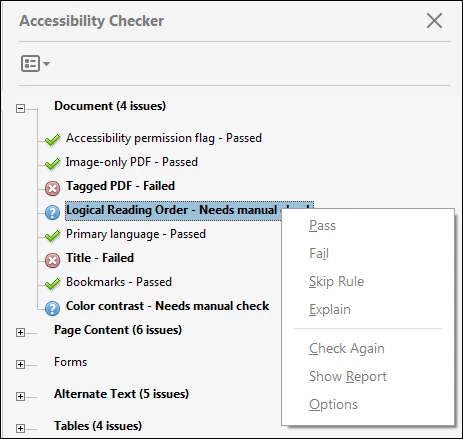
I would love to know how to get the old version displaying and working again.
Thanks

 AdChoices