
Participant
December 9, 2024
Question

Cannot open PDF compatible Illustrator file in Acrobat

  • December 9, 2024
  • 1 reply
  • 173 views

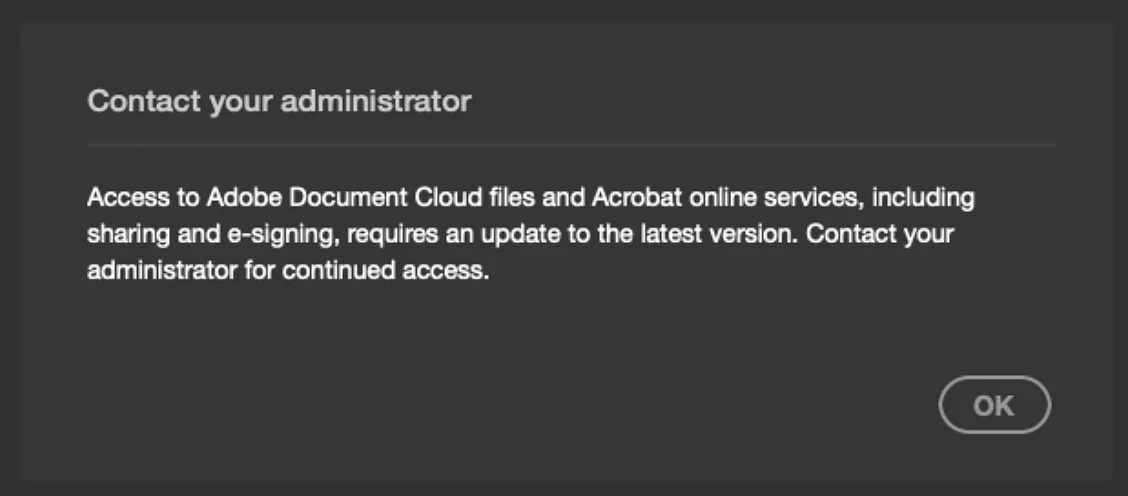
I'm getting this error when I try to open a PDF-compatible Illustrator file in Acrobat. Additionally, AI files are greyed-out from the Open dialog box. Was this functionality recently removed? Do I need to open these files in an older version of Acrobat?
 

This topic has been closed for replies.

1 reply

Souvik Sadhu
Legend
December 10, 2024

Hi @5635946,


Hope you are doing well. Sorry for the trouble.


From the screenshot, it looks like updates for Acrobat have been disabled from the background.


If you have access to the registry editor on your system, you can try the below steps:

Go to Start-> Registry Editor-> go to the location -

HKEY_LOCAL_MACHINE\SOFTWARE\WOW6432Node\Policies\Adobe\Adobe Acrobat\DC\FeatureLockDown

Add Dword bUpdater

Value: 00000001


If not, you can reach out to your IT team and get this added to the group policy.


Once done, try checking for updates using the below steps:


  • If on Modern Viewer, go to Home-> Help-> Check for Updates.


  • If on Classic Viewer, go to Help-> Check for Updates.


Hope this helps,


-Souvik