
Participant
January 26, 2018
Answered

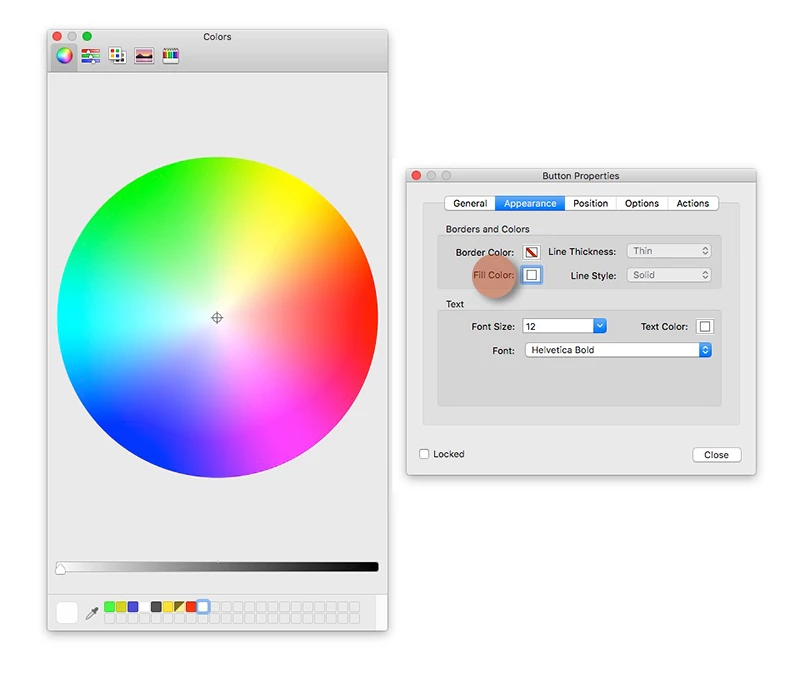
Cannot remove fill color in Appearance - Button Properties

  • January 26, 2018
  • 3 replies
  • 6759 views

With previous versions of Acrobat, we could remove completely (transparent background) the Fill Color in the Button Properties. It appears that we cannot anymore in Acrobat DC as it defaults to a white background?

Any solutions or hidden features to remove the fill color completely (transparency)?
This topic has been closed for replies.
Correct answer novovos

I figured out a work-around for this issue in Acrobat Pro DC.  Open another pdf that you've already marked up with a transparent rectangle (or whatever shape). Right click and then select "Make current Properties Default".  It will now be transparent in any pdf you are marking up.

3 replies

Participant
April 11, 2024

Is this a bug or did Adobe do this on purpose?


novovos
novovosCorrect answer
Participant
March 2, 2018

I figured out a work-around for this issue in Acrobat Pro DC.  Open another pdf that you've already marked up with a transparent rectangle (or whatever shape). Right click and then select "Make current Properties Default".  It will now be transparent in any pdf you are marking up.

Kanikas
Legend
January 26, 2018