


Answered
Cannot resize Output Preview dialog box
I tried to adjust the size of my Output Preview dialog box, but I could only make it larger. Now I can't seem to resize it at all and it's taking up a big chunk of my screen space. Clicking and dragging from one of the edges or corners doesn't change anything, and moving the dialog box resets it to the arbitrary size shown in this screenshot:
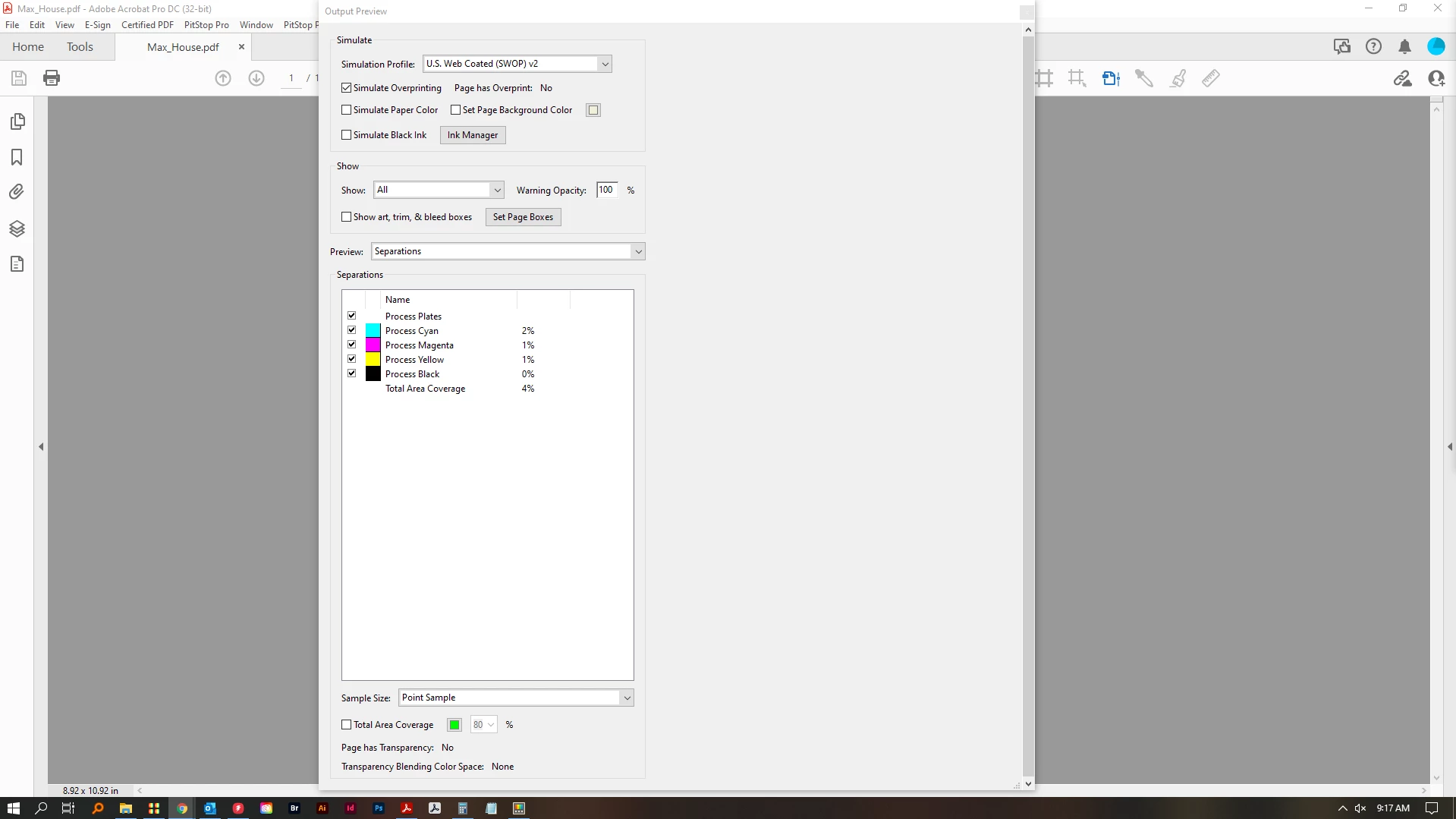
I'm running Windows 10 Pro, version 21H1, OS build 19043.1415.
I have two 1920x1080 monitors, and moving the dialog box to the other monitor doesn't solve the issue.
I have so far tried restoring my preferences, changing the display resolution, and restarting my computer.
I'd like to be able to set it to a specific size, or at least back to the default size.
 AdChoices