
Answered
cannot save in Acrobat DC Pro
For some reason when I go to save a PDF a dialogue box pops up with nothing inside of it. Cannot save, save as, just nothing happens. Any ideas?

For some reason when I go to save a PDF a dialogue box pops up with nothing inside of it. Cannot save, save as, just nothing happens. Any ideas?
THANKS for the heads-up...I should have checked the folder.
Uninstaller running now. I'll reinstall and hope that it does the trick.
Thanks again for the help, PhotoFL!
An update to my "Save As" blank dialog situation:
I tried to uninstall/reinstall Acrobat Pro DC with no success - the reinstall failed continuously (at least that's what the CC dashboard/menu reported).
SO...I contacted Adobe help through their Chat feature, and here's what fixed my problems:
• For the "Save As" failure (blank dialog box) - instructed to open Preferences > General from Acrobat menu and uncheck "Show online storage when opening files" and "Show online storage when saving files" (see screen shot)
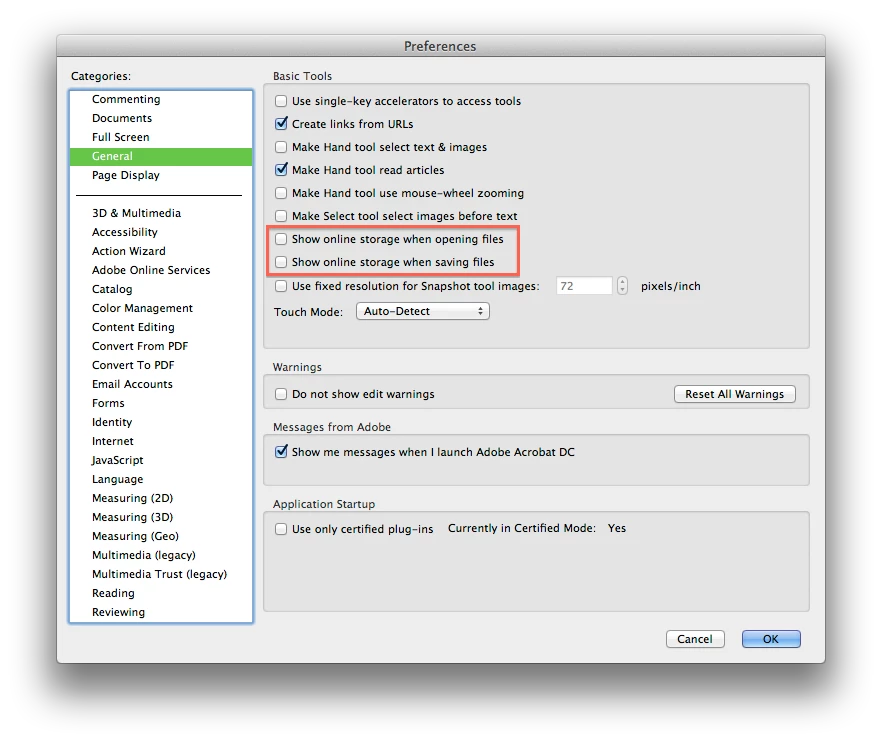
After this, I was able to access "Save As" dialog.
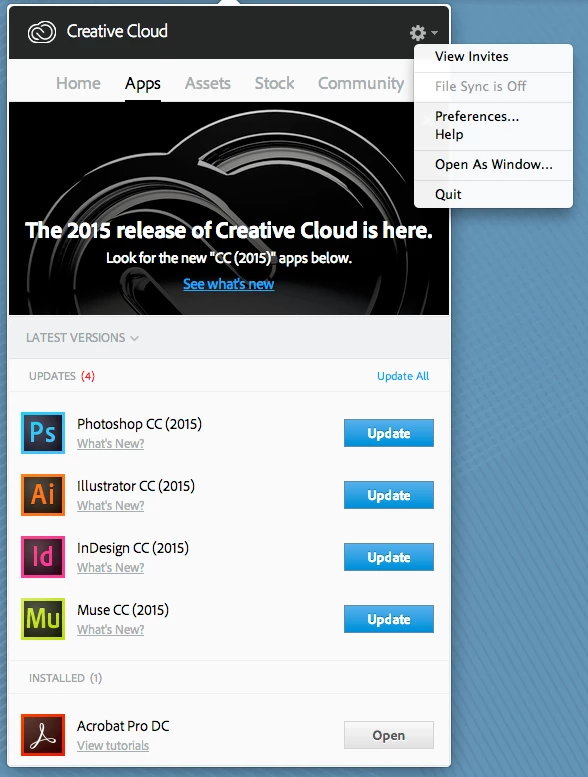
• Concerning the reinstall failure, I was instructed to Quit Creative Cloud (access through CC Menu > Settings "gear" - see screen shot) and then sign-in again.
After relaunching CC, the App menu confirmed that my Acrobat Pro DC was installed and updated.
Obviously, the initial reinstall was good, but CC could not see that without a relaunch.
Maybe a "relaunch" of CC should happen on a regular basis to clean-up any update/corruption issues?
Hope this is helpful to others with similar issues.
Jim
Already have an account? Login
Enter your E-mail address. We'll send you an e-mail with instructions to reset your password.
 AdChoices