
Participant
July 31, 2024
Answered

Cannot seem to find "convert fonts to outlines" option in Acrobat Preflight...

  • July 31, 2024
  • 1 reply
  • 1055 views

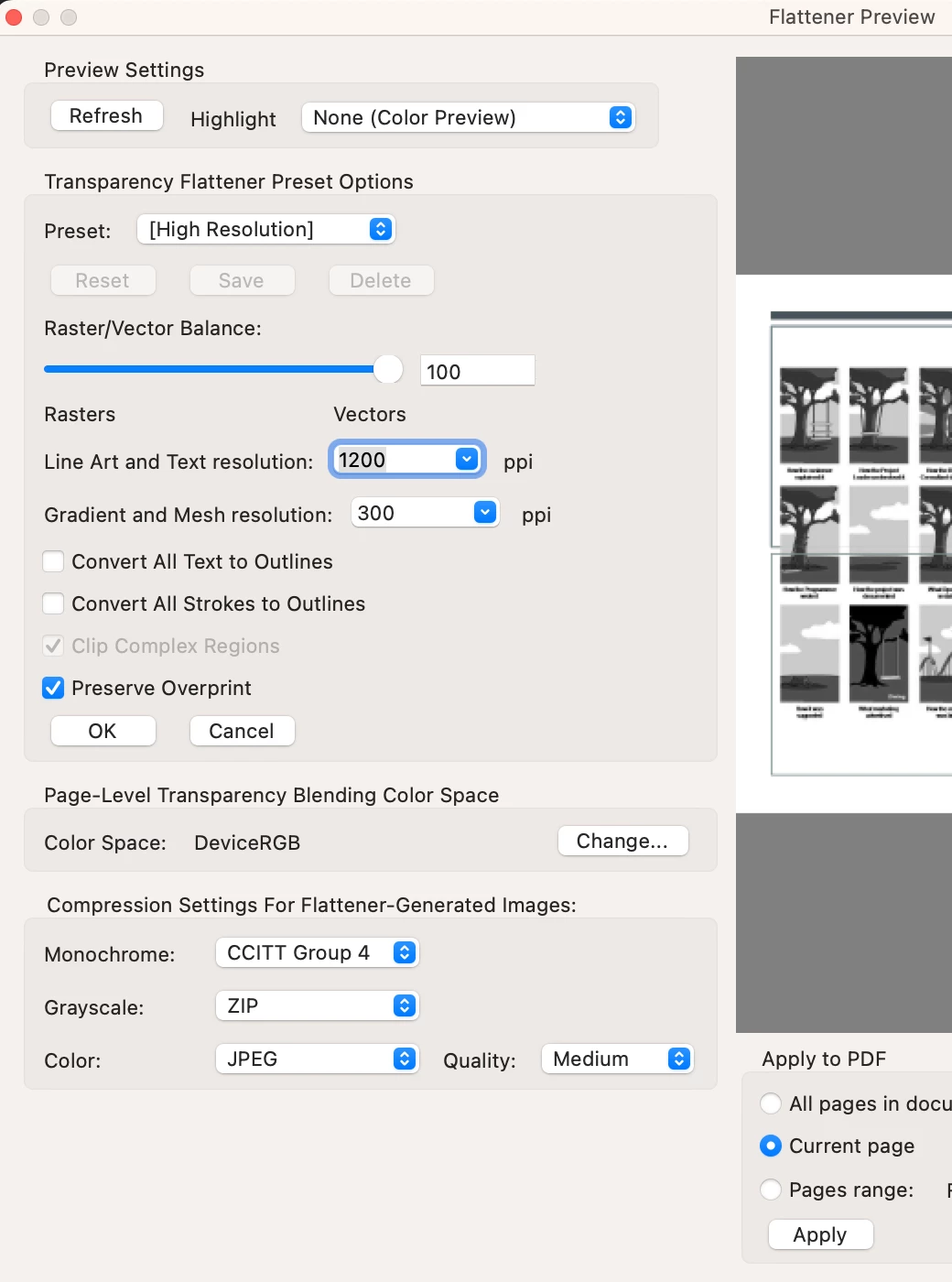
Hi all, I cannot seem to find the "convert fonts to outlines" option in Acrobat Preflight...I have used this option several times in the past so don't know why it's not showing up now. I have searched using the terms "outlines", "convert fonts", etc. but to no avail 😞
I have the Creative Cloud "All Apps" subscription so I should have Acrobat Pro right? Yet when I hover over the Acrobat app, it shows the App name as "Adobe Acrobat" and not as "Adobe Acrobat Pro"...does this even matter?

Thank you in advance for your help 🙂

Christine
This topic has been closed for replies.
Correct answer creative explorer

@Papertree try this... under 'All Tool,' - 'Use Print Production' - 'Flattener Preview' 


1 reply

Bernd Alheit
Community Expert
Community Expert
July 31, 2024

It is Pro. Only Acrobat Pro has the preflight tools.

PapertreeAuthor
Participant
July 31, 2024

Hi Bernd. Do you have any idea as to where the option to convert fonts to outlines is? 

creative explorer
Community Expert
creative explorerCommunity ExpertCorrect answer
Community Expert
July 31, 2024

@Papertree try this... under 'All Tool,' - 'Use Print Production' - 'Flattener Preview' 


m