
Cannot show the AI assistant on the desktop Adobe Acrobat
Dear Support Team,
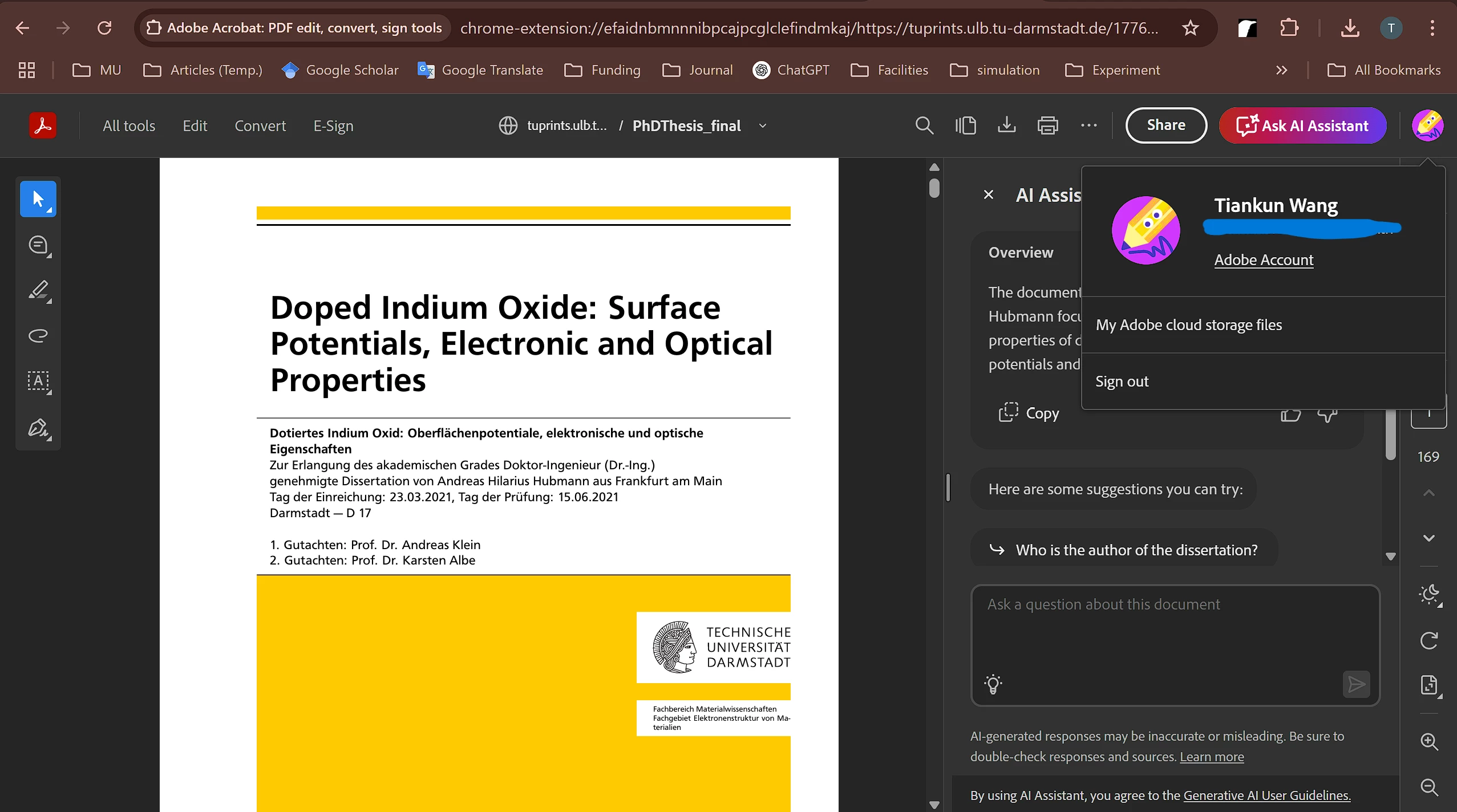
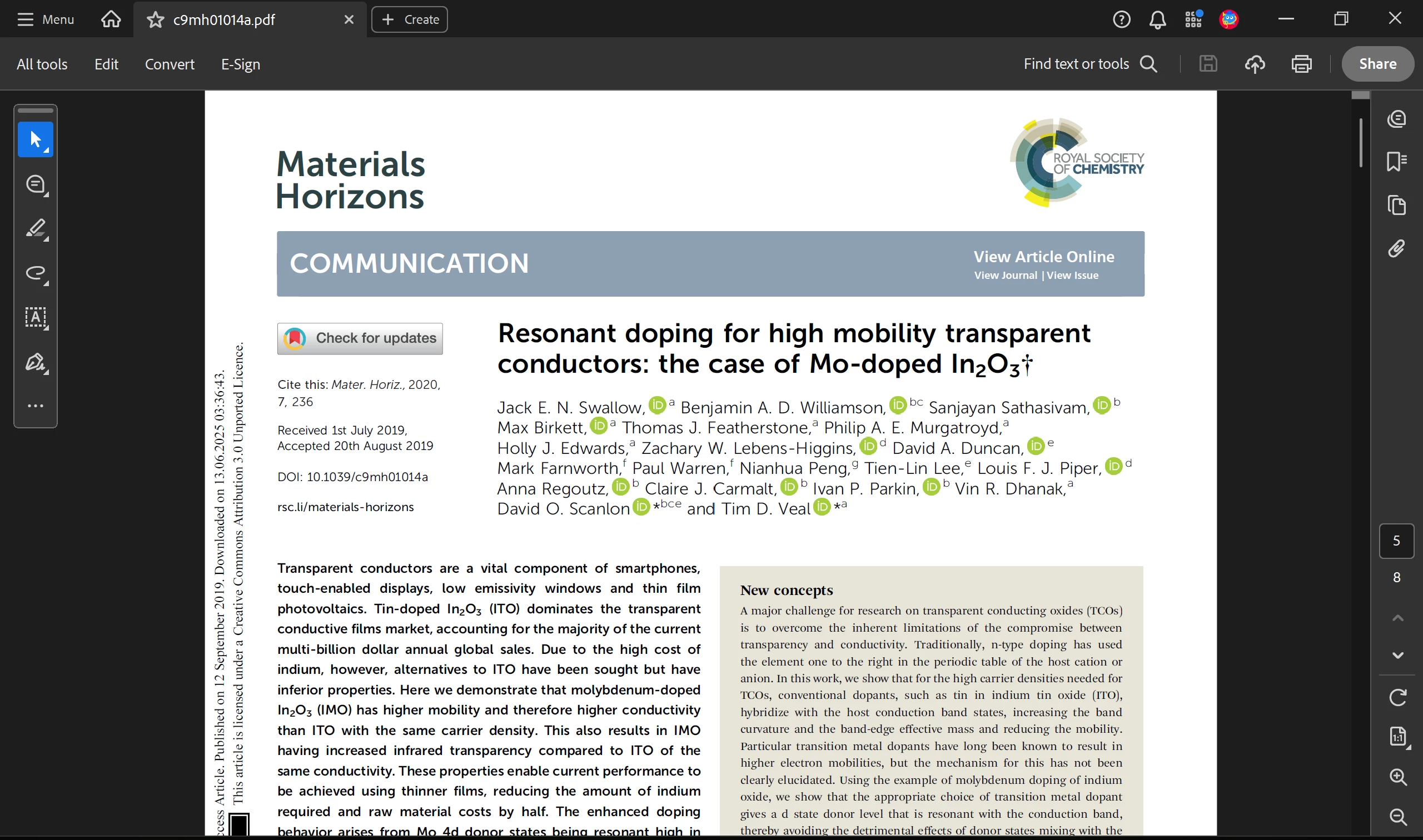
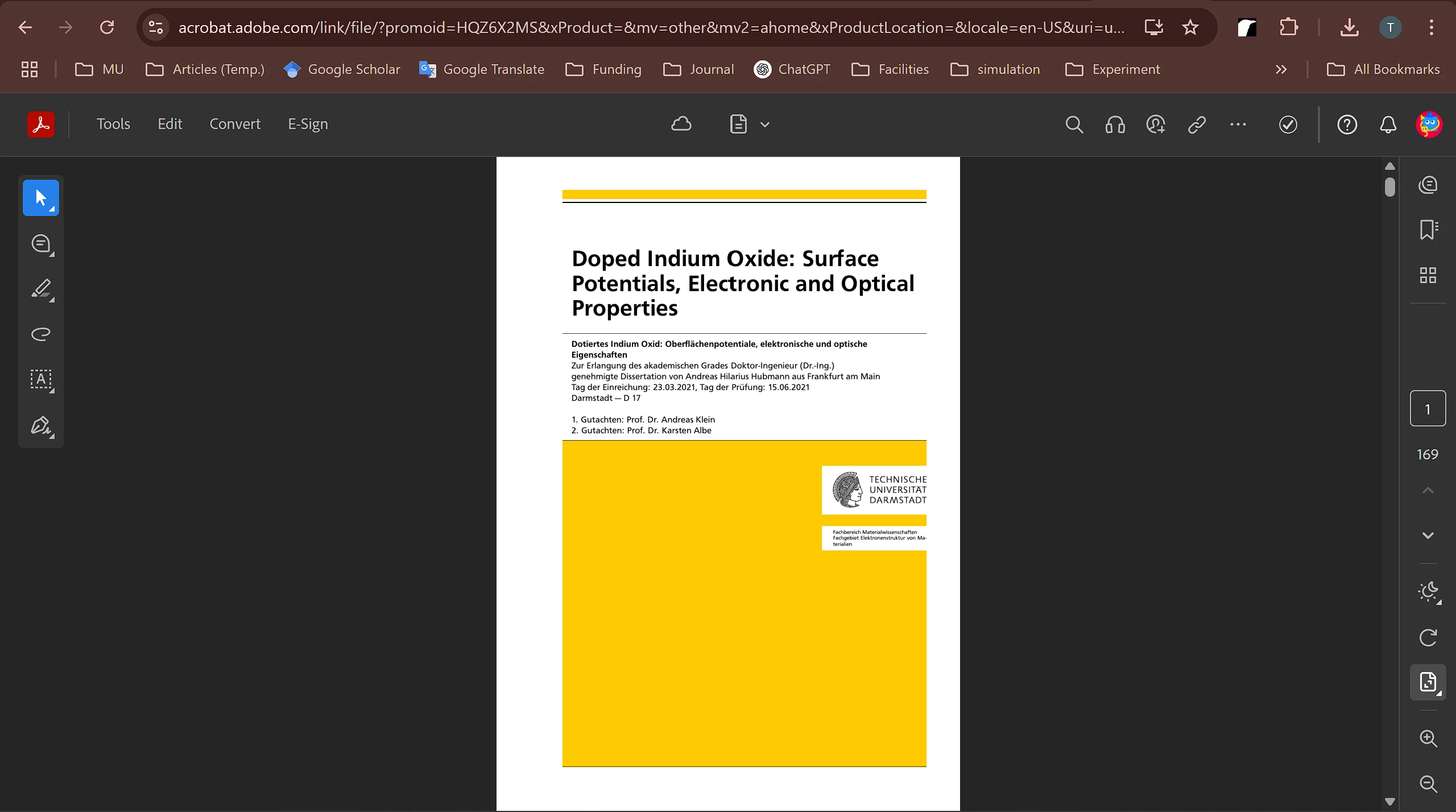
I recently subscribed to the AI Assistant service (Order Number: AD03433300438ETH). I can access the assistant when viewing some online PDFs via Google Chrome. However, when I download the same PDF and upload it to Adobe online, the AI Assistant is no longer accessible. Additionally, I cannot see or access the AI Assistant in the latest desktop version of Adobe Acrobat (version 25.001.20531) on my PC.
My account is linked to a university email address, and I’m unsure if that could be affecting functionality.
I’ve already tried several recommended solutions, including:
Changing the language settings to English (my system was already set to English),
Using Adobe Cleaner to completely uninstall the software,
Restarting my PC and reinstalling the latest version from the official Adobe link.
Unfortunately, none of these steps have resolved the issue.
I am currently located in Thailand and wonder if regional restrictions might be a factor as well.
Could you please assist in resolving this issue? Thank you very much for your support.
Figure 1: online paper opened by the Google Chrome.
Figure 2: any paper opened by the desktop app.
Figure 3: the same paper with shown in Fig.1, but after download and upload to Adobe online.
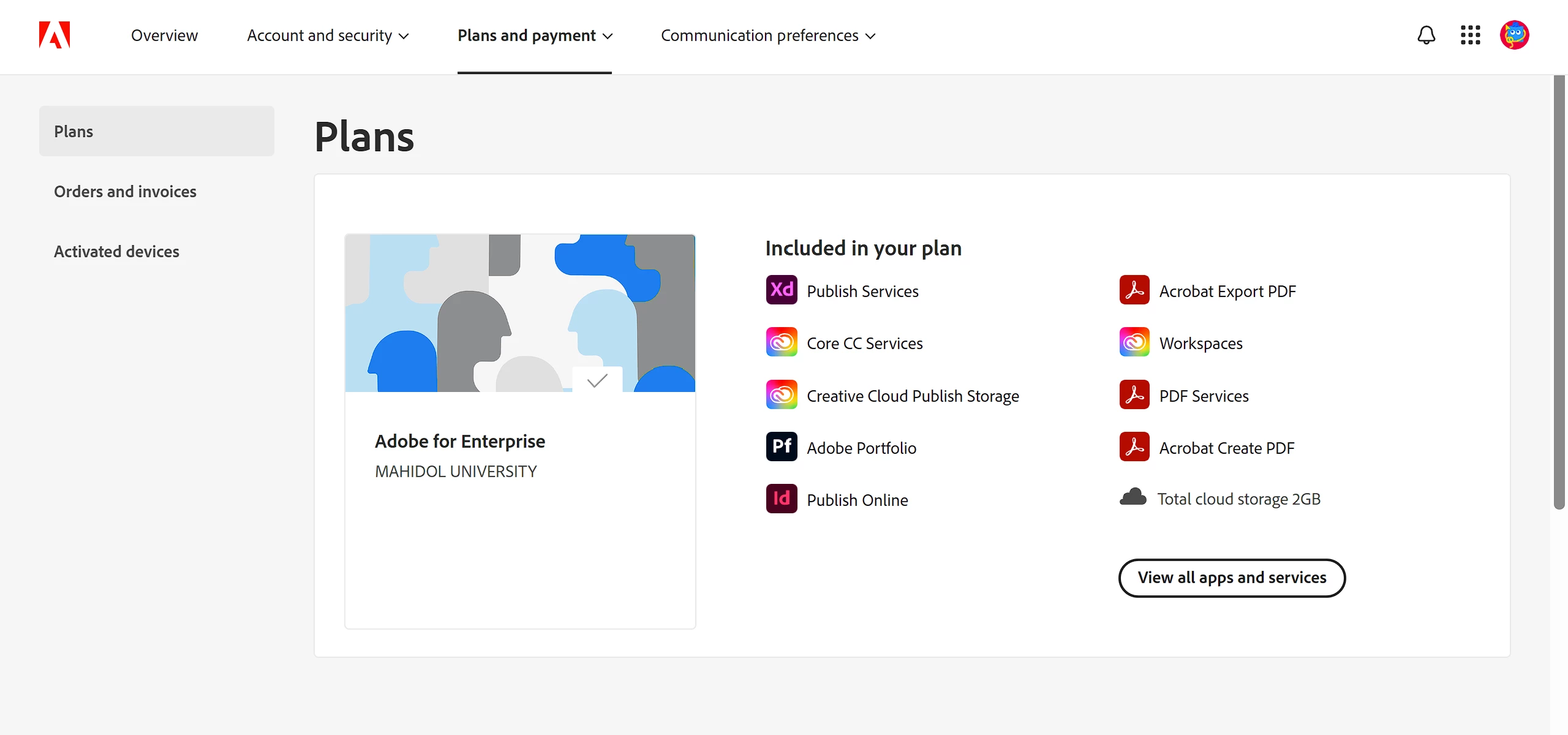
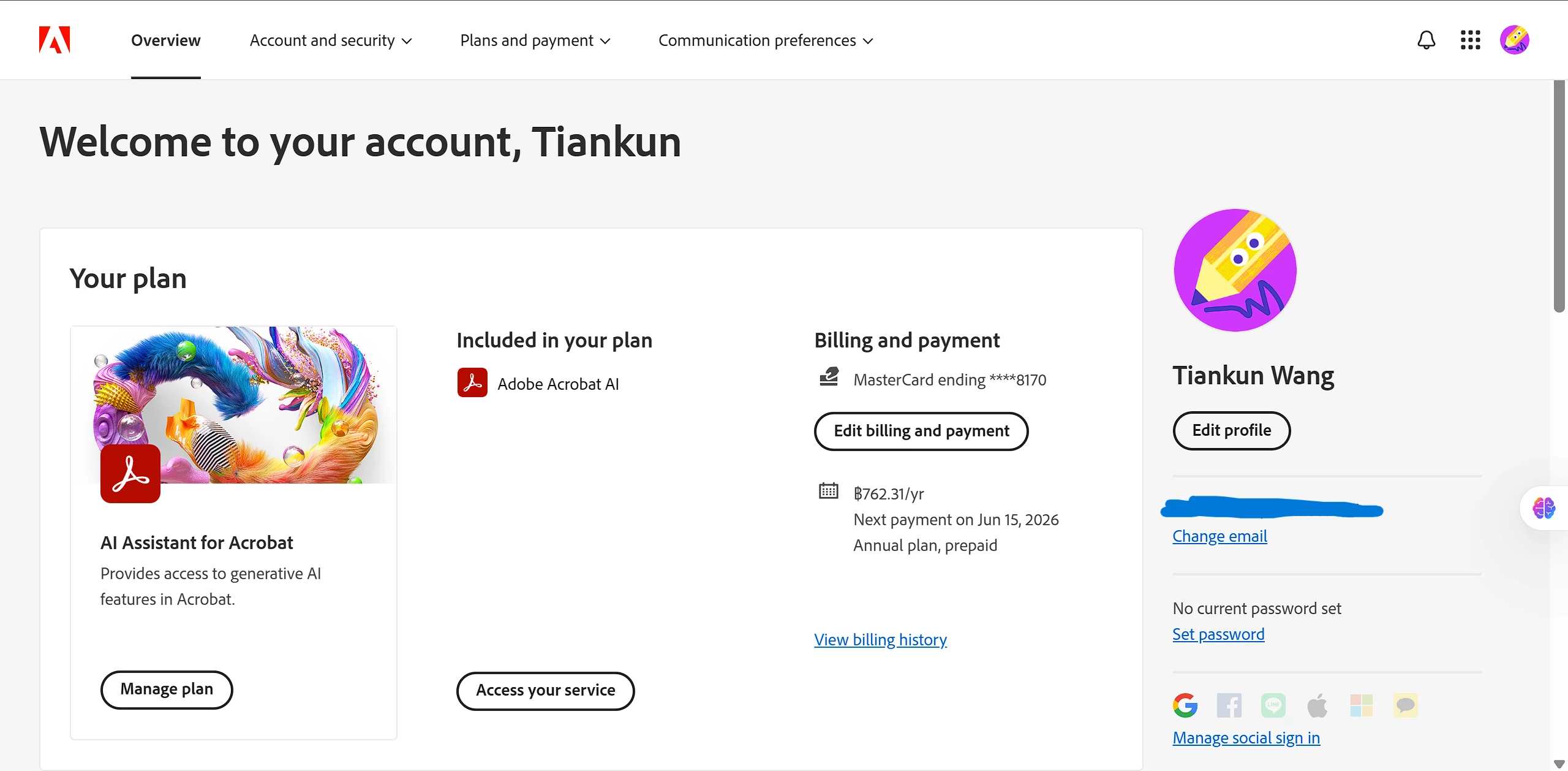
Figure 4. My account plan
Figure 5. My subscription of AI Assistant
(BTW, I do not know why when I use alternative account of Google Chrome show the page of My account as Fig 5, but when I use the same email as Adobe one, it will show as Fig.4, cannot find any information about my AI Assistant description information)


 AdChoices