Participant
July 13, 2026
Answered

change bars. I want to convert a word document to pdf and only show change bars in pdf. No comments just change bar. How?

  • July 13, 2026
  • 16 replies
  • 74 views

I want to convert a word document to pdf and only show change bars in pdf. No comments just change bar. How?

    Correct answer Dave Creamer of IDEAS

    @hingusus

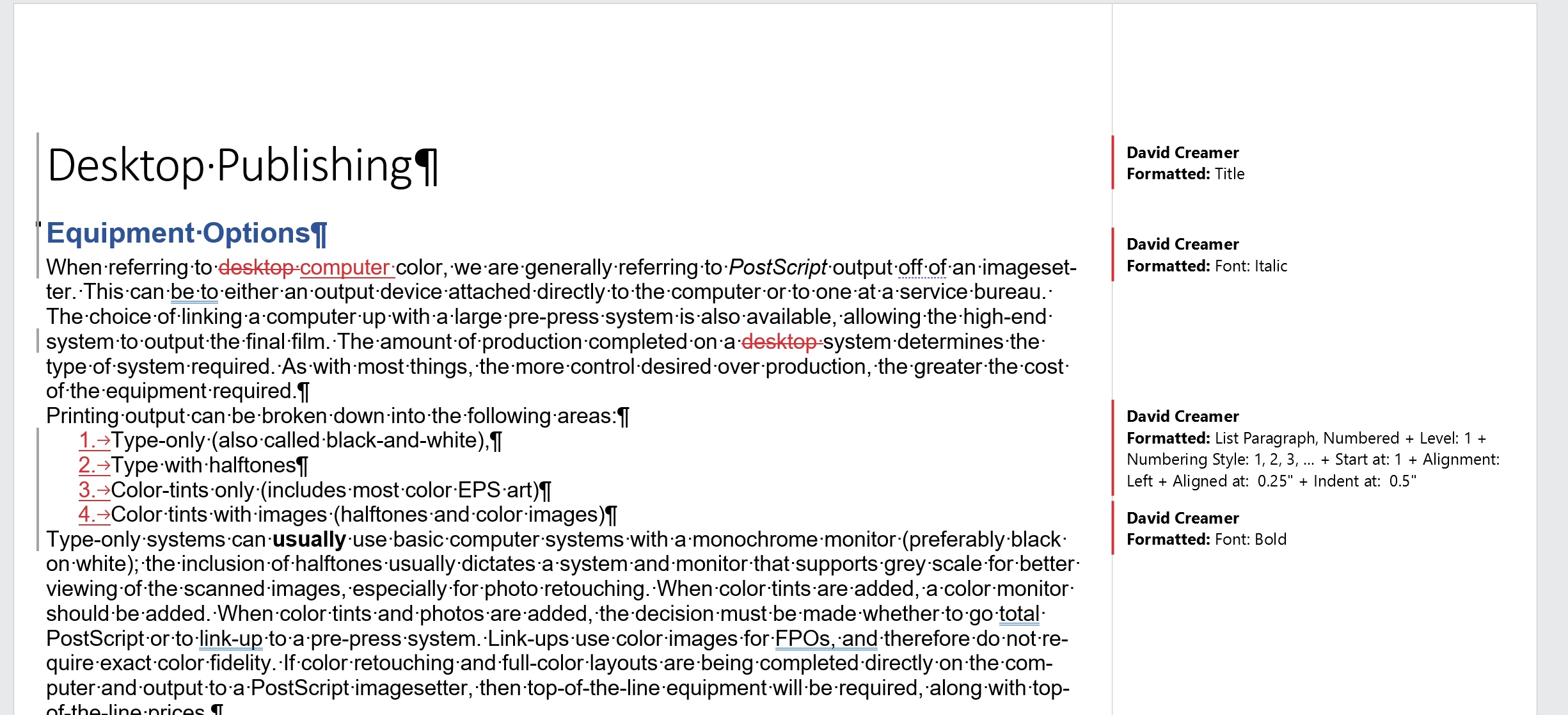
    Before with Track Changes on
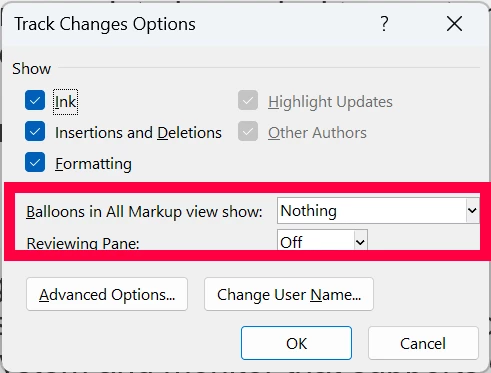
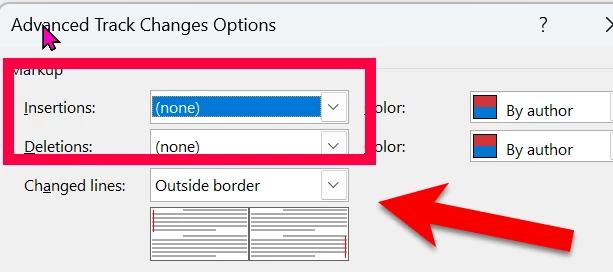
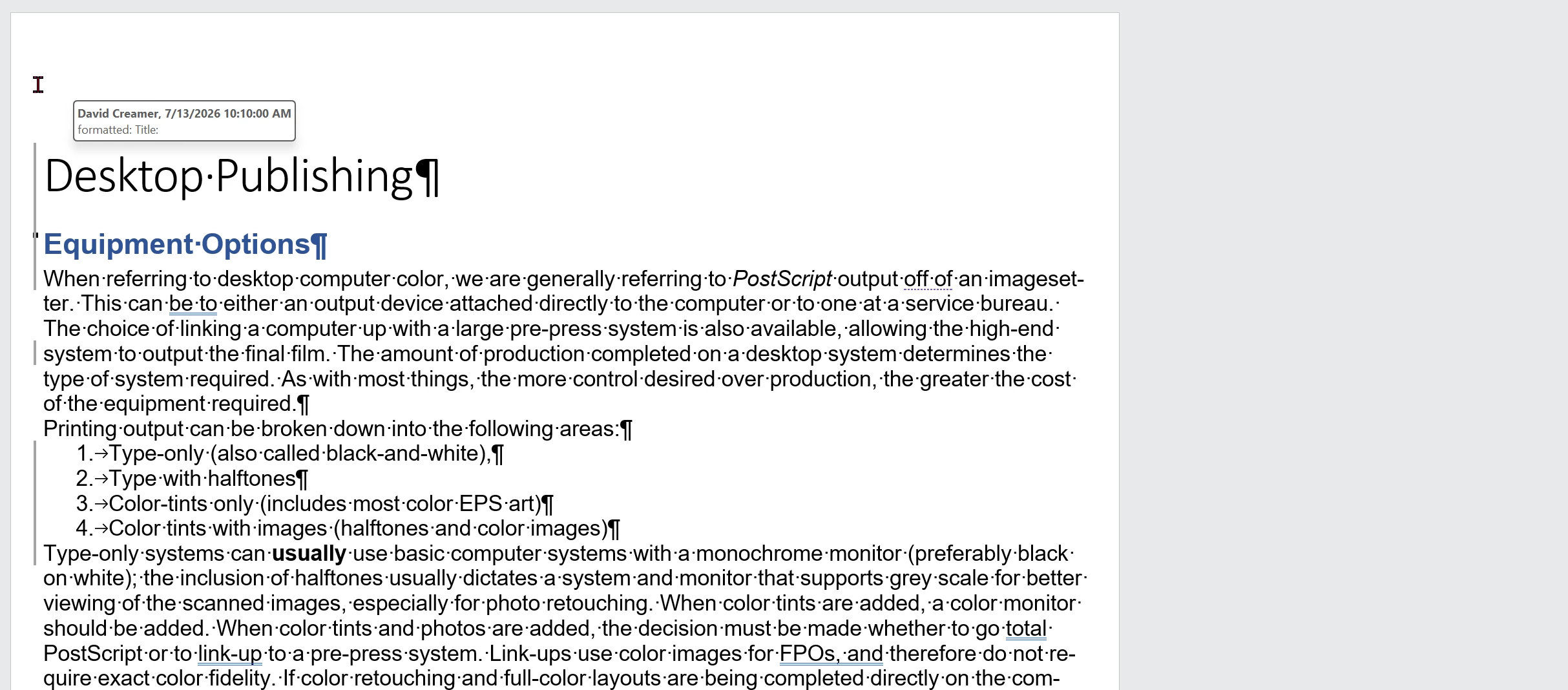
    Remove editing markup, but keep change bars.
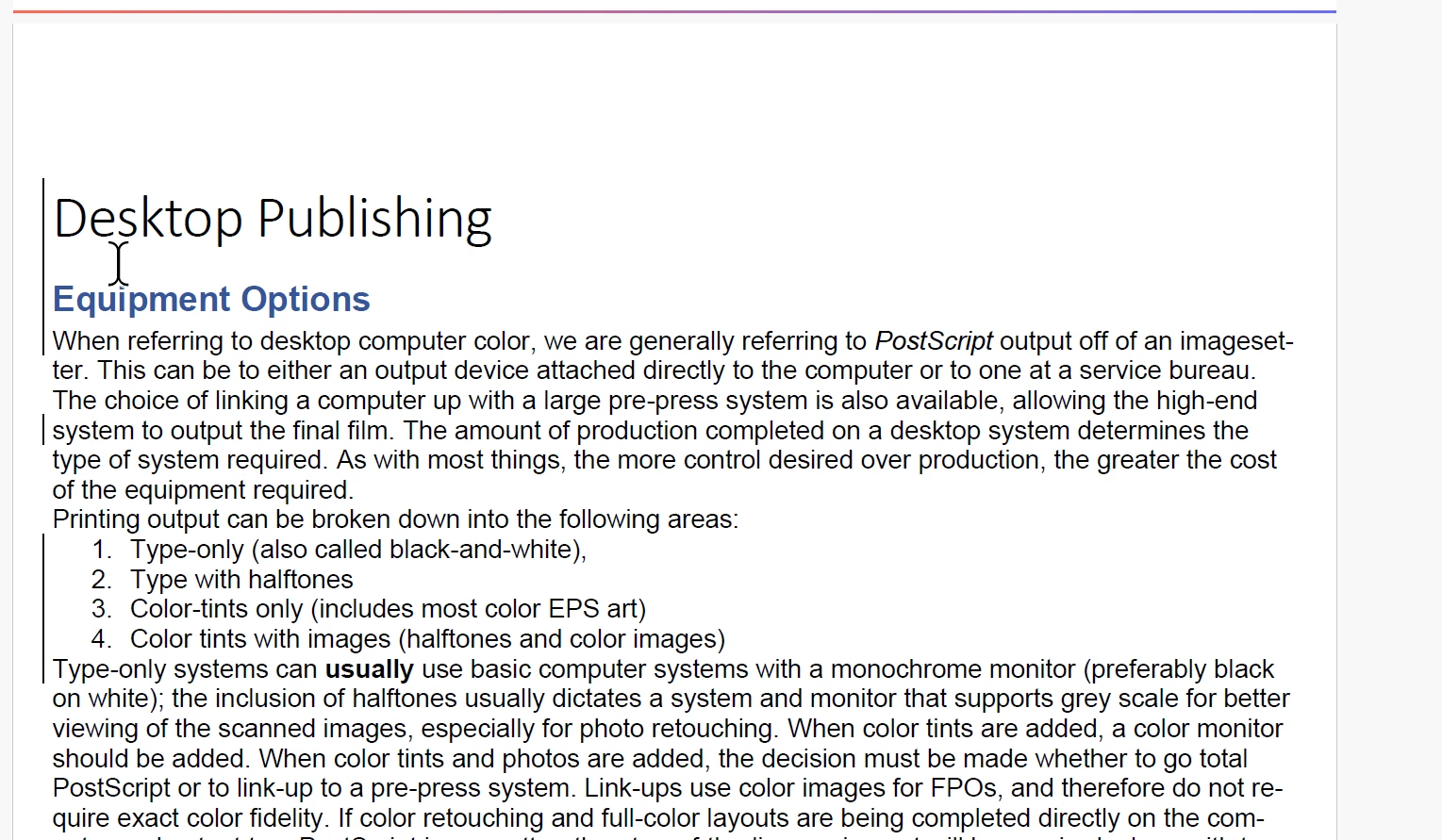
    Result in Word
    Result in Acrobat using Save As PDF


    16 replies

    Dave Creamer of IDEAS
    Community Expert
    Community Expert
    July 14, 2026

    Couple of other notes:

    If you moved, rather than inserted (typed or pasted), you need to change the settings above.
    Use the Save As; depending on your settings, printing to PDF or using the Acrobat ribbon tab may not include change bars.


    David Creamer: Community Expert (ACI and ACE 1995-2023)
    Participating Frequently
    July 14, 2026

    did not work


    Dave Creamer of IDEAS
    Community Expert
    Community Expert
    July 14, 2026

    Can you send me your document? If you don’t want it publicly available, message me and I’ll give you my email. 

    David Creamer: Community Expert (ACI and ACE 1995-2023)
    Dave Creamer of IDEAS
    Community Expert
    Community Expert
    July 13, 2026

    Did you get it to work?

    David Creamer: Community Expert (ACI and ACE 1995-2023)
    Participating Frequently
    July 13, 2026

    how do you remove editing markup

    Dave Creamer of IDEAS
    Community Expert
    Community Expert
    July 13, 2026

    Under the advanced options. Look at my screen captures carefully and you’ll see the settings. Actually Highlighted  those

    David Creamer: Community Expert (ACI and ACE 1995-2023)
    Participating Frequently
    July 13, 2026

    i dont think you can have change bars without comments. i did your way, not working.

    Participating Frequently
    July 13, 2026

    i guess change bars cant show without comments. i did as instructed.


    Dave Creamer of IDEAS
    Community Expert
    Community Expert
    July 13, 2026

    Click on the arrow in the lower right corner of tthe Markup group. 

    Make adjustments there and under the Advanced Options settings. 

    David Creamer: Community Expert (ACI and ACE 1995-2023)
    hingususAuthor
    Participant
    July 13, 2026

    done, that did not help. i just want to show change bars. i do not want to show comments.


    Dave Creamer of IDEAS
    Community Expert
    Community Expert
    July 13, 2026

    I just tested it. Your settings are not correct. Can you show screen captures of your Markup settings (including the Adv. Options)?

    David Creamer: Community Expert (ACI and ACE 1995-2023)