
Answered
Changing Text Color in calculated fields
Hello,
I'm working on editing a PDF form for my business. I have a few calculated text fields that I'm attempting to turn the text red if they are out of range. For example if the number is greater than 25 turns red, if the number is less than -25 turns red (ex. -30 would be red, or -50 would be red, also a 30 or a 50 would turn red) I've tried some scripts based on this discussion board and always get stuck with a problem on the negative numbers. The >25 seems to work no problem, its the negative numbers I'm struggling with. Any help would be greatly appreciated. 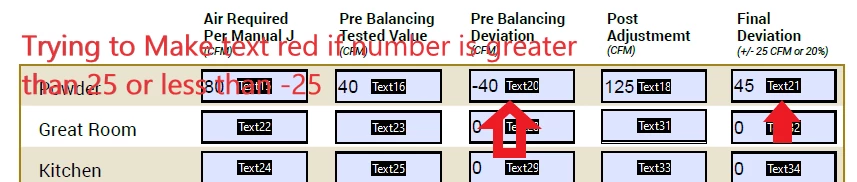
 AdChoices