Participant
August 9, 2022
Question

Character Spacing issue when converting a document to PDF

  • August 9, 2022
  • 1 reply
  • 1125 views

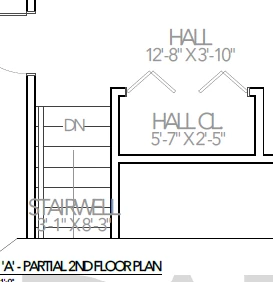
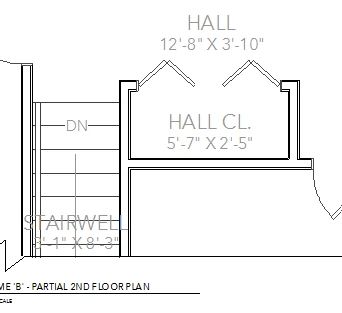
When converting a document to PDF the character spacing gets really tight. I haven't had this issue before today, a couple of my co-workers have had this issue the past few weeks and haven't been able to find a solution. Once the document has been converted to PDF the character spacing is off. I've added screenshots of what it looks like in the program we use and what it looks like once converted to PDF. 
 

This topic has been closed for replies.

1 reply

radzmar
Community Expert
Community Expert
August 9, 2022

If you don't tell us how you create the PDFs there might be noone who can tell what's the problem. So … ?

Participant
August 9, 2022

We're saving as a PDF from the Chief Architect program. 

Amal.
Legend
August 9, 2022

Hi there


++ Adding to the discussion


Would you mind sharing the steps you are doing to create the PDF file? Are you saving as PDF or saving as Adobe PDF?


Please try to create the PDF via Adobe Acrobat Pro DC application and see if that works for you. For more information please check the help page https://helpx.adobe.com/acrobat/using/creating-simple-pdfs-acrobat.html


Regards

Amal