Participant
October 7, 2020
Answered

Code to add/delete a table row in Adobe Acrobat Pro DC

  • October 7, 2020
  • 3 replies
  • 3440 views

Hi experts,

I am struggling with Adobe Acrobat Pro DC and tables. I dont really know how to create a table in DC. In this documentation I can't do step 2, don't find the "create table" part (https://helpx.adobe.com/incopy/using/creating-tables.html).

What I have previously done in AdobeLiveCycle Designer is to create a table and place a "add"-button and a "delete"-button as column in the table row in order to make the table dynamic and give the user the opportunity to define hisself how many rows he needs.

Something like this:
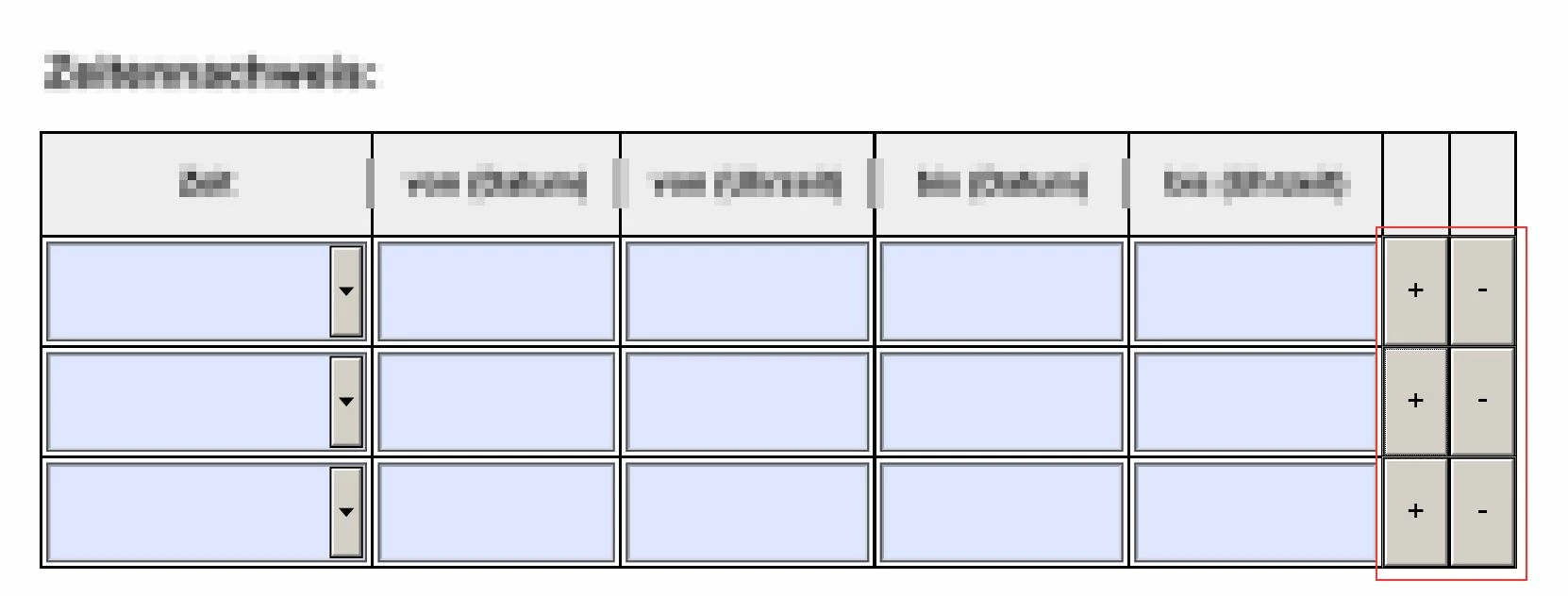
My problem was with the PDF created out of AdobeLiveCycle Designer, that the filled out PDF form couldn't be saved - just printed as PDF. There I got the hint, that we need another Adobe license. Therefore, I use now Adobe Acrobat Pro DC.


Is a dynamic table (with add/delete-buttons) possible in Adobe Acrobat Pro DC? If yes, how?

Thanks so much for tips.

Best Regards, Deborah

This topic has been closed for replies.
Correct answer Test Screen Name

There are no dynamic tables in Acroforms. There are no tables at all. Just collections of form fields, which might happen to be arranged in a fixed layout. Some might be hidden.

The level of conversion needed is so great, I suggest you look at the bigger picture and see if a different technology, such as HTML forms, would deliver more what you need.

3 replies

Bernd Alheit
Community Expert
Community Expert
October 7, 2020

The link refers the help of Adobe InCopy. It is not the documentation of Adobe Acrobat.

Legend
October 7, 2020

By the way, the file you linked to says how to arrange static content in fixed tables. It isn't about forms.

Test Screen NameCorrect answer
Legend
October 7, 2020

There are no dynamic tables in Acroforms. There are no tables at all. Just collections of form fields, which might happen to be arranged in a fixed layout. Some might be hidden.

The level of conversion needed is so great, I suggest you look at the bigger picture and see if a different technology, such as HTML forms, would deliver more what you need.

Participant
October 8, 2020

ok, thanks for your feedback!