


Participant
March 13, 2023
Question

Coded PDF-file/forms not working

  • March 13, 2023
  • 2 replies
  • 676 views

Hi,


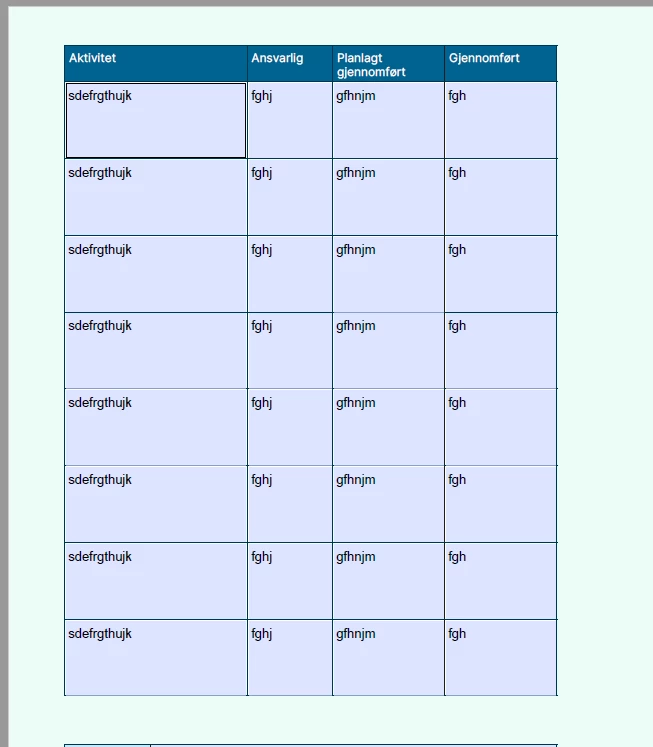
I have coded a PDF-file with fillable textboxes (forms?) and all the textboxes inherit the text I've written throughout the entire document. What have I done wrong?


The boxes are copies of each other, but I've never had this issue in previous works where I've copied the boxes throughout the document. Is there a setting or something that I can turn on/off to ensure the text is not inherited in all the similar boxes?


Thanks for your help.


This topic has been closed for replies.

2 replies

JR Boulay
Community Expert
Community Expert
March 14, 2023

Create only the first row, select all fields in the row, right-click on any fields and use "Create multiple copies".

This automatically renames the fields.


Acrobate du PDF, InDesigner et Photoshopographe
Thom Parker
Community Expert
Community Expert
March 13, 2023

Form fields with the same name are essentially the same field, and so they all share the same value. 

Copying and pasting form fields also copies the field name. So an exact copy will always have the same value as the original field. 


The solution is to give the form fields different names.  

Thom Parker - Software Developer at PDFScriptingUse the Acrobat JavaScript Reference early and often