
Answered
color for comment and mark-ups
Hi, I'm color-blind and I'm having difficulty identifying the color in the commenting tool, is the a way that the color label (name) will be shown when I'm viewing a comment or mark-up with color?

Hi, I'm color-blind and I'm having difficulty identifying the color in the commenting tool, is the a way that the color label (name) will be shown when I'm viewing a comment or mark-up with color?
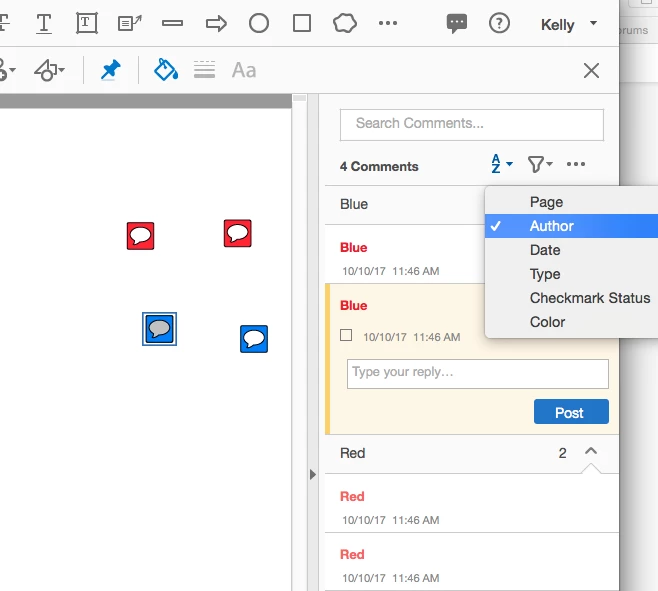
What you can do is cannibalize the author name of the name of the comment for the color name. So let's say you have 5 colors. Set up the author name to correspond to each color and keep those comments in a place on the page (or even in another PDF) where you can get to them easily.
So if you need to make a red comment, click on your existing red comment and choose make properties default. Now your next comment will be red. And so forth for blue, yellow, etc. Whatever colors you want. I wrote about this concept here: Document Geek: Sort Comments by Color... In Acrobat DC! (Sort of...)
Already have an account? Login
Enter your E-mail address. We'll send you an e-mail with instructions to reset your password.
 AdChoices