
Inspiring
March 26, 2017
Question

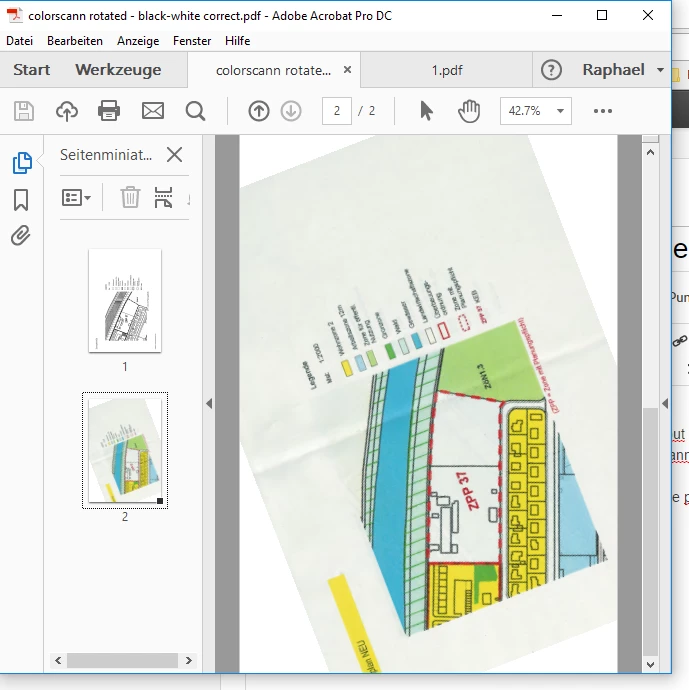
color scanning results in wrong orientation

  • March 26, 2017
  • 1 reply
  • 372 views

had this problem some time ago - now it's back ...

when i scann a color copy, acrobat rotates the orientation with about 45 degree.

do i the same with a black-and-white scann (the same sheet) it scanns correct.

everything is up to date, just started windows 10 64bit again - same problem.
This topic has been closed for replies.

1 reply

Lovekesh Garg
Adobe Employee
Adobe Employee
March 28, 2017

Please uncheck "Recognize Text(OCR)" checkbox once from scan setting window and scan.

Thanks.

Inspiring
March 28, 2017

it worked once when I saved the settings with OCR and then without. but after that, nomatter what I did, it screwed up the scann. please correct the programm. thx

an by the way, the gui is still awful! there was once a time, when i could just klick on the icon an acrobat made a scann - bw, color, etc. as the icon.

acrobat is a very simple programm and has not so many options, so why the hell is there such a poor gui?! on 24 inch sreen you have so much space, you could place almost all options on it ... i often have the feeling, you guys dont work with your programms.