


Participant
August 20, 2012
Answered

Combine files stuck on checking for security settings?

  • August 20, 2012
  • 13 replies
  • 90219 views

Adobe Acrobat X Pro 10.1.1 on Mac OS X 10.6.8

I've been trying to combine 2 pdf files (scanned to pdf using Preview on Mac) in Adobe Acrobat. However, it keeps getting stuck on checking for security settings for a long time (see screenshot below).
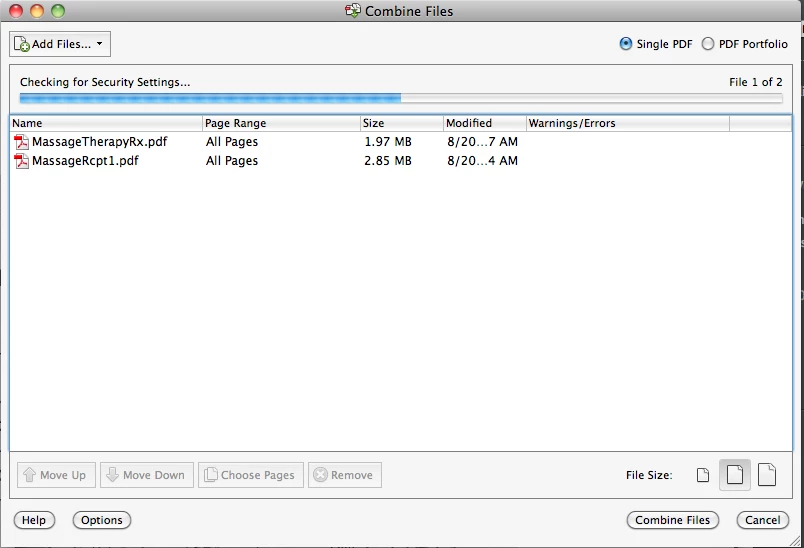
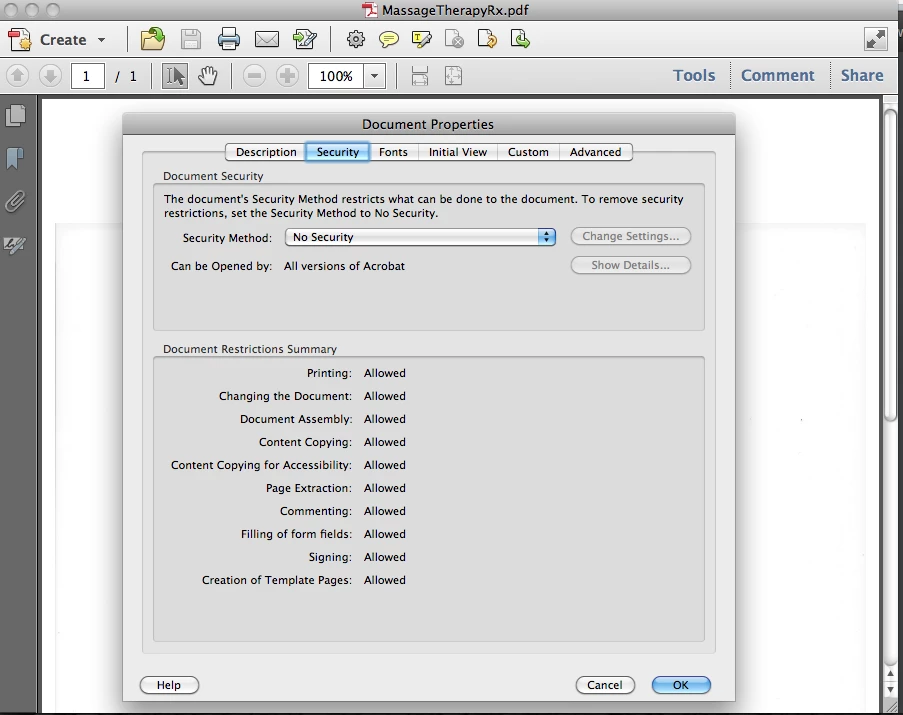
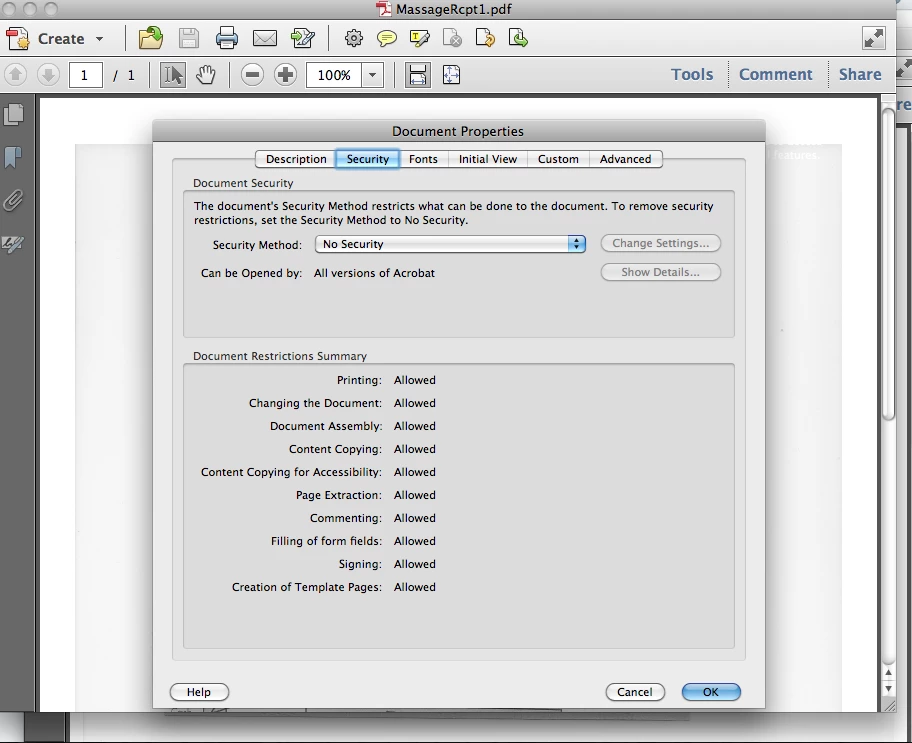
I checked the security settings on each pdf file and they both are showing no security.
I opened the original file using Preview, open the Print window and saved it to PDF under different name and still I can't combine the files. Is there any other way to get this done? I've been searching on Google and this forum for hours and found no solution to my problem.

Thanks.

Correct answer Test Screen Name

Insert Pages is the normal tool for combining PDF files, possibly many thousands of pages; the special thing in the File menu is a new tool, and not any more efficient in its resuls. For combining just two files, it hardly seems even quicker to use.

After combining files it's important to use SAVE AS PDF not just SAVE. This does some housekeeping, otherwise the resulting file is much larger than it needs to be.

13 replies

Participant
January 18, 2024

For anyone else who may run into this issue.  My workaround was to open each document in adobe and instead of inserting the files, I selected combine open files and it worked.


Participant
December 6, 2023

On a Mac,, Individually select the .JPG files you want (sequentially), right click, Quick Actions, Create PDF...

Definately a PIA.

Participant
January 16, 2024

This worked for me! Thank you! actually makes the pdf quicker too.

Participant
September 23, 2023

Hey there,
I was facing this same issue but found one solution that worked for me. You can try and see if that helps you. 
For the images that you are trying to combine, export them with Photoshop once and then try to combine them (exported ones) in Adobe Acrobat. It worked for me so decided to share, might work for you as well.

Participant
April 13, 2015

Seriously,

I have the answer!  I have found that Adobe Acrobat X is buggy.


1.) I cannot click on a pdf file in the finder to open in Acrobat X  - I must open the file from within the program.

2.) I cannot combine 2 or more pdf files in Adobe Acrobat X  as the files keep getting stuck on checking for security settings forever.

The FIX is to move back down to Acrobat 8.

Adobe 8 IS available as a FREE download here:

http://www.techspot.com/downloads/4683-adobe-acrobat-8.html

The license key is noted on the web page for Mac and PC

Legend
April 13, 2015

This web site is in error. It may be offering a download of Acrobat 8, and the site may not be charging, but Acrobat 8 has never been released as free software by Adobe. This is simply a pirate version, but wherever the misinformation started it has now been repeated by sites you would not expect to push pirate software. Business using the download without a valid license could find themselves in serious trouble.

Participant
October 15, 2015

Who cares, it works! Thats what you get for having super buggy software.

Participant
April 2, 2015

I have the answer!  I have found that Adobe Acrobat X is buggy.


1.) I cannot click on a pdf file in the finder to open in Acrobat X  - I must open the file from within the program.

2.) I cannot combine 2 or more pdf files in Adobe Acrobat X  as the files keep getting stuck on checking for security settings forever.

The FIX is to move back down to Acrobat 8. Adobe is giving the old versions away for free. Here is one place to downlod the old version: Adobe Acrobat Pro 8 Download - TechSpot

Legend
April 2, 2015

It is absolutely not the case that Acrobat 8 is free. Many sites, by misunderstanding or not, claim it, but it is not the case. A valid license is needed.

Participant
April 2, 2015

It is quite true that you can now download Adobe Acrobat Pro 8 for free on many reputable sites. A valid license key is provided. I find this is the best/only way to be able to combine 2 or more pdf files into one document without the program freezing on 'checking for security settings'. Adobe Acrobat Pro X is too buggy for me. I am happy to step back to 8.

I would like to continue to use Adobe Acrobat X but I cannot deal with this version's inability to complete certain simple tasks that it did so well in earlier versions.

Participant
February 4, 2015

Thx Benito..

works for me

benito camelas aqui
Participant
October 3, 2014

I think I came around the solution, here's what I did (and WORKED!), Instead of using the the normal "Combine files into file" wizard, do this:

  1. File > Action Wizard > Create New Action
  2. In "Start with:" just choose "Combine files into a Single pdf file. Leave the rest of the settings as they currently are. Name the action as you want it.
  3. Save

After you created that, run the Action:

  1. File > Action Wizard > "Your Action name"
  2. If a popup window appear, just check "Don't show again for this action" and then "Next"
  3. Choose the files "Add files" > Next
  4. Name your pdf and select where you want it to be saved.
  5. Done.

Somehow the Action skips the security settings checker not sure why, but it worked for me.

Hope it helps someone! Cheers!

Participant
October 10, 2014

I tried this and still get the following message:

Legend
October 10, 2014

Seems like a completely different problem: it isn't hanging and it isn't on a Mac. But this may be easier to solve. What is the application that created the document, as mentioned in the message? Is it Word? Excel?

Participant
August 13, 2014

For those that have asked, you can do this action without much effort in combining PDFs together. in Preview app on the Mac.

I have just combined 30 PDFs in the correct order and exported it as one PDF.

Here is how you do it:

1. Open the first PDF in Preview.

2. Open the thumbnail view which is a slider on the left that shows the thumbnail pages on the side. (go to View menu to activate it)

3. You can then drag all the other PDF (if they are in named correctly in order of name) into the thumbnail just below the thumbnail of the first PDF.

4. Upon release, the pages of each PDF will be added in the order in which they are dropped in or name of file.

5. Note that if you wish to add the PDFs in a custom order that is not the order of the name of PDFs in your desktop then drag them individually and place them just below the thumbnail of the first PDF.

6. You can then export the file as one PDF.


Hope that helps.

Participant
August 13, 2014

To add, if you are creating a PDF that is not a standard paper size and prefer to keep it that way, instead of exporting, simply just save the file.

Participant
August 13, 2014

Amazing how Adobe never even fixed this and its Aug 2014.

4Sahlibah
Participant
August 31, 2014

This is still a problem for me too.  I have been using this feature forever, however, just a month or two ago, it suddenly stopped working and essentially hangs forever on the security point.  I now manually have to insert each doc in order to get them in the right order, which takes about 10x longer.

Participant
October 15, 2013

I have the same problem. It doesnt matter which files i try to combine, it just wont do it. Can someone help us please? Im in a hurry!!!!!

Allta Media
Community Expert
Community Expert
October 16, 2013

Are you combining files on a network drive? If so, as a test, try moving the files locally to see if the issue still occurs.

Participant
October 16, 2013

Certainly not the case for me - the files are local.