Participant
August 19, 2023
Answered

Combing Files, then something changed

  • August 19, 2023
  • 2 replies
  • 1161 views

Hi, I use to have no problem combing files. When I would combine them it worked no problem. Then I was trying to combine a file (.pdf's) and it said something to the effect that I had to make a change in order to combine a particular file. I clicked on the Preferences like it said to do, and I checked the box it said to do but now when I try to bring the files together and I try to combine them it turns out like this:
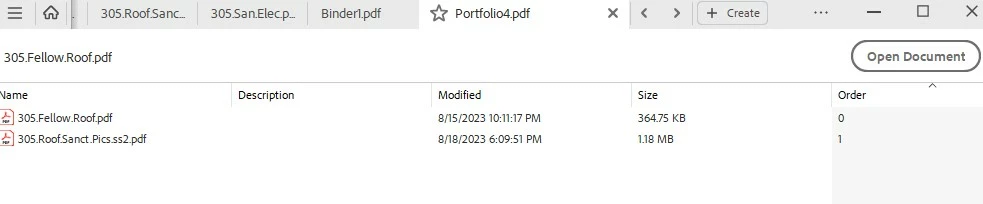

When I hit combine it only shows me the top file. Previously the layout was different and it would combine them as a Binder. Whatever I changed has now made it look like the photo above. I don't know what it was that I changed so I can undo that change. 
Does anyone know what to do? I hope this makes sense, and thanks in advance!
This topic has been closed for replies.
Correct answer try67

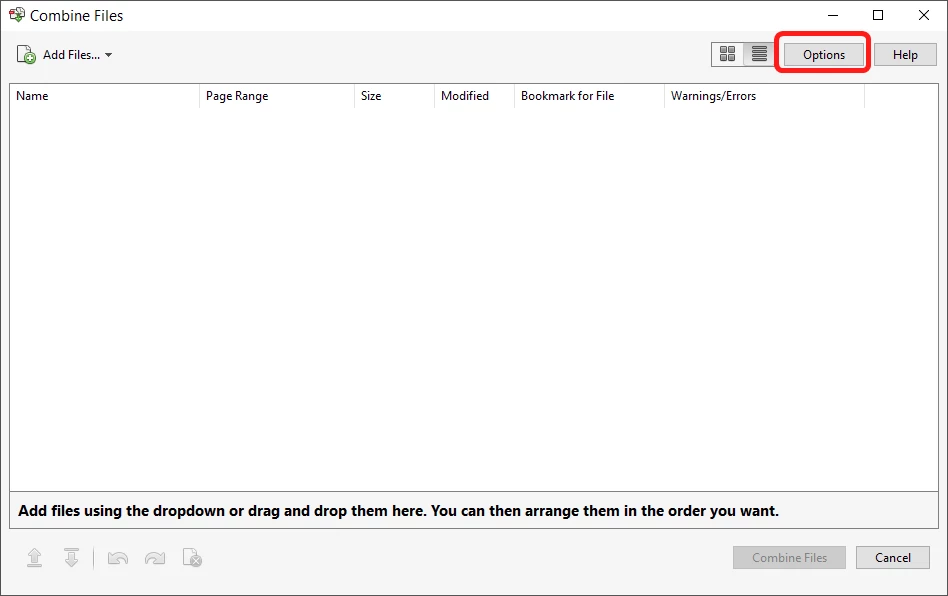
You've created a Portfolio. You can change it back via the Option button in the Combine Files dialog:


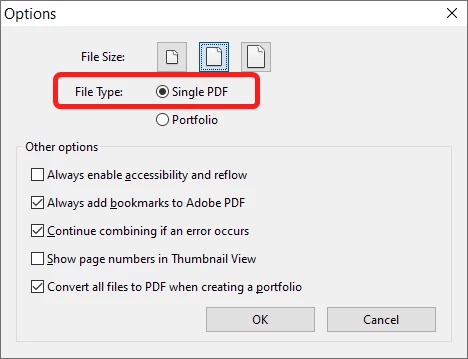
Then set File Type as "Single PDF":


Note that you won't be able to combine files in this way if one of them is digitally signed, certified, protected or was created using LiveCycle Designer, though.


2 replies

AkanchhaS8194121
Legend
August 20, 2023

@krism57716800 

++Adding on to the expert's suggestion.

Here's how you can know more about the emerging files:

https://helpx.adobe.com/acrobat/using/merging-files-single-pdf.html 


Also, to know the latest changes in Acrobat Modern Viewer, you can visit this document for more details: https://helpx.adobe.com/acrobat/using/new-acrobat-experience.html 


Thanks,

Akanchha 


try67
Community Expert
try67Community ExpertCorrect answer
Community Expert
August 19, 2023

You've created a Portfolio. You can change it back via the Option button in the Combine Files dialog:


Then set File Type as "Single PDF":


Note that you won't be able to combine files in this way if one of them is digitally signed, certified, protected or was created using LiveCycle Designer, though.