@mimi_runswithscissors Double check your preferences. Command K. Security (Enhanced). If 'Enable Enhanced Security is check' — uncheck it. And say Ok. We want to see if this temporarily makes the checkmarks to start "sticking." If they do, we know it's a permission conflict with the Mac's file system.
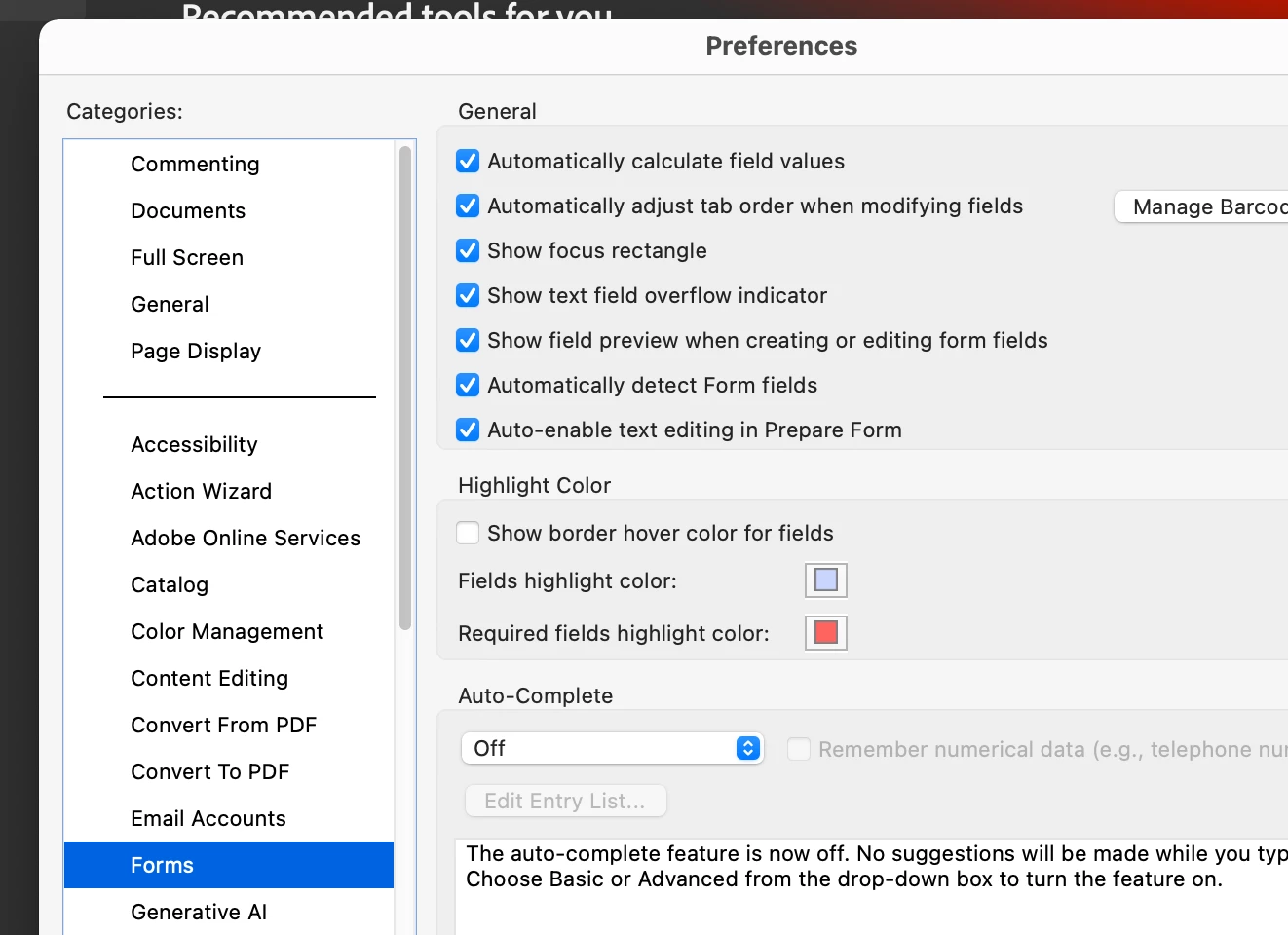
Also under Preferences, Forms, make sure 'Automatically detect Form Fields' is checked. I actually have all this on.
If I can also remember, each checkmark needs it's own properties. So, Checkmark1, Checkmark2, Checkmark3
Also, how are you working with your files? On the Cloud or locally? If you do both, that may be the issue. If the file is saved in a synced Cloud folder, Acrobat often refreshes the file to match the cloud version. If the cloud version hasn't registered the checkmark yet, it overwrites your local change, making the checkmark vanish. Meaning, those checkmarks are now gone. EECK!
If you are working from the Cloud, try moving the PDFs to your computer locally (desktop or documents folder (maybe create a new folder)—This SHOULD prevent the Cloud refreshing from undoing your checkmarks in real-time. Since checkmarks are behaving poorly, try right-clicking the comment and selecting Set Status > Completed. This writes a more permanent piece of metadata to the comment than a simple checkbox and is less likely to be overwritten by a sync glitch.
I’ve just discovered this issue. I’m working on a massive, complicated book, made a thousand changes based on comments in the PDF, checked them off, but left some changes undone throughout the book to revisit at the end. But now the checkmarks are gone and I’ve no way of knowing which ones I’ve done and which I haven’t without manually checking. I’m up against a publishing deadline. Help.
If the document is saved on a machine, upload the document.
Check if you can see the checkmarks in the PDF comments.
To further investigate the issue, please confirm the version of Acrobat and your operating system on the machine. Additionally, let me know if this problem occurs with other PDFs as well.
Uploaded and can’t even open the comments panels – click icon but won’t expand, even though the pages and generative summary panel expand when clicked. The comments are viewable if you hover, and instead of a checkmark, there us a ‘marked set by user’ comment, which is also viewable when downloaded and opened in Acrobat (Mac, version 2026.001.21691), which is better than nothing!
@creative explorer thank you for replying, and I see I must clarify (posting as first-level reply for visibility because I cannot also edit my OP…):
The checkmarks are not for a form — I’m referring to the checkmarks in Acrobat’s Comments pane:
I am unable to get both boxes to retain their checkmarks, and it’s rather odd (please view screen recording attached; PNGs added in case you can’t view it):
When I check off an initial comment, it places the checkmark not in the initial comment’s checkbox but in the reply’s comment’s checkbox.
Likewise, when I check off a reply, it places the checkmark not in the reply’s checkbox but in the initial comment’s checkbox.
Then clicking on the empty checkbox removes the checkmark from the checked-off box.
It does not matter which box I click first.
Sometimes when I click away and then try again, it will work. But most of the time it doesn’t.
This never used to happen. It’s driving me crazy because it makes it extremely difficult to track where I am when working on projects with many edits.
I hope somebody has an answer because my only option would be to uninstall the current version of Acrobat and replace it with the previous version — I’m always wary of changing software installs during a large project.
Hi again, adding that comments with replies also frequently uncheck themselves when I check off a reply. Doesn’t matter which I check first, one will turn off the other.
Sometimes it works just fine, but most of the time it does not.
Neither the recent release, 2025.001.21208, nor rebooting my computer made any difference.
I’m using a MacBook Pro 2021, 64 GB memory, macOS 26.3 (25D125).
@mimi_runswithscissors Double check your preferences. Command K. Security (Enhanced). If 'Enable Enhanced Security is check' — uncheck it. And say Ok. We want to see if this temporarily makes the checkmarks to start "sticking." If they do, we know it's a permission conflict with the Mac's file system.
Also under Preferences, Forms, make sure 'Automatically detect Form Fields' is checked. I actually have all this on.
If I can also remember, each checkmark needs it's own properties. So, Checkmark1, Checkmark2, Checkmark3
Also, how are you working with your files? On the Cloud or locally? If you do both, that may be the issue. If the file is saved in a synced Cloud folder, Acrobat often refreshes the file to match the cloud version. If the cloud version hasn't registered the checkmark yet, it overwrites your local change, making the checkmark vanish. Meaning, those checkmarks are now gone. EECK!
If you are working from the Cloud, try moving the PDFs to your computer locally (desktop or documents folder (maybe create a new folder)—This SHOULD prevent the Cloud refreshing from undoing your checkmarks in real-time. Since checkmarks are behaving poorly, try right-clicking the comment and selecting Set Status > Completed. This writes a more permanent piece of metadata to the comment than a simple checkbox and is less likely to be overwritten by a sync glitch.
Hi creative_explorer, pardon my late reply — have a too much on my plate…
Unchecking Enable Enhanced Security did the trick — thank you!
One concern, however, is whether I’m actually allowed to do that. I work for an SF Bay Area government agency and our our security team are, understandably, super vigilant in protecting our documents and systems. If they tell me I have to keep it checked on, I’ll see if your Set Status > Completed suggestion is another way around this issue. If not, I’ll reopen this thread (if possible) or start a new one asking for further advice.
Re: working on the Cloud, “EECK” indeed! For this doc, I’m working on my laptop, but we often work together in docs posted to SharePoint, which may have the same issue.




 AdChoices