Hi All,
We have released an update today for Adobe Acrobat 2015, Acrobat 2017 and Acrobat DC in which you can hide the toolbar using a newly added preference. By default, the toolbar is enabled. Check the screenshot below:
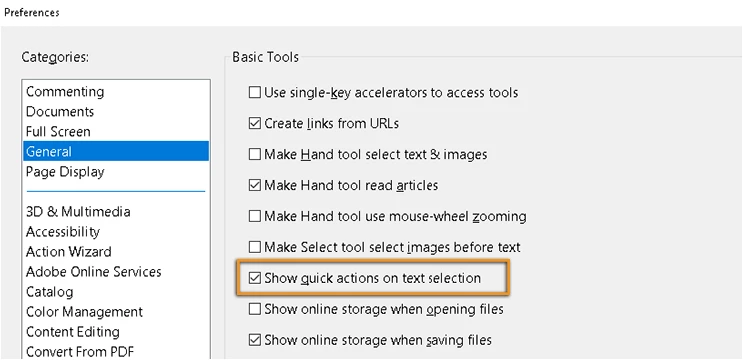
This update will be automatically pushed to all existing installations of Acrobat and Reader. If you want, you may also manually trigger the update early by opening the application and going to Help > Check for Updates.
You may refer to the following link to check the latest versions available. Release Notes | Adobe Acrobat, Reader
For more details on the new update, please refer to the following help document What's new in Adobe Acrobat DC
Let us know if you have any questions.
Regards,
Meenakshi




 AdChoices