
Participant
May 16, 2022
Question

Comments on PDF does not display

  • May 16, 2022
  • 1 reply
  • 1650 views

Comments does not display on screen.

1. I am making comments on PDF file. 
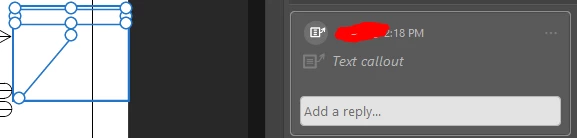
2. I am adding texts on the callout. It shows in the picture below that texts are not displayed in the callout
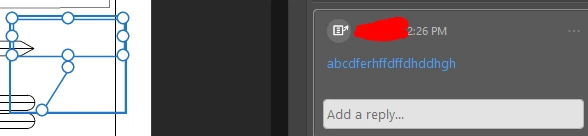
3. The texts are still there but does not display on the screen.

4. When I click on the screen, the comment is there. But when you click somewhere on screen, the comment disappear.



This topic has been closed for replies.

1 reply

Meenakshi_Negi
Legend
May 16, 2022

Hi Angelica,


Thank you for reaching out!


As the comment does not appear on the PDF when you click on somewhere on the screen, please check the comment settings under the application preferences.

Please check the option selected under the Pop-up behavior under the comment category in the Preference window. You may check the Preference settings using the following steps:

1. In Acrobat, go to Edit menu > Preferences > Categories > Commenting.

2. Check the options enabled under the title "Pop-up Open Behviour" on the right-hand side of the Preferences window.

Try toggling the options and check if that helps.


If the issue persists, share the screenshot of the Preference settings for Commenting with us here.


Let us know how it goes.


Thanks,

Meenakshi


Participant
May 19, 2022

Hi Meenakshi,


The issue is still open. Please see attached for your reference.


Meenakshi_Negi
Legend
June 1, 2022

Hi Angelica,


Sorry for the delay in response.


Would it be possible for you to share the sample document on which the issue occurs? That will help us to investigate the issue further.

We did try to replicate the behavior. It works fine at our end.

Please let us know if the issue occurs with a particular PDF? Did you try to check with other PDFs?

In the screenshot, I see that the document is shared. Check if it is an issue with shared files only?

More details will help us to further investigate the issue.


Thanks,

Meenakshi